
QR-koodi Epic Gamesille: Kuinka käyttää turvallista kirjautumista ja muuta
jpg_800.webp)
Epic Gamesin QR-koodit mahdollistavat käyttäjien kirjautumisen turvallisemmin, nopean sovellusten lataamisen, palkintojen lunastamisen ja suoraan pelien pelaamisen ilman häslinkiä.
Epic Games on yksi suurimmista nimistä peliteollisuudessa, jossa on yli 972 miljoonaa käyttäjää ja yli 1 000 pelinimikettä saatavilla kaupassa.
Se tarjoaa QR-koodeja, joiden avulla käyttäjät voivat turvallisemmin ja kätevämmin päästä sisään, käyttää ja jakaa profiileja muiden yhteisön jäsenten kanssa.
Lue lisää saadaksesi tietää, miten QR-koodit toimivat Epic Gamesille, miten ne skannataan, ja muita edistyneitä QR-koodin luontisovelluksia, jotka tekevät pelikokemuksesta paremman. Sukelletaan syvemmälle!
Sisällysluettelo
- Kuinka käyttää QR-koodia Epic Gamesille
- Ovatko Epic Gamesin QR-koodit turvallisia?
- Kuinka skannata QR-koodi Epic Gamesissa
- Vianmääritys Epic Gamesin QR-koodeille
- Muita luovia tapoja käyttää Epic Gamesin QR-koodia
- Kuinka luoda mukautettu Epic Gamesin QR-koodi
- Miksi käyttää räätälöityä QR-koodia?
- Tee pelaamiskokemuksista eeppisempiä QR TIGERin avulla
- UKK
Kuinka käyttää QR-koodia Epic Gamesille
Epic Games tarjoaa QR-koodeja Epic Games -käynnistimen, verkkosivuston tai mobiilisovelluksen kautta eri tarkoituksiin.
Nämä ovat joitain tapoja, joilla se käyttää QR-koodeja videopeleissään ja järjestelmissään:
Ota käyttöön kaksivaiheinen tunnistautuminen (2FA)
Epic Games mahdollistaa kaksivaiheisen todennuksen tilille QR-koodeilla. Käyttäjien tarvitsee vain mennä tilinsä asetuksiin ja valita sitten "Salasana ja turvallisuus" asettaakseen Epic Gamesin Autentikointisovelluksen QR-koodin kaksivaiheista todennusta varten.
Syötä varmennuskoodi ja valitse sitten Autentikointisovellus-vaihtoehto QR-koodin luomiseksi. Skannaa se kolmannen osapuolen autentikointisovelluksella, kuten Googlella tai Microsoft Authenticatorilla, tilin linkittämiseksi ja kuuden numeron kirjautumiskoodien mahdollistamiseksi turvallisempia kirjautumisia varten.
Luoja-profiililinkit
Luojat, jotka tekevät räätälöityjä saaria Fortniteen, voivat sijoittaa QR-koodit videopelissä joka johtaa suoraan heidän Epic Games -luojaprofiiliinsa, mahdollistaen käyttäjien löytää enemmän luojan tekemiä mukautettuja karttoja.
Lunasta lahjakorttipalkinnot
Jotkut Epic Gamesin lahjakortit sisältävät QR-koodin, joka vie käyttäjät suoraan lunastussivulle, kun he skannaavat sen, mikä helpottaa käyttöä ja lunastamista.
Mobiilisovelluksen asennus
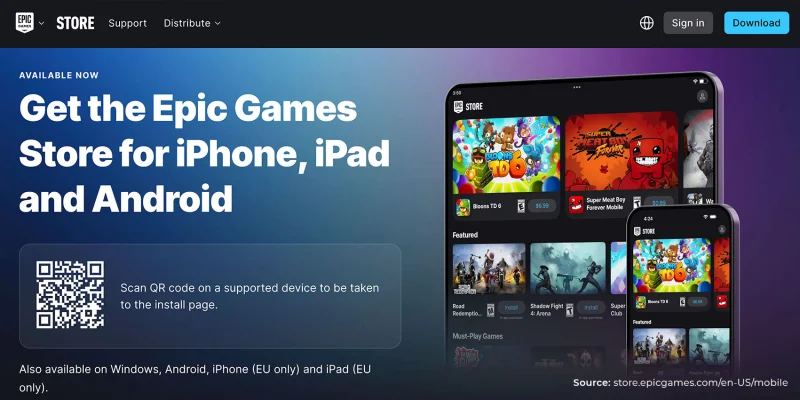
Käyttäjät voivat myös vierailla Epic Gamesin asennussivulla skannataksesi QR-koodin, ladata mobiilisovelluksen ja ostaa sekä lunastaa ilmaisia pelejä.
Tavaroiden varmennus
Monissa Epic Gamesin fyysisissä tuotteissa on hopeinen QR-koodi, jonka käyttäjät voivat skannata älypuhelimella tai Epic Gamesin QR-koodiskannerilla varmistaakseen niiden aitouden.
Ovatko Epic Gamesin QR-koodit turvallisia?
Viralliset Epic Gamesin QR-koodit ovat turvallisia käyttää, koska ne toimivat QR-koodin turvallisuus kaksivaiheinen todennus, joka vaatii käyttäjien vahvistavan tilinsä toisella tekijällä kuin salasanalla.
Lisäksi niitä käytetään myös tuotteiden, profiilien jakamisen ja sovellusten asentamisen osalta, kaikki nämä ovat turvallisia ja luotuja itse alustan toimesta.
Alusta varoittaa myös skannaamasta QR-koodeja epävirallisilta tai epäilyttäviltä verkkosivustoilta, koska verkkohuijarit ja kalasteluhyökkääjät saattavat käyttää väärennettyjä QR-koodeja varastaakseen kirjautumistunnukset.
Kuinka skannata QR-koodi Epic Gamesissa
Olipa kyse sitten Epic Games -tiliin kirjautumisesta, lahjakorttien lunastamisesta tai tuotteiden varmistamisesta, voit skannata QR-koodin Androidilla ja iOS:llä yhtä helposti kuin seuraamalla näitä kahta yksinkertaista vaihetta:
Avaa älypuhelimesi kamera tai asenna sovellus joka mahdollistaa QR-koodien skannaamisen.
Kohdista kamera haluamaasi Epic Gamesin QR-koodiin, jonka haluat skannata, ja odota linkin ilmestymistä tai aukeamista automaattisesti.
Jos asetat kaksivaiheisen todennuksen laitteeseesi, voit käyttää todennussovellusta skannaamaan QR-koodin ja generoimaan kaksivaiheisen todennuskoodin itse sovelluksessa.
Epic Games suosittelee seuraavia kolmannen osapuolen sovelluksia:
- Google Authenticator
- Microsoftin todennussovellus
- LastPassin todennussovellus
- Authy
Vianmääritys Epic Gamesin QR-koodeilla
Käytettäessä QR-koodeja Epic Games -alustalla käyttäjät saattavat kohdata ongelmia, joissa QR-koodeja ei voida skannata tai ne eivät toimi.
Tässä on joitakin yleisiä ongelmia, joita käyttäjät kohtaavat, yhdessä oppaan kanssa siitä, miten ne voidaan korjata:
Virheellinen 2FA QR-koodi
Jos QR-koodin skannaus johtaa "Virheellinen" virheilmoitukseen, se saattaa johtua aikojen epäsynkronoinnista. Varmista, että sekä puhelimesi että tietokoneesi järjestelmäaika on asetettu automaattisesti ja generoi sitten uusi 2FA QR-koodi.
Kirjautumis-QR ei toimi
Jos älypuhelimesi ei pysty skannaamaan kirjautumisen QR-koodia, yritä skannata QR-koodi hyvin valaistussa ympäristössä käyttäen kameran yleistä valokuvatilaa. Jos käytät todennussovellusta, varmista, että se on päivitetty ennen uudelleen skannaamista.
Pix QR-koodi Virhe
Pix on QR-koodimaksutapa, jonka Epic Games tarjoaa käyttäjille Brasiliassa. Jotkut käyttäjät saattavat kokea virheen, jossa Pix-maksutapa näyttää vain tyhjän näytön tai ei onnistu generoimaan mitään QR-koodeja.
Tällaisissa tapauksissa suositellaan, että käyttäjät yrittävät ostaa pelin Epic Games Storen verkkosivuston kautta.
Muita luovia tapoja käyttää Epic Gamesin QR-koodia
Vaikka Epic Gamesilla on omat QR-koodinsa monien tehtävien virtaviivaistamiseksi, voit optimoida ne vieläkin paremmin QR-koodigeneraattorin avulla, jossa on logon integrointi.
Tämä antaa sinulle mahdollisuuden jakaa sisältöä, mainostaa otsikoita ja osallistua muiden kanssa eri medioissa ja alustoilla. Tässä on useita käytännön tapoja käyttää räätälöityä QR-koodia Epic Gamesille:
Jaa pelaajaprofiilit
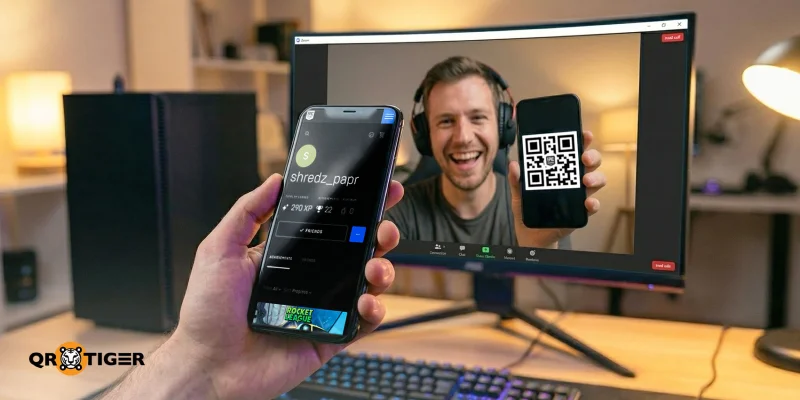
Kopioi Epic Games -tilisi sivun URL-osoite. Sitten muunna se linkki QR-koodiin jakaa sen nopeasti muiden kanssa.
Tämä mahdollistaa muiden nähdä saavutuksesi heti ja lähettää sinulle kaveripyyntö skannaamalla QR-koodi, mikä on erityisen hyödyllistä olit sitten striimaaja tai satunnainen pelaaja, auttaen sinua kasvattamaan verkostoasi.
Ilmoita ilmaisista peleistä ja alennuksista
Jos olet luova tai striimaaja, joka säännöllisesti käsittelee kaupan tarjouksia, voit luoda QR-koodin, joka johtaa suoraan viikoittaiseen ilmaispelien osioon tai alennustapahtumiin Epic Games -kaupassa.
Tämä tarkoittaa, että yleisösi voi yksinkertaisesti skannata QR-koodin tarkistaakseen rajoitetun ajan tarjoukset.
Mainosta räätälöityjä saaria
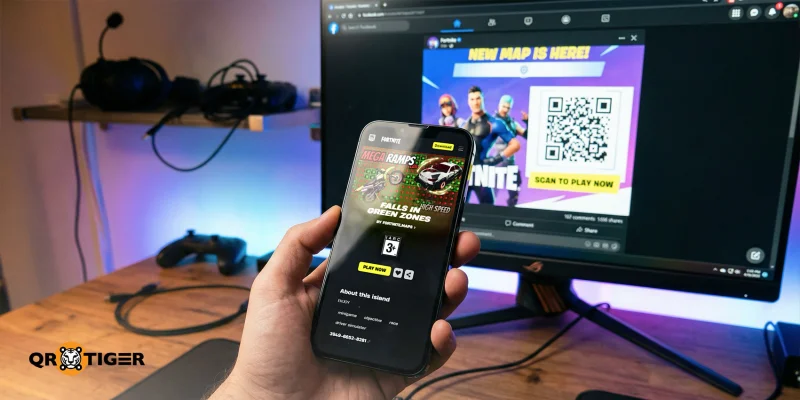
Vaikka voit luoda Epic Games Fortniten QR-koodin pelissä, voit myös käyttää räätälöityä QR-koodialustaa luodaksesi QR-koodin, joka linkittää suoraan räätälöidylle saarelle verkkosivustolla.
Tällä tavalla pelaajat voivat nopeasti skannata koodin, ladata mukautetun karttasi ja hypätä suoraan kartalle ilman tarvetta selata useita valikoita.
Mainosta tiettyjä pelejä tai lisäosia
Yli 3,58 miljardia pelaajaa maailmanlaajuisesti Etsivät uusia ja suosittuja pelejä, kehittäjät ja sponsoroidut luojat voivat käyttää QR-koodeja ohjatakseen pelaajat suoraan tiettyyn pelikaupan sivulle.
Tämä helpottaa yleisön pelien löytämistä ja kannustaa heitä ostamaan tai lataamaan uutta sisältöä.
Ota käyttöön kaverisuositukset
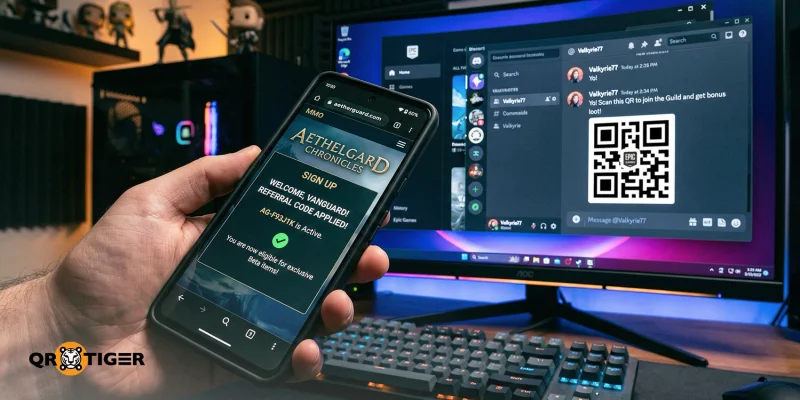
Monet moninpelit tukevat nyt suosittelulinkkejä, jotka palkitsevat molemmat pelaajat lisätäkseen pelaajamäärää ja ohjatakseen enemmän liikennettä peliin.
Muuttamalla nämä linkit Epic Gamesin suosittele-kaverille QR-koodiksi, ystäväsi tai yhteisön jäsenet voivat liittyä peliin helposti yksinkertaisella skannauksella.
Jaa pelioppaita ja tutoriaaleja
Yksi suosituimmista muodoista online-videopelisisällössä on Pelataan ja käydään läpi videot, jotka voivat lisätä tiettyjen pelien näkyvyyttä ja kannustaa enemmän ihmisiä pelaamaan niitä.
Jos julkaiset läpäisyooppaita ja pelivinkkejä Epic Games -yhteisösivustolla, voit helposti luoda QR-koodin jokaiselle niistä, mikä mahdollistaa yleisösi pääsyn resursseihisi välittömästi ilman tarvetta etsiä niitä foorumeilta. 
Kuinka luoda mukautettu Epic Gamesin QR-koodi
Voit luoda mukautetun QR-koodin QR TIGER -palvelussa parantaaksesi kokemuksia Epic Games -verkkosivustolla ja sen ulkopuolella. Tässä on nopea vaiheittainen opas oman mukautetun QR-koodin luomiseen Epic Gamesille:
Vierailu a QR-koodin luonti verkossa.
Valitse URL QR-koodiratkaisu. Valitse sitten QR-koodityyppi: staattinen tai dynaaminen.
Kopioi linkki Epic Gamesin sisältöön tai sivulle.
Generoi QR-koodi.
Mukauta QR-koodin suunnittelua ja lisää toimintakehotus (CTA).
Testaa QR-koodi useilla laitteilla varmistaaksesi, että se skannaa oikein.
Lataa QR-koodi ja lisää se materiaaleihisi.
Miksi käyttää räätälöityä QR-koodia?
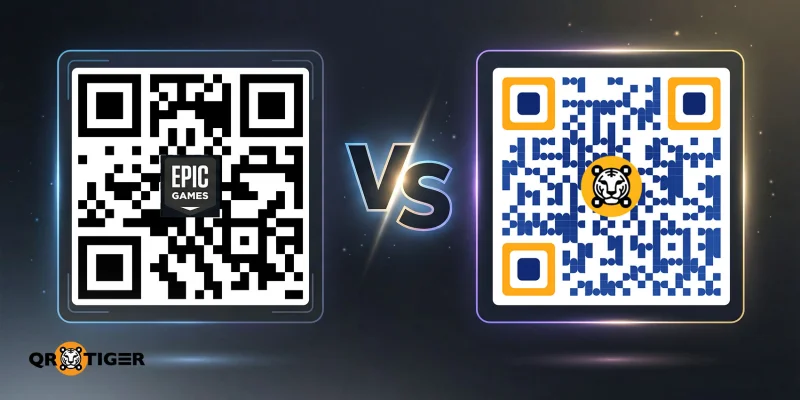
Vaikka QR-koodi Epic Gamesille on hyödyllinen nopeisiin tehtäviin kuten 2FA, koodin lunastaminen ja varmennus, oman QR-koodin luominen tarjoaa myös suurempaa joustavuutta ja hallintaa.
Tässä on joitain tärkeitä ominaisuuksia edistyneelle QR-koodigeneraattorille logon integroinnilla, joita tarvitset:
- Dynaaminen QR-koodin luonti: Tämä QR-koodityyppi mahdollistaa kohteen linkin päivittämisen tai vaihtamisen milloin tahansa.
- Uudelleenkohdistaminen: QR-koodin uudelleenkohdistaminen antaa sinun tavoittaa kiinnostuneet käyttäjät uudelleen kohdennetun mainonnan avulla.
- Edistynyt seuranta ja analytiikka: Näet, mistä yleisösi skannaa, milloin he tekevät sen ja miten he sen tekevät, tarjoten visuaalisia oivalluksia siitä, miten markkinoida tuotteita tai palveluita kuluttajille.
- Salasanasuojaus ja pääsyn rajoittaminen: Voit suodattaa, kuka voi skannata ja käyttää koodin takana olevaa sisältöä, tai hallita, milloin pääsyä myönnetään.
- Laaja mukautusvalikoima: Toisin kuin QR-koodeja luotaessa Epic Games , räätälöity QR-koodin tekijä tarjoaa runsaasti mukautusvaihtoehtoja tehdäkseen QR-koodistasi helpommin tunnistettavan ja silmiinpistävämmän.
Voit saada kaikki nämä ominaisuudet ja enemmän QR TIGERissa. Liiketoimintasuunnitelmamme tarjoavat täyden pääsyn yritystason QR-koodityökaluihin kehittäjille, markkinoijille ja peliyhtiöille.
Tee pelaamiskokemuksista eeppisempiä QR TIGERin avulla
QR-koodit Epic Gamesille ovat loistavia esimerkkejä siitä, miten arvokkaita QR-koodeista on tullut nykyaikaisen pelikokemuksen parantamisessa.
Parhaan QR-koodigeneraattorin avulla pelaajat, kehittäjät, markkinoijat ja sisällöntuottajat voivat tehokkaasti mainostaa pelejään ja kasvattaa yhteisöjään.
Katso, kuinka helppoa muiden pelaajien on yhdistää sinuun. Luo omat QR-koodisi tänään.

UKK
Onko Fortnite-pelille QR-koodia?
Kaikissa virallisissa fyysisissä Fortnite-tuotteissa on hopeinen QR-koodi, jota käyttäjät voivat skannata varmistaakseen niiden aitouden. QR-koodi ohjaa käyttäjät sivulle, jossa näkyy tuotekoodi. Tarkista, vastaako se koodia QR-koodin yläpuolella fyysisessä tuotteessa ennen kuin napsautat "Vahvista" -painiketta.
Kuinka voin yhdistää Fortnite-tilini Epic Gamesiin?
Liitä Fortnite-tilisi Epic Gamesiin aloittamalla kirjautumalla Epic Gamesin verkkosivustolle. Siirry kohtaan Tiliasetukset, avaa sitten Liitetyt tilit -osio. Valitse siellä käyttämäsi alusta, jolla pelaat Fortnitea, ja seuraa ohjeita yhdistääksesi sen tilillesi.
Miksi saan Epic Gamesin vahvistuskoodit?
On useita syitä saada Epic Gamesin varmennuskoodit: kun kirjaudut uudelta laitteelta tai sijainnilta, kun joku yrittää päästä tilillesi, vahvistaessasi sähköpostiosoitettasi tai ottaessasi käyttöön kaksivaiheisen todennuksen.
Jos saat useita vahvistuskoodeja ilman, että yrität kirjautua sisään, se saattaa tarkoittaa, että joku muu yrittää päästä tilillesi. Tässä tilanteessa on parasta vaihtaa salasanasi ja päivittää kaksivaiheisen todennuksen menetelmäsi. 

