Hallitse QR-kampanjoita QR TIGER QR Code -kansiolla
 Mukaan Belle
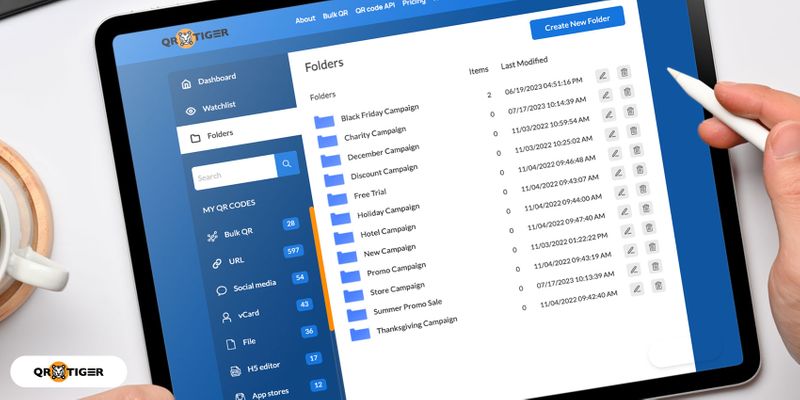
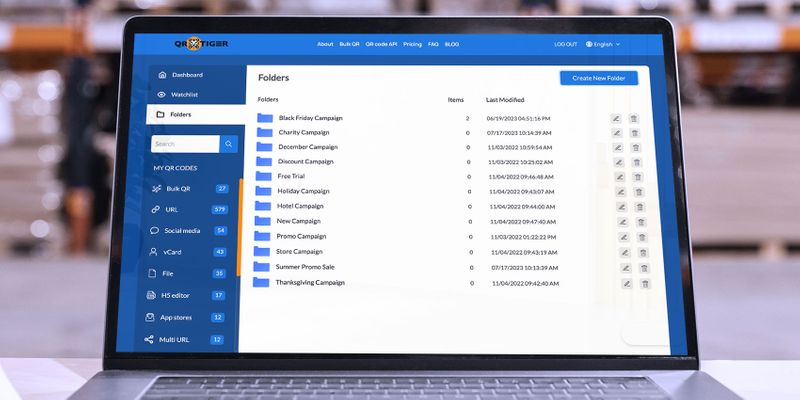
QR-koodikansio on kuin digitaalinen lokero, jonka avulla QR TIGERin käyttäjät voivat pitää omansaQR koodi kampanjoita tehokkaan hallinnon varmistamiseksi.
Voit myös lisätä tarroja tai nimiä jokaiseen kansioon.
Tämä auttaa sinua luokittelemaan kampanjasi ja järjestämään digitaalisen QR-koodialustan.
Lisäksi yrityssuunnitelman käyttäjille QR TIGER mahdollistaa yhteistyötöiden hallinnan.
Voit helposti jakaa kansiosi muiden käyttäjien kanssa, jolloin he voivat tarkastella tai muokata kampanjoitasi.
Tämä on erityisen edullista yrityksille ja virastoille, jotka toteuttavat laajamittaisia QR-koodiin perustuvia kampanjoita.
Voit perustaa tiimin QR-koodigeneraattoriohjelmistolla, missä kaikki pystytseurata QR-koodeja yhdessä paikassa.

Kuinka luoda koodikansiosi parhaalla QR-koodigeneraattorilla
Jos käytät QR TIGER -ohjelmistoa ensimmäistä kertaa, sinun on ensin luotava tili käyttääksesi Kansio-ominaisuutta.
Ja jos olet yritysteollisuudesta, on erittäin ihanteellinen, että valitset ammattimaisen QR-ohjelmiston aloittaaksesiliiketoiminta ja markkinointi QR-koodeilla nyt.
Kun olet luonut tilisi, voit luoda koodikansion käyttämällä QR-koodigeneraattoria logoohjelmistolla seuraavasti:
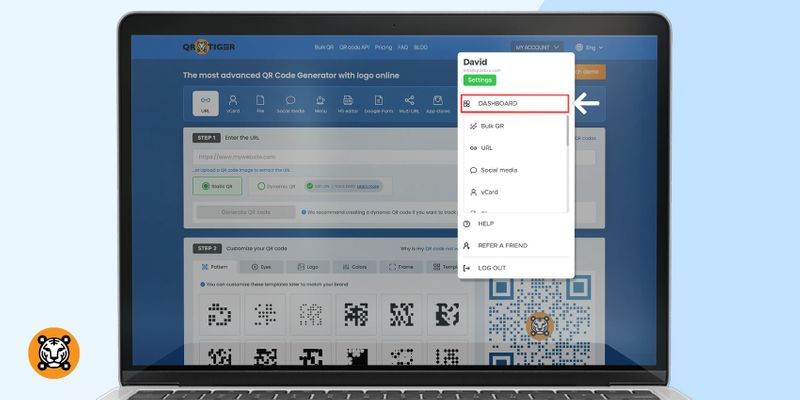
1. NapsautaTilini -painiketta näytön oikeassa yläkulmassa ja napautaKojelauta
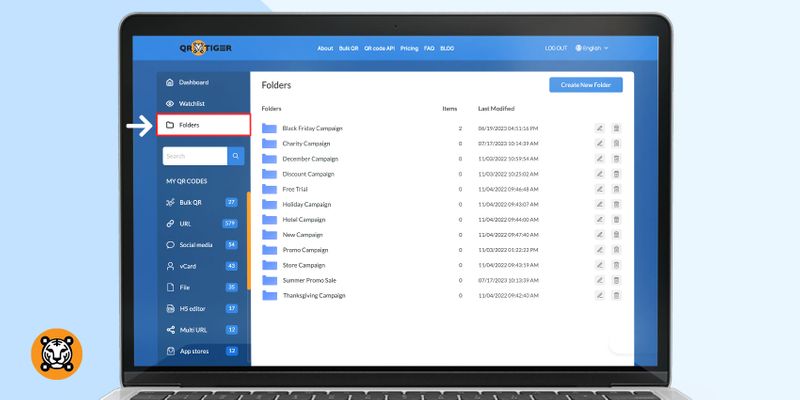
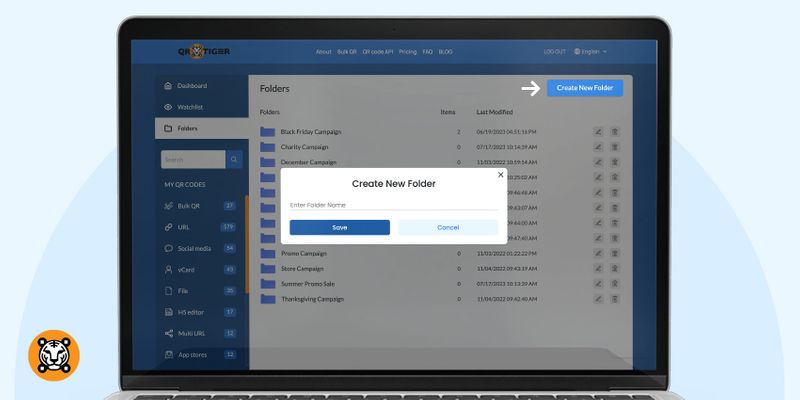
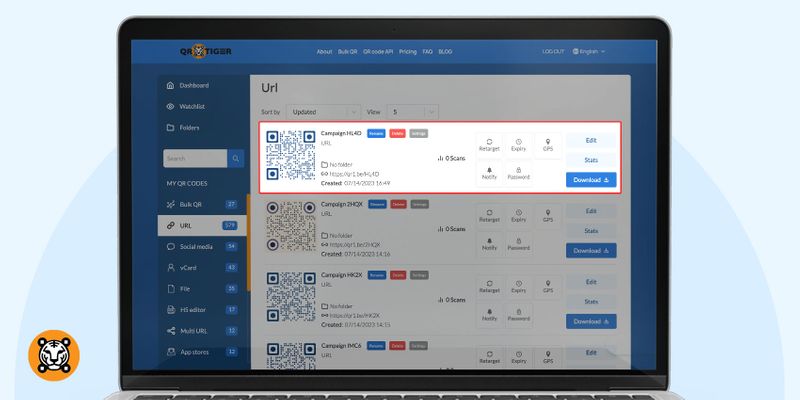
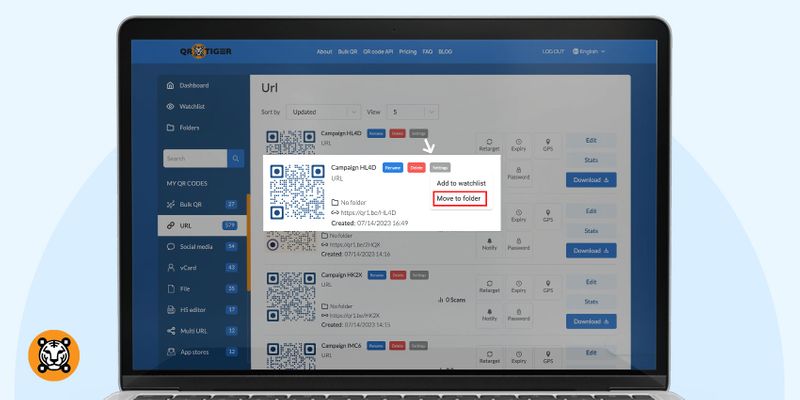
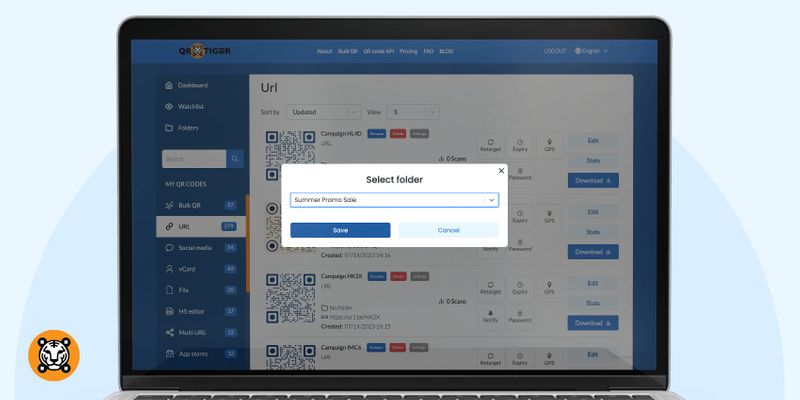
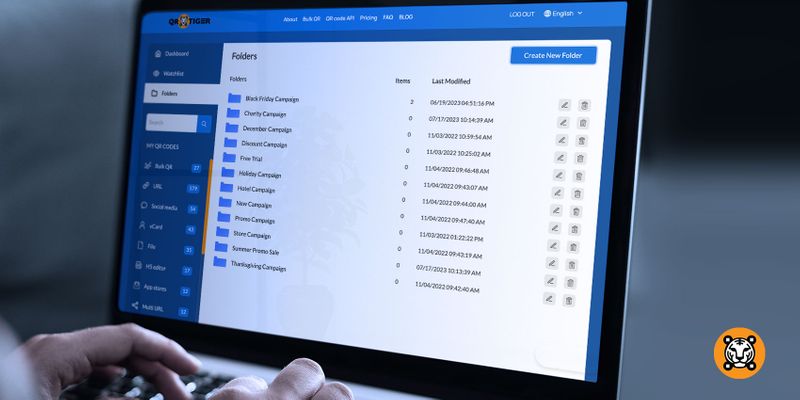
Koska voit tallentaa QR-koodisi järjestettyihin kansioihin, sinun on helpompi käyttää, muokata, seurata ja hallita niitä.
Kansioiden avulla jaetut käyttäjät voivat navigoida kojelaudassasi helposti.
Säästät paljon aikaa ja voit keskittyä enemmän kampanjaseurantaan kojelaudan QR-koodikansioiden avulla.
Optimoitu yhteistyöhön
Voit lisätä käyttäjiä QR TIGER -hallintapaneeliisi, jos maksat yrityssuunnitelmasta.
Tämän avulla voit delegoida tehtäviä, jakaa oivalluksia ja seurata kampanjoita tehokkaasti.
Jaetut käyttäjät voivat joko tarkastella taimuokkaa QR-koodia kampanjat määrittämäsi nimityksen mukaan: katsoja tai muokkaaja.
Kuten nimestä voi päätellä, katsojat voivat käyttää hallintapaneeleja vain katseluoikeuksina.
He eivät voi muuttaa kansioiden nimiä ja muokata QR-koodikampanjoita.
Toimittajat puolestaan voivat tarkastella ja muokata kojelautaa ja kansioita.
He ovat vastineesi QR-koodien käytännön käyttöön.
Nauti vaivattomasta QR-koodin hallinnasta QR TIGER -sovelluksella
Jos olet markkinoija, jolla on useita QR-koodikampanjoita QR TIGERissä, QR-koodikansioominaisuus on oikea työkalu sinulle.
Halusitpa sitten lisätä käyttäjiä tai työstää sitä yksin, QR-koodien hallinta on vaivatonta, jos säilytät ne tunnistetuissa kansioissa samalla tavalla kuin järjestät tiedostosi.
Ja saadaksesi kaiken irti tästä ominaisuudesta, temppu on valita oikeatilaussuunnitelma joka parhaiten vastaa kaikkia tarpeitasi.
Voit kokea saumattoman QR-koodikampanjan käsittelyn QR TIGER:ssä.
Tutustu tähän logolla varustettuun QR-koodigeneraattoriin ja tutustu sen kaikkiin digitaalisiin tarpeisiin suunniteltuihin ominaisuuksiin.

Tämä artikkeli on tarkoitettu yleiseksi tiedoksi vain eikä muodosta oikeudellista, taloudellista tai muuta ammatillista neuvontaa. Kysymyksiä QR TIGER tuotteista tai palveluista varten ota yhteyttä tukitiimiimme osoitteessa [email protected].
Usein kysytyt kysymykset (UKK)
How to create your code Folder with the best QR code generator
How to add QR codes to your Folders
Oliko tämä artikkeli hyödyllinen?
Maksimoi skannaukset parhaalla QR-koodigeneraattorilla
Liity tuhansiin maailmanlaajuisiin brändeihin, jotka käyttävät QR TIGER hallitakseen dynaamista reititystä, massaluontia ja syvää attribuutioanalytiikkaa.
Aloita ilmaiseksi