
การพิมพ์รหัส QR: 13 แนวทางสำคัญที่ต้องปฏิบัติตาม
 โดย Roselle V.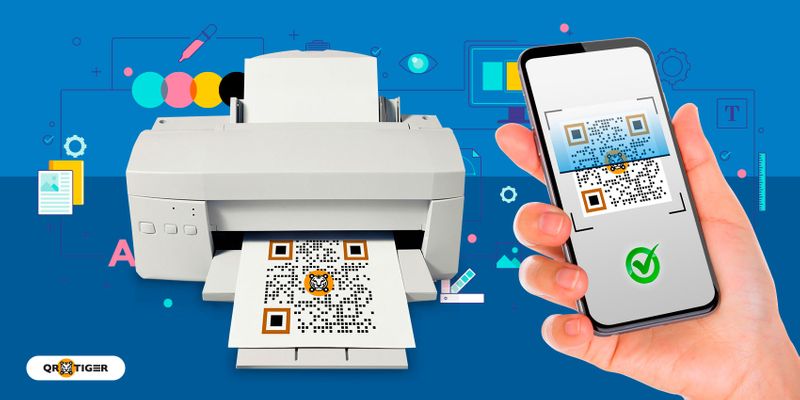

คุณสามารถเปลี่ยนรูปลักษณ์ของโค้ด QR ได้โดยเพิ่มโลโก้และสีของแบรนด์ จากนั้นเลือกกรอบและดวงตา
การใช้กเครื่องสร้างรหัส QR แบบกำหนดเอง ช่วยให้คุณได้เปรียบเหนือแบรนด์คู่แข่งด้วยรูปลักษณ์ที่เป็นเอกลักษณ์
SVG เป็นรหัส QR ที่ดีที่สุดสำหรับรูปแบบการพิมพ์ รูปแบบรูปภาพนี้ช่วยให้คุณปรับขนาด (ลดขนาดและขยายขนาด) QR ของคุณโดยไม่กระทบต่อคุณภาพ

4. อย่าเปลี่ยนสีรหัส QR ของคุณ
สีกลับด้านเป็นสาเหตุหนึ่งที่ทำให้เครื่องสแกนไม่อ่านโค้ด QR
เมื่อปรับแต่ง พื้นหลังควรสว่างกว่าพื้นหน้าเสมอ
นอกจากนี้ หลีกเลี่ยงการใช้สีเดียวกันสำหรับพื้นหลังและพื้นหน้า เครื่องสแกนก็จะตรวจไม่พบเช่นกัน และเมื่อพิมพ์ออกมาก็จะดูแปลก
5. เพิ่มคำกระตุ้นการตัดสินใจ (CTA) ลงในโค้ด QR ของคุณ
เพิ่ม CTA ที่น่าสนใจเพื่อกระตุ้นให้ผู้ชมสแกนโค้ดของคุณ
ต่อไปนี้เป็นสามสิ่งที่คุณต้องทราบเมื่อสร้างคำกระตุ้นการตัดสินใจ:
- ควรแจ้งให้เครื่องสแกนทราบถึงวัตถุประสงค์ของรหัส QR ของคุณ
- จะต้องสั้นและดึงดูดใจเพื่อใช้งานเครื่องสแกน
- มันจะต้องให้ความรู้สึกเร่งด่วน
คุณสามารถใช้ CTA ที่แตกต่างกันได้ เช่น "เปิดเผยความลับ" "รับส่วนลด" หรือ "มีจำหน่ายทันที" แต่ต้องแน่ใจว่า CTA ตรงกับวัตถุประสงค์ของโค้ด QR
6. รันการทดสอบสแกนก่อน
คุณต้องสแกนโค้ด QR ก่อนหลังจากปรับแต่งแล้วเพื่อให้แน่ใจว่าโค้ดใช้งานได้หรือนำไปสู่หน้า Landing Page ที่ถูกต้อง
คุณสามารถใช้สแกนเนอร์ในตัวบนอุปกรณ์ของคุณได้ คุณสามารถติดตั้งแอปสแกนเนอร์ของบริษัทอื่นได้หากยังไม่มี
7. เลือกรูปแบบที่ถูกต้อง
รูปแบบไฟล์เฉพาะเหมาะสำหรับรหัส QR ที่พิมพ์และดิจิทัล
เครื่องมือสร้างโค้ด QR ที่ดีที่สุดให้คุณเลือกระหว่างรูปแบบ SVG และ PNG
หากคุณต้องการใช้โค้ด QR สำหรับการโพสต์สื่อ คุณสามารถเลือกรูปแบบ PNG ได้
แต่หากคุณต้องการพิมพ์โค้ด QR รูปแบบ SVG คือตัวเลือกที่ดีที่สุด
ที่ รูปแบบภาพรหัส SVG QR ช่วยให้คุณสามารถปรับขนาดหรือปรับโค้ด QR ของคุณได้โดยไม่กระทบต่อคุณภาพของโค้ด ดังนั้นจึงยังคงสามารถสแกนได้หลังจากพิมพ์แล้ว
8. ค้นหาจุดที่เหมาะสมสำหรับการพิมพ์รหัส QR ของคุณ
เมื่อวางโค้ด QR บนสื่อสิ่งพิมพ์ เช่น นิตยสาร ให้วางโค้ดไว้ในจุดที่ถูกต้องเพื่อให้แน่ใจว่าผู้ใช้จะมีส่วนร่วมมากขึ้น
อย่าพิมพ์รหัส QR ของคุณระหว่างหน้า ให้วางไว้บนหน้าแรกหรือหน้าปกแทน
ช่วยให้มองเห็นโค้ด QR ของคุณได้และมีส่วนช่วยในการออกแบบโดยรวมของวัสดุ
ระหว่างการพิมพ์
9. ขนาดที่เหมาะสม


วางแคมเปญรหัส QR ที่พิมพ์ออกมาในตำแหน่งที่ผู้คนสามารถมองเห็นได้มากขึ้นเพื่อเพิ่มการมีส่วนร่วมสูงสุด
วางรหัส QR ของคุณบนกระดานข่าว โปสเตอร์โฆษณา ทางเข้าอาคาร สวนสาธารณะ สถานีรถไฟใต้ดิน ป้ายรถเมล์ ห้างสรรพสินค้า และโต๊ะประชาสัมพันธ์
13. ตรวจสอบให้แน่ใจว่าสามารถสแกนรหัส QR ได้แม้ว่าวัสดุจะเสียหายก็ตาม
รหัส QR ทั้งหมดมีคุณสมบัติการแก้ไขข้อผิดพลาดที่ทำให้ยังสามารถอ่านได้แม้จะมีรอยขีดข่วนเล็กน้อยก็ตาม
มีสี่ระดับการแก้ไขข้อผิดพลาด: L, M, Q และ H
คุณสามารถใช้ระดับ L ที่มีอัตราการแก้ไข 7% สำหรับรูปภาพโค้ด QR ที่มีความหนาแน่นน้อยกว่า ในขณะที่ระดับ M แนะนำให้ใช้สำหรับการใช้งานทางการตลาดที่อัตราการแก้ไข 15%
ระดับ Q มีอัตราการแก้ไข 25% ในขณะที่ระดับ H มีระดับการแก้ไขสูงสุดที่ 30% ซึ่งสามารถทนต่อความเสียหายเทียมหรือความเสียหายต่อสิ่งแวดล้อม
แต่โปรดทราบ: เนื่องจากการแก้ไขข้อผิดพลาดทำงานโดยการเพิ่มข้อมูลสำรองให้กับรูปแบบของโค้ด QR ระดับการแก้ไขที่สูงขึ้นจะนำไปสู่โค้ด QR ที่แออัด
เหตุใดจึงต้องปฏิบัติตามแนวทางการพิมพ์รหัส QR
ต่อไปนี้เป็นเหตุผลบางประการที่คุณควรปฏิบัติตามหลักเกณฑ์ที่กล่าวถึงข้างต้น:
สร้างความประทับใจที่ดีให้กับผู้ใช้
การสร้างความสัมพันธ์ที่ดีกับผู้ใช้ควรเป็นข้อกังวลสูงสุดของคุณ และคุณไม่สามารถบรรลุเป้าหมายนั้นได้ด้วยรหัส QR ที่พิมพ์ออกมาทำงานผิดปกติ
เมื่อสแกนหรืออ่านโค้ด QR ได้ง่าย ผู้ใช้จะประทับใจกับธุรกิจและบริการของคุณ ทำให้คุณได้เปรียบเหนือคู่แข่ง
ประหยัดเงิน
การปฏิบัติตามหลักเกณฑ์ที่เหมาะสมในการพิมพ์รหัสจะช่วยประหยัดเงินจากการพิมพ์รหัส QR ชุดใหม่เพื่อทดแทนรหัสที่ผิดพลาด
ลองจินตนาการถึงค่าใช้จ่ายที่คุณจะต้องเจอ โดยเฉพาะอย่างยิ่งหากคุณกำลังพิมพ์แคมเปญการตลาดและทำผิดทั้งหมด
หากคุณพิมพ์ซ้ำทั้งหมดอีกครั้ง คุณจะต้องเสียค่าใช้จ่ายเป็นสองเท่า
เพิ่มการมีส่วนร่วมให้สูงสุด
หลักเกณฑ์การพิมพ์รหัส QR ช่วยให้คุณสร้างโฆษณาสิ่งพิมพ์รหัส QR ที่น่าสนใจและมีประสิทธิภาพ และสามารถเพิ่มการมีส่วนร่วมของแคมเปญของคุณได้
แคมเปญของคุณจะประสบความสำเร็จมากขึ้นเมื่อมีผู้คนสแกนโค้ด QR ของคุณและมีส่วนร่วมกับหน้าเป้าหมายที่ฝังไว้มากขึ้น นอกจากนี้ยังสามารถเพิ่มการรับรู้ถึงแบรนด์และการมองเห็นทางออนไลน์ได้อีกด้วย
รับประกันความสำเร็จของแคมเปญการตลาดรหัส QR ด้วย QR TIGER
การเพิ่มรหัส QR ลงในสื่อสิ่งพิมพ์ของคุณจะทำให้มีประสิทธิภาพและโต้ตอบได้มากขึ้น
พวกเขาสามารถเชื่อมต่อแพลตฟอร์มออฟไลน์และออนไลน์เพื่อสร้างแคมเปญที่น่าดึงดูดยิ่งขึ้น
หากคุณทำตามคำแนะนำในการพิมพ์รหัส QR คุณสามารถเพิ่มประสิทธิภาพสูงสุดให้กับกลยุทธ์การโฆษณาการพิมพ์รหัส QR ของคุณได้
รับประกันคุณภาพของรหัส QR ของคุณโดยใช้ QR TIGER ซึ่งเป็นซอฟต์แวร์ที่ได้รับการรับรองมาตรฐาน ISO 27001 ที่ได้รับความไว้วางใจจากแบรนด์ที่ใหญ่ที่สุดในโลก รวมถึง Cartier, Marriot และ Disney
ไปที่เครื่องมือสร้างโค้ด QR ที่ดีที่สุดและทดลองใช้ฟรีวันนี้
คำถามที่พบบ่อย
มีกระดาษรหัส QR เฉพาะให้ใช้หรือไม่?
ไม่ ไม่จำเป็นต้องมีกระดาษรหัส QR เพื่อใช้รหัส QR ของคุณ
ตราบใดที่โค้ดสามารถอ่านได้และพิมพ์บนกระดาษเรียบไม่มีพื้นผิวและเคลือบด้าน
สำหรับโค้ด QR ขนาดเล็ก คุณสามารถใช้กระดาษเคลือบเรียบและกักเก็บหมึกได้ดี
คุณสามารถใช้แผ่นพรุนที่ไม่เคลือบผิวสำหรับโค้ด QR ที่มีขนาดใหญ่ขึ้นเพื่อเก็บรักษาโค้ดได้
ฉันจะแนบรหัส QR ที่พิมพ์ไว้ได้ที่ไหน
คุณสามารถแนบโค้ด QR ได้ทุกที่ตราบใดที่พื้นผิวของวัสดุไม่ทำให้เกิดรอยพับ ยืด หรือพับ
พื้นที่ที่ชัดเจนซึ่งคุณสามารถแนบรหัส QR ที่พิมพ์ออกมาได้มีตั้งแต่นามบัตร ปกหนังสือ นิตยสาร ป้ายโฆษณา ผลิตภัณฑ์ต่างๆ เช่น อุปกรณ์อิเล็กทรอนิกส์ เครื่องสำอาง ฯลฯ ไปจนถึงหนังสือพิมพ์และใบปลิวไปจนถึงพื้นที่ใดๆ ก็ตามที่คุณนึกถึง
ตราบใดที่มันทำงานได้ดีอย่างสมบูรณ์และไม่มีปัญหาเกิดขึ้น
คุณยังสามารถแนบรหัส QR ของคุณกับเอกสารของโรงเรียนเพื่อใช้อ้างอิงและการศึกษาในอนาคตของนักเรียนคนอื่น ๆ
ฉันจะรับเครื่องสร้างโค้ด QR แบบไดนามิกได้อย่างไร
คุณสามารถรับเครื่องสร้างโค้ด QR แบบไดนามิกได้โดยใช้เครื่องสร้างโค้ด QR ที่ดีที่สุดที่คุณสามารถหาได้ทางออนไลน์ เช่น QR TIGER
เมื่อคุณพบเครื่องสร้างโค้ด QR แล้ว คุณสามารถสำรวจและเรียนรู้วิธีใหม่ๆ และใช้ในการสร้างโค้ด QR ได้
จะพิมพ์รหัส QR บนกระดาษได้อย่างไร?
คุณสามารถเลือกเครื่องพิมพ์รหัส QR ที่ดีที่สุดในปัจจุบันเพื่อพิมพ์รหัส QR
มีเครื่องพิมพ์รหัส QR เฉพาะที่เราสามารถใช้พิมพ์ได้หรือไม่?
ไม่มีเครื่องพิมพ์รหัส QR เฉพาะที่คุณสามารถใช้สำหรับการพิมพ์ได้
ตราบใดที่เครื่องพิมพ์ที่คุณใช้พิมพ์งานพิมพ์คุณภาพสูงและไม่มีข้อผิดพลาดทางเทคนิคตามมาในอนาคต คุณก็พร้อมที่จะโปรโมตเนื้อหา ผลิตภัณฑ์ และบริการของคุณ
เพียงอย่าลืมปฏิบัติตามคำแนะนำและเคล็ดลับที่เป็นประโยชน์ 13 ข้อในการพิมพ์ QR อย่างถูกต้องเพื่อหลีกเลี่ยงอุบัติเหตุที่อาจเกิดขึ้นในเร็วๆ นี้

บทความนี้มีไว้เพื่อให้ข้อมูลทั่วไปเท่านั้น และไม่ใช่เป็นคำแนะนำทางกฎหมาย การเงิน หรืออาชีพอื่น ๆ สำหรับคำถามเกี่ยวกับผลิตภัณฑ์หรือบริการของ QR TIGER โปรดติดต่อทีมสนับสนุนของเราที่ [email protected]
คำถามที่พบบ่อย (FAQ)
What paper should I use to print a QR code?
Where can I attach my printed QR code?
How do I print a QR code on paper?
Is there a specific QR code printer required for QR codes?
บทความนี้มีประโยชน์หรือไม่?
เพิ่มประสิทธิภาพการสแกนด้วยเครื่องสร้างรหัส QR ที่ดีที่สุด
เข้าร่วมพันธมิตรทั่วโลกพันหลายแบรนด์ที่ใช้ QR TIGER เพื่อการจัดการเส้นทางแบบไดนามิก การสร้างเป็นกลุ่มขนาดใหญ่ และการวิเคราะห์ผลการให้บริการอย่างลึกลง
เริ่มต้นใช้งานฟรี
