
13 причин, почему QR-коды не сканируются (и что делать)
jpg_800_12.webp)
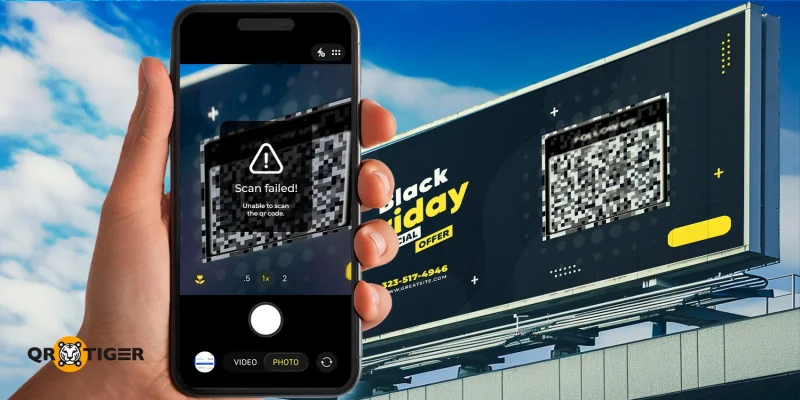
Каждый хочет больше сканирований своих QR-кодов, потому что больше сканирований означает больше вовлеченности, больше клиентов и больше результатов. Но немногие задумываются о том, почему QR-коды не сканируются, и что с этим делать.
QR-коды известны своим удобством и универсальностью. Как частные лица, так и компании ежедневно полагаются на них почти во всем — от платежей и акций до меню, билетов и развлечений.
Однако, несмотря на их широкое распространение, многие QR-коды остаются незамеченными и получают мало или ноль сканирований. Часто проблема не в том, что людям они не нравятся; просто что-то в процессе останавливает их от сканирования.
И во многих случаях исправление может быть таким простым, как использование высококачественного генератора QR-кодов и более стратегическое размещение кода.
Содержание
- Почему QR-коды не сканируются?
- 13 причин, почему QR-коды не сканируются
- Неправильное размещение QR-кода
- Неподходящий размер QR-кода
- Отсутствие эффективного информационного воздействия
- Несоответствие аудитории
- Отсутствие воспринимаемой ценности
- 6. Нерабочие ссылки
- Инвертированные цвета переднего и заднего плана
- Цвета имеют мало контраста
- Отсутствие тихой зоны
- Интенсивная размытость
- Пикселизация
- Плотные модули данных
- Персонализированный QR-код
- Как улучшить скорость сканирования: профессиональные советы
- Кампании с QR-кодами в реальной жизни с высокими показателями сканирования
- Получите лучшие результаты сканирования с лучшим генератором QR-кодов
- Часто задаваемые вопросы
Почему QR-коды не сканируются?
- QR-коды часто не удается отсканировать из-за проблем с видимостью, таких как неудачное размещение или несоответствие материала и размера.
- Персонализация также играет огромную роль: выбор цветов, неэффективные сообщения или чрезмерно сложные дизайны.
- Технические проблемы также способствуют неэффективности, такие как нерабочие ссылки, проблемы с соответствием аудитории или неправильные форматы загрузки.
13 причин, почему QR-коды не сканируются
Есть несколько причин, по которым у вас не получается сканировать, и многие из них не связаны с проблемой самого QR-кода. Давайте разберемся.
Неправильное размещение QR-кода
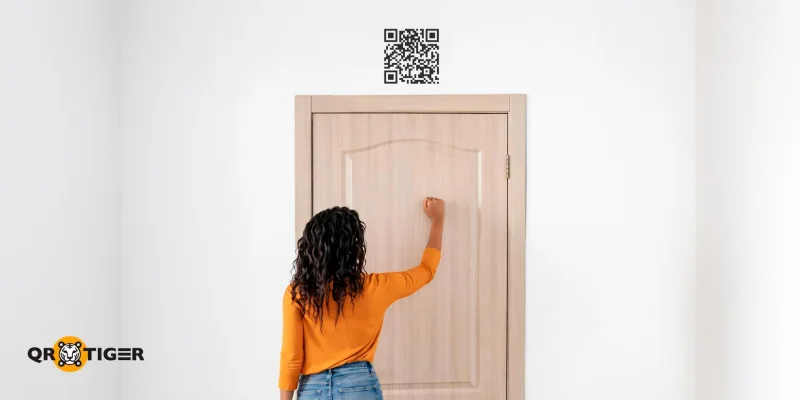
Если вы заметили, что ваш QR-код не сканируется, первое, что нужно проверить, - это возможность его сканирования. Это означает пересмотр Размещение QR-кодов и проверка, действительно ли они могут быть отсканированы с мест, где ожидается нахождение людей.
Если он слишком высоко, низко, далеко или близко, люди могут даже не заметить его, проходя мимо. Поэтому, если ваш QR-код не получает никаких сканирований, это может быть потому, что его вообще не видно.
Еще одним важным моментом является наличие доступа в Интернет или сетевого сигнала на месте, где находится ваш QR-код. QR-коды отлично подходят для хранения цифровой информации, но если в них встроена ссылка на веб-сайт, требуется подключение к Интернету.
Неподходящий размер QR-кода
После проверки размещения вашего QR-кода следующей проблемой может быть его размер.
Сканирование крошечного QR-кода может быть сложным. Это происходит потому, что модули данных находятся намного ближе друг к другу. Людям приходится держать свои телефоны ближе к QR-коду, что иногда приводит к потере фокуса камерой.
Кроме того, небольшой QR-код, напечатанный на большом плакате, может быть незаметным, особенно если он окружен другими графическими элементами и текстом.
С другой стороны, гигантский QR-код, напечатанный на материале слишком маленького размера, потребует от людей двигаться назад для сканирования, что является неудобством, которое ни один пользователь не хочет испытывать.
Отсутствие эффективного информационного воздействия
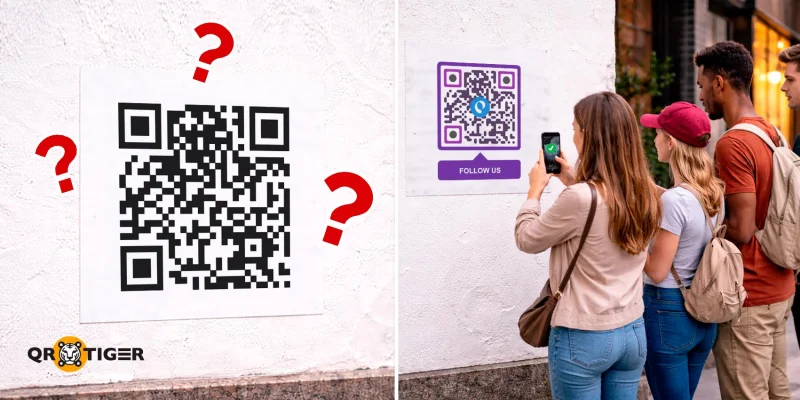
Если размер и расположение не являются проблемой, то возможно, пользователей не стимулируют сканировать ваш QR-код.
На данный момент каждый знает, что делать, когда видит QR-код. Однако это не означает, что они это сделают. Просто наличие готового к сканированию QR-кода не гарантирует его сканирования. Ваш QR-код даже может выглядеть подозрительно, что может отпугнуть людей от его сканирования.
Часто вам нужно направлять людей на конкретное действие, прежде чем они сделают это сами. Это то, что мы называем призывом к действию (CTA): четкой, краткой инструкцией, которая побуждает или вызывает определенную реакцию от аудитории.
Например, QR-код для регистрации на мероприятие может отображать сообщение "Отсканируйте для регистрации" или "Отсканируйте для записи".
Согласно Wisernotify, вы можете увеличить конверсию на 161% с четким, конкретным призывом к действию.
Несоответствие аудитории
Даже с хорошим местоположением, подходящим по размеру QR-кодом и эффективным приглашением, иногда ваш код просто не предназначен для людей, с которыми вы его делитесь.
Маркетинг для неправильной аудитории всегда приведет к неудачной кампании, и то же самое верно для QR-кодов. Если люди не заинтересованы в том, что находится за вашим кодом, то они просто пройдут мимо. Зачем им сканировать ваш QR-код, если он им ничего не предлагает?
Кроме того, учтите типы деятельности, которыми занимаются люди в определенной области. Если ваш QR-код находится там, где люди заняты различными делами, они меньше вероятно сканируют ваш код, даже если замечают его.
🚀 Отслеживайте ваш Аналитика QR-кодов Ознакомьтесь с панелью и ее элементами. Оттуда вы сможете определить, какая аудитория чаще сканирует ваш QR-код, что поможет вам настроить кампанию для достижения правильной аудитории.
Отсутствие воспринимаемой ценности
Еще одна причина, почему QR-коды не сканируются, заключается в том, что пользователи не получают ожидаемой ценности.
Представьте, что вы сканируете QR-код, который, как утверждается, содержит список лучших 10 кофеен в районе, а на самом деле он ведет к контенту о гостиницах и курортах.
QR-коды интуитивно понятны; одно сканирование может потенциально открыть сундук с информацией. Однако, если информация не имеет отношения к тому, что вы обещали поделиться, пользователи будут избегать взаимодействия с ней в будущем.
Например, если вы включите QR-код App Store На ваших маркетинговых материалах и обещание купона, закодированная ссылка должна направлять на страницу загрузки приложения и предоставлять вознаграждение пользователю после установки.
6. Нерабочие ссылки
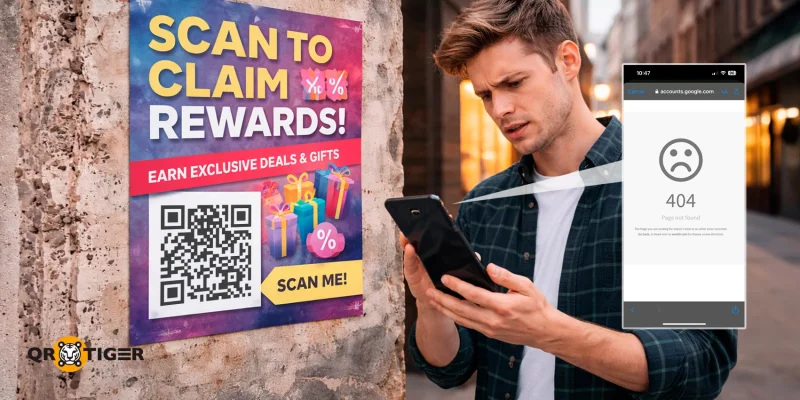
Как легко генерировать QR-коды, если место назначения ссылки больше не существует, ссылка становится нерабочей. Когда это происходит, никто не может получить доступ к контенту, даже если мы применим различные исправления, упомянутые в этом руководстве.
Пока QR-код остается сканируемым, это проблема будет мешать будущим попыткам, так как никто не будет иметь причину сканировать его, чтобы столкнуться с ошибкой 404.
Согласно WebFX, 67% пользователей мобильных устройств склонны к покупке продукта или услуги, если веб-сайт оптимизирован под мобильные устройства.
Инвертированные цвета переднего плана и фона
Если все вышеперечисленное не является проблемой, то QR-код не работает Возможно, из-за его дизайна. Сказанное это, первое, что нужно проверить, это цвета, используемые в коде.
Традиционно QR-коды имеют черный передний план и белый фон. Это позволяет сканирующему устройству быстро идентифицировать глаза и модули данных (квадраты, из которых состоит QR-код).
Хотя часто можно увидеть модули данных в цветах, отличных от черного, логика остается той же: темный передний план на светлом фоне. Изменение цветов затрудняет поиск модулей сканерам.
Цвета имеют мало контраста
Если цвета переднего и заднего плана близки по оттенку или насыщенности, сканеры не смогут идентифицировать модули данных кода.
Даже если цвета принадлежат разным диапазонам спектра цветов, если узор вашего QR-кода не легко различим невооруженным глазом, объектив камеры также будет иметь трудности их различить.
QR TIGER это лучший генератор QR-кодов руководство, которое поможет вам создать ваши QR-коды с профессиональным, брендовым стилем.
Отсутствие тихой зоны
Если QR-коды не сканируются на iOS, Android или других операционных системах, это может быть потому, что сканер не может определить, где начинается и заканчивается код.
Когда вы смотрите на традиционный QR-код на цветной бумаге, вы заметите, что все вокруг черных модулей данных белое. Это сразу бросается в глаза.
Однако предположим, что мы окрасим весь лист в черный цвет, избегая только модулей данных и белых промежутков внутри них.
QR-коду сейчас не хватает тихой зоны, небольшого промежутка между краями QR-кода и остальной печатью. Это затрудняет сканирование, потому что модули данных могут сливаться с окружающими их элементами.
Интенсивная размытость
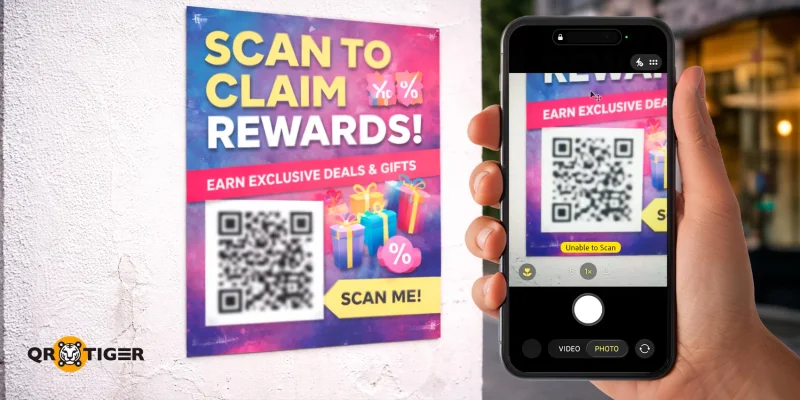
Еще одна причина, почему QR-коды не сканируются, - это размытость.
Размытый QR-код может возникнуть из-за использования не подходящего материала для печати, несоответствия бумаги или низкого уровня чернил.
Поскольку отдельные модули в узоре сильно подвержены размытости, многие из них могут не быть прочитаны сканирующими устройствами, что приводит к ошибкам.
Кроме того, люди могут даже не осознавать, что они смотрят на QR-код, если размытость значительна. Даже если они это делают, никто действительно не хочет сканировать размытый QR-код.
Пикселизация
Подобно размытости, пикселизированный QR-код возникает, когда он загружается в неподходящем формате и слишком сильно растягивается. Это может затруднить сканерам прочитать узор, отталкивая людей от попыток его сканировать.
- Сохраняйте ваши QR-коды в форматах PNG, SVG или EPS вместо этого.
- Портативная графика сети (PNG) лучше всего подходит для детальных изображений.
- Масштабируемая векторная графика (SVG) отлично подходит для веб-графики.
- Encapsulated PostScript (EPS) в основном используется для постеров и рекламных щитов.
Плотные модули данных
Когда слишком много модулей данных, это может привести к проблемам при сканировании. Плотные QR-коды могут возникнуть из-за встраивания большого количества информации в статический QR-код, тип, который кодирует точную информацию, введенную в генератор.
При кодировании очень длинной ссылки будет сгенерирован плотный QR-код. Это может привести к ошибкам при сканировании.
Уровни коррекции ошибок также могут влиять на плотность модулей данных. Это происходит потому, что более высокие уровни кодируют больше информации, что приводит к еще большему количеству модулей данных.
Персонализированный QR-код
Когда QR-код не работает на Pixel, iPhone или любом современном смартфоне, проблема может заключаться в его общем дизайне.
В наше время генераторы QR-кодов предлагают множество вариантов настройки, позволяя выбирать из различных узоров, форм глаз, цветов и рамок.
Однако использование всех этих функций может снизить сканируемость ваших QR-кодов.
Используйте специализированный генератор QR-кодов с интеграцией логотипа, чтобы добавить одно изображение, например, логотип. Например, Форма QR-кода можете просто использовать логотип вашего бренда вместо любой другой графики.
Как улучшить скорость сканирования: профессиональные советы
Каждая проблема имеет решение, включая кампании с QR-кодами (которые, по вашему мнению, уже потеряли свою актуальность). Следуя следующим советам на практике, вы сможете улучшить показатели сканирования ваших QR-кодов в долгосрочной перспективе:
- Узнайте больше о вашей целевой аудитории (работа, интересы, хобби) и найдите места, где они, вероятно, могут находиться. Например, если ваша целевая аудитория - это любители книг, разместите ваши QR-коды рядом с библиотеками, школами и книжными магазинами.
- Генерируйте динамические QR-коды вместо статических, чтобы избежать плотных модулей данных при использовании самого высокого уровня коррекции ошибок.
- Динамические QR-коды также лучше использовать, поскольку вы можете легко обновлять их содержимое при возникновении ошибки и отслеживать результаты кампании.
- Всегда используйте передний план, который темнее фона, например, темно-синий узор QR-кода на светло-оранжевом фоне или красный узор на белом фоне.
- Избегайте добавления слишком множества дизайнов и альтернативных форм в ваши QR-коды.
- Сохраните брендинг на QR-коде, добавив логотип и используя цвета бренда.
- Всегда сохраняйте пространство между сторонами вашего QR-кода и окружающей графикой.
- Гарантируйте, что маркетинг вокруг вашего QR-кода соответствует его цели и встроенному в него контенту.
- Включите призыв к действию, который сообщает людям, что они должны сделать или что они могут получить после сканирования вашего кода.
- Запомните следующие элементы для эффективного призыва к действию: сильный глагол действия, срочность и дефицит, четкое предложение ценности и видимость.
- Загрузите QR-код в формате и разрешении, подходящем для его окончательного использования (например, цифрового или печатного).
- Всегда используйте принтеры, чернила и бумагу высокого качества. Убедитесь, что у вашего принтера достаточно расходных материалов для печати.
- Разместите QR-коды на естественных паузах (например, на автобусных остановках, кассах, столах).
- Следуйте правилу "телефон на выходе": размещайте QR-коды в местах, где пользователи будут держать телефоны в руках.
- Убедитесь, что QR-код имеет правильный размер для материала, расстояния и размещения.
- Избегайте делать QR-код слишком маленьким или слишком большим для сканирования.
- Проверьте, можете ли вы увидеть и отсканировать свой QR-код после его публикации.
.gif) Кампании с QR-кодами в реальной жизни с высокими показателями сканирования
Кампании с QR-кодами в реальной жизни с высокими показателями сканирования
Теперь, когда мы рассмотрели исправления проблем со сканированием, давайте рассмотрим некоторые маркетинговые кампании, которые отвечают всем требованиям лучших практик использования QR-кодов, при этом следуя уникальным стратегиям бренда:
QR-код Coinbase для Суперкубка
Скорее всего, самая упоминаемая кампания с QR-кодами, эта криптовалютная платформа забила гол с рекламой по телевидению, которая привлекла внимание всех.
Реклама во время Super Bowl LVI показала плавающий QR-код, напоминающий классический заставку с плавающим DVD-экраном начала 2000-х годов. Когда код сканировали, сканеры переходили на целевую страницу, предлагающую зрителям шанс выиграть призы и скидки в приложении Coinbase.
Этот рекламный ролик был настолько успешным, что за одну минуту было сделано 20 миллионов сканирований, что привело к сбою в работе веб-сайта компании на короткое время.
Упаковка Zepto "Оживи сумку с помощью QR-кода"
Уникальное сочетание двух технологий, Zepto компания порадовала своих клиентов ностальгическим опытом: упаковка с рисунками, оживающими через QR-коды.
Компания быстрого коммерческого обслуживания проявила креативность в этой кампании, добавив иллюстрации и QR-код на свою упаковку. При сканировании этих кодов телефоны клиентов превращались в устройства дополненной реальности, анимируя рисунки на экране.
Эти упаковки были настолько уникальными, что они вызвали настоящий ажиотаж в социальных сетях, особенно в LinkedIn.
QR-код Burger King для церемонии награждения MTV Video Music Awards (VMA)
Для еще одной виртуальной кампании с QR-кодом знаменитый франшизный бренд сотрудничал с рэпером Лил Ячти, чтобы порадовать зрителей во время церемонии награждения MTV VMA.
При сканировании пользователи получали различные предложения, включая годовой запас Whoppers от Burger King, а также билеты на будущие шоу VMA.
упаковка с QR-кодом от Frito-Lay, нагруженная наградами
Еще одна успешная маркетинговая кампания с использованием QR-кодов от компании Frito-Lay, бренда, стоящего за известными закусками, такими как Fritos, Cheetos, Doritos и Lay's.
В рамках кампании на Филиппинах бренд закусок сотрудничал с местными учреждениями, чтобы предложить своим потребителям ряд наград. Чтобы их получить, всем нужно было просто отсканировать QR-коды на упаковках закусок Cheetos, Doritos и Ruffles.
Сотрудничество KitKat и Candy Crush по QR-кодам
Партнерство между KitKat и Candy Crush увеличило вовлеченность обеих марок, позволяя потребителям зарабатывать игровые награды.
Как игроки участвовали? Через QR-коды KitKat!
Просканировав QR-код на упаковке KitKat, мобильные геймеры могут получить неограниченные жизни на 1 час в игре и другие призы.
Это не только увеличило продажи шоколадной плитки KitKat, но также побудило пользователей загрузить приложение Candy Crush, если оно не было установлено.
Получите лучшие результаты сканирования с лучшим генератором QR-кодов
QR-коды могут сделать многое для вашего бизнеса и кампаний, но даже небольшие, избежать можно ошибки могут привести к нулевому количеству сканирований. Неправильное размещение, низкий контраст, сломанные ссылки или просто отсутствие ясной ценности могут остановить пользователей от вовлечения вообще.
К счастью, большинство причин, по которым QR-коды не сканируются, легко исправить. Помните о лучших практиках использования QR-кодов, и вы увидите, как это важно.
Для упрощения оптимизации используйте динамические QR-коды от QR TIGER. Бесплатно вы можете создавать динамические QR-коды, которые можно отслеживать, обновлять, и использовать инструменты для улучшения ваших кампаний. 
Часто задаваемые вопросы
Как отсканировать QR-код, который не сканируется?
Если стандартное приложение камеры на вашем смартфоне не сканирует QR-код, вы можете попробовать загрузить сторонние приложения и использовать их вместо.
Как исправить неразборчивый QR-код?
Для исправления неразборчивых QR-кодов сгенерируйте новый с более простым дизайном, более высоким разрешением и уровнем коррекции ошибок.
Как включить сканирование QR-кода на Android?
QR-код сканирование автоматически включено на большинстве современных смартфонов. Просто откройте встроенное приложение камеры и наведите его на QR-код для сканирования. 

