
13 ok, amiért a QR-kódokat nem olvassák be (és mit lehet tenni)
jpg_800_12.webp)
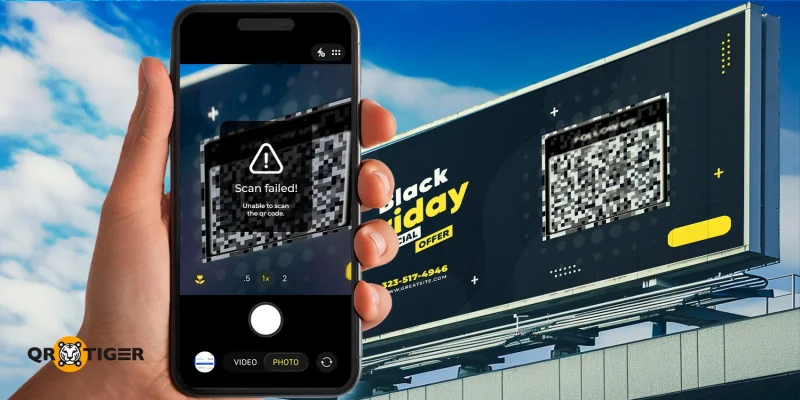
Mindenki több szkennelést szeretne a QR-kódjaikon, mert több szkennelés több elkötelezettséget, több vásárlót és több eredményt jelent. De kevesen állnak meg, hogy megértsék, miért nem szkennelik a QR-kódokat, és mit lehet tenni ez ellen.
A QR-kódokat kényelmükről és sokoldalúságukról ismerik. Mind az egyének, mind a vállalkozások naponta szinte mindenre támaszkodnak rájuk - a fizetésektől és promócióktól a menükön, jegyeken és szórakozáson át.
Mégis, annak ellenére, hogy széles körben jelen vannak, sok QR-kód észrevétlen marad, alig vagy egyáltalán nem kap szkennelést. Gyakran nem az a probléma, hogy az emberek nem kedvelik őket; hanem valami az élményben megakadályozza őket a szkennelésben.
És sok esetben a megoldás annyira egyszerű lehet, mint egy magas minőségű QR-kód generátor használata és a kód stratégikusabb elhelyezése.
Tartalomjegyzék
Miért nem sikerül beolvasni a QR-kódokat?
- A QR-kódok gyakran nem sikerülnek beolvasni a látási problémák miatt - például nem stratégiai elhelyezés vagy anyag-méret eltérés miatt.
- A személyre szabás szintén nagy szerepet játszik: színválasztás, hatástalan üzenetek vagy túl bonyolult tervezések.
- A technikai problémák is hozzájárulnak az eredménytelenséghez, mint például a hibás linkek, a közönség számára nem releváns tartalmak vagy helytelen letöltési formátumok.
13 ok, miért nem olvassák be a QR-kódokat
Számos oka lehet annak, hogy nem kapja meg a szkenneléseket, és sok esetben nem a QR-kód magával van a probléma. Merüljünk el a részletekben.
Rossz QR-kód elhelyezés
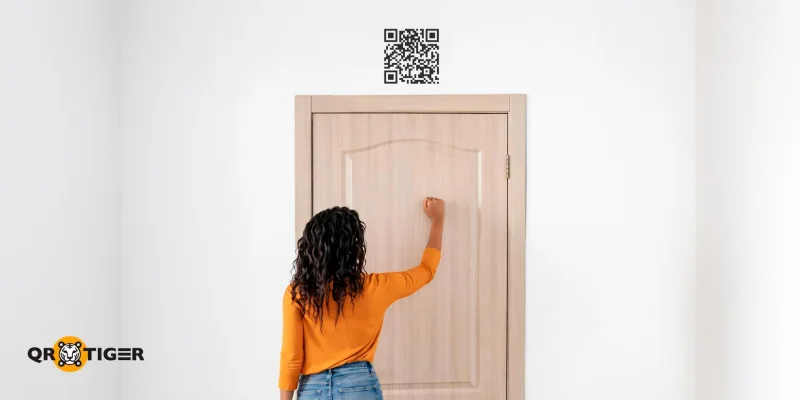
Ha észreveszed, hogy a QR-kódodat nem olvassák be, az első dolog, amit ellenőrizni kell, hogy valójában lehetséges-e beolvasni. Ez azt jelenti, hogy át kell vizsgálni QR kód elhelyezések és teszteljük, hogy valóban beolvashatók-e onnan, ahonnan az embereknek várhatóan
Ha túl magasan, alacsonyan, messze vagy közel van, az emberek talán még csak észre sem veszik, amikor elhaladnak mellette. Tehát, ha a QR-kódod nem kap szkenneléseket, az lehet, hogy egyáltalá nem látható.
Fontos még figyelembe venni, hogy a QR-kódod elhelyezkedése rendelkezik-e internet-hozzáféréssel vagy hálózati jellel. A QR-kódok kiváló módszerek a digitális információ tárolására, de ha azokban beágyazott tartalom egy webhivatkozás, akkor internetkapcsolat szükséges.
Nem megfelelő QR-kód méret
Miután ellenőrizted a QR-kód elhelyezését, a következő probléma lehet a mérete.
A kicsi QR-kód beolvasása nehéz lehet. Ennek oka az adatmodulok sokkal közelebb vannak egymáshoz. Az embereknek közelebb kell tartaniuk a telefonjukat a QR-kódhoz, ami néha azt eredményezi, hogy a kamera elveszíti a fókuszt.
Egy kis QR-kód, amely egy nagy poszteren van nyomtatva, nem biztos, hogy látható lesz, különösen akkor, ha más grafikákkal és szövegekkel van körülvéve.
Másrészről, egy óriási QR-kód, amelyet olyan kicsi anyagra nyomtattak, hogy nem fér bele, arra kényszeríti az embereket, hogy hátrébb kelljenek lépniük a beolvasáshoz, ami olyan kellemetlenség, amit egy felhasználó sem szeretne átélni.
Hiányzó hatékony üzenetküldés
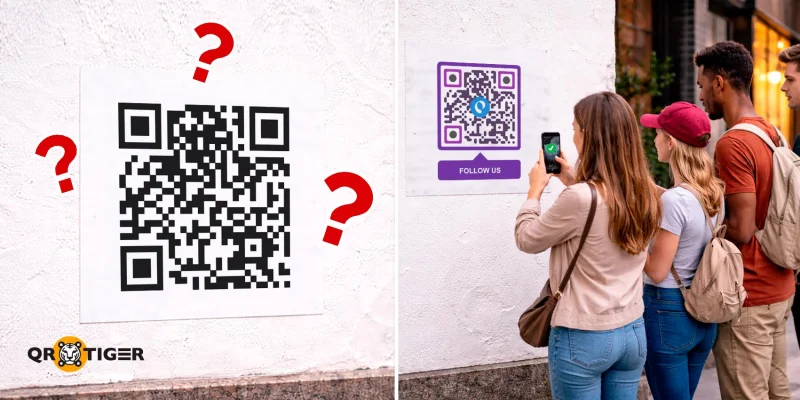
Ha a méret és elhelyezés nem okoz problémát, akkor lehetséges, hogy a felhasználókat nem ösztönzik arra, hogy beolvasák a QR-kódjukat.
Ebben a pontban mindenki tudja, mit kell tennie, amikor lát egy QR-kódot. Azonban ez nem jelenti azt, hogy meg is fogja tenni. Az, hogy készen áll a QR-kód a beolvasásra, még nem garantálja a beolvasásokat. A QR-kód akár gyanús is lehet, ami elriaszthatja az embereket a beolvasástól.
Gyakran szükséges embereket irányítani egy konkrét cselekvés felé, mielőtt maguktól megtennék. Ezt nevezzük hívásnak a cselekvésre (CTA): egy világos, tömör utasítás, amely specifikus választ vált ki az közönségből.
Például egy esemény regisztrációjához használt QR-kód megjeleníthet egy olyan üzenetet, mint például "Pásztázd be a regisztrációhoz" vagy "Pásztázd be a jelentkezéshez".
A Wisernotify szerint, növelje a konverziós arányt 161%-kal egy világos, konkrét cselekvésre ösztönző felhívással.
Közönség eltérés
Még akkor is, ha jó a helyszín, megfelelő méretű QR-kód és hatékony felhívás van, néha a kód egyszerűen nem azoknak szól, akikkel megosztod.
A rossz célközönségnek történő marketing mindig kudarcot fog vallani, és ugyanez igaz a QR-kódokra is. Ha az embereket nem érdekli, mi van a kód mögött, egyszerűen elmennek mellette. Miért is szkennelnék be a QR-kódjukat, ha semmit sem kínál nekik?
Ezenkívül fontold meg azokat a tevékenységeket is, amelyekkel az emberek foglalkoznak egy területen. Ha a QR-kódod olyan helyen van elhelyezve, ahol az emberek különböző feladatokkal vannak elfoglalva, kevésbé valószínű, hogy leolvaszák a kódot, még akkor is, ha észreveszik.
Kövesd a QR-kód elemzés Ismerkedj meg az irányítópulttal és annak elemeivel. Innen azonosíthatod, hogy melyik közönség olvassa leggyakrabban a QR-kódodat, segítve ezzel a kampányod igazítását a megfelelő közönség elérésére.
Érzékelt érték hiánya
Egy másik ok, ami miatt a QR-kódokat nem olvassák be, az az, hogy a felhasználók nem kapják meg azt az értéket, amit vártak.
Képzeld el, hogy beolvasol egy QR-kódot, amely állítólag a környék legjobb 10 kávézójának listáját tartalmazza, csak hogy rájöjj, hogy szállodákról és üdülőhelyekről szóló tartalomra vezet.
A QR-kódok intuitívak; egyetlen beolvasás potenciálisan feloldhat egy információk gazdag kincsesbányát. Azonban, ha az információ nem releváns azzal, amit ígértél megosztani, akkor a felhasználók kerülni fogják a jövőbeni interakciót vele.
Például, ha tartalmazol egy App Store QR kód A marketing anyagokon és az ígért kuponon a kódolt linknek az alkalmazás letöltési oldalára kell irányítania, és a jutalmat a felhasználónak telepítés után kell biztosítania.
Sérült linkek
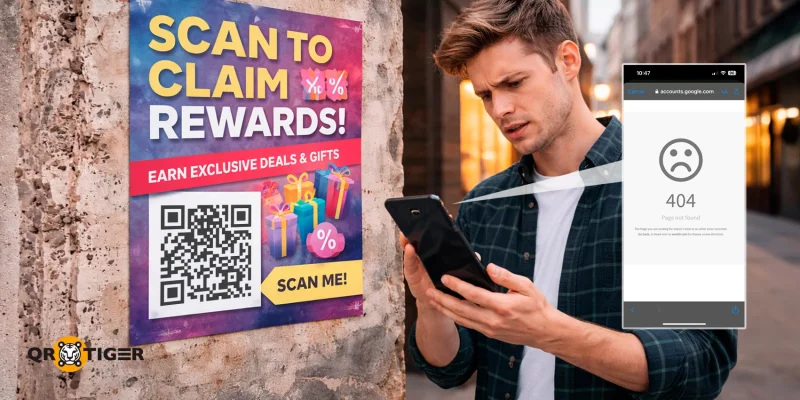
Ahogy egyszerű QR-kódokat generálni, ha a hivatkozás célja már nem létezik, a hivatkozás megszakad. Amikor ez megtörténik, senki sem férhet hozzá a tartalomhoz, még akkor sem, ha alkalmazzuk az ebben az útmutatóban említett különböző javításokat.
Amíg a QR-kód beolvasható marad, ez a probléma megakadályozza a jövőbeli próbálkozásokat, mivel senkinek sem lesz ok arra, hogy beolvassa, csak hogy egy 404-es hibával találkozzon.
A WebFX szerint a mobil felhasználók 67%-a valószínűbb, hogy megvesz egy terméket vagy szolgáltatást, ha a weboldal mobilbarát.
Fordított előtér- és háttérszínek
Ha mindez nem okoz problémát, a QR kód nem működik Lehet, hogy az tervezése miatt van. Azonban az első dolog, amit ellenőrizni kell, az a kódban használt színek.
Hagyományosan a QR-kódok fekete előtérrel és fehér háttérrel rendelkeznek. Ez lehetővé teszi a szkennelő eszköz számára, hogy gyorsan azonosítsa a szemeket és az adatmodulokat (a négyzeteket, amelyek alkotják a QR-kódot).
Bár gyakori, hogy adatmodulokat fekete színűnél más színekben is látni, a logika ugyanaz marad: sötét előtér világos háttérrel. A színek megfordítása megnehezíti a szkennerek számára a modulok megtalálását.
A színeknek kevés a kontrasztja
Ha a háttérszín és az előtérszín közel van egymáshoz árnyalatban vagy színben, akkor a szkennerek nem tudják azonosítani a kód adatmoduljait.
Még akkor is, ha a színek különböző színsávokból származnak a színspektrumban, ha a QR-kód mintázata nem könnyen megkülönböztethető a szabad szemmel, egy kameraobjektívnek ugyanolyan nehézsége lesz megkülönböztetni őket.
🚀 QR TIGER a legjobb QR-kód generátor olyan útmutató, amely segít a QR-kódok professzionális, márkaidentitáshoz illeszkedő tervezésében.
Csendes zóna hiánya
Ha a QR-kódok nem olvashatók be iOS-en, Androidon vagy más operációs rendszereken, az lehet, hogy a szkenner nem tudja megállapítani, hol kezdődik és hol végződik a kód.
Amikor egy hagyományos QR-kódot nézel színes papíron, észre fogod venni, hogy minden a fekete adatmodulokat körülvevő fehér. Ez azonnal szembetűnővé teszi.
Azonban mondjuk, hogy teljesen feketére festjük az egész papírt, csak kihagyva az adatmodulokat és a bennük lévő fehér területeket.
A QR-kód most hiányzik egy csendes zónából, egy kis rés a QR-kód szélei és a nyomtatott anyag többi része között. Ez megnehezíti a szkennelést, mert az adatmodulok beolvadhatnak környezetükbe.
Intenzív homályosság
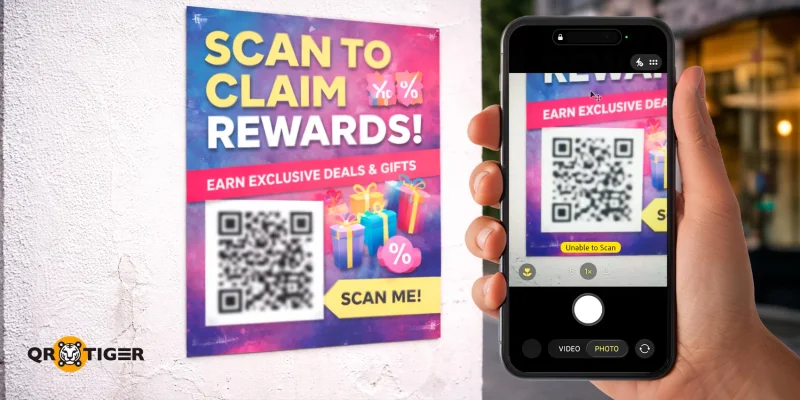
Egy másik ok, ami miatt a QR-kódokat nem olvassák be, az a homályosság.
Egy homályos QR-kód az alkalmatlan nyomtatási anyag, a papír nem megfelelő illeszkedése vagy az alacsony tintaszint miatt jelentkezhet.
Mivel a mintában lévő egyes modulok nagymértékben érzékenyek a homályosságra, ezért sok közülük nem olvasható be a szkennelő eszközök által, ami hibákhoz vezethet.
Ezen felül az emberek talán még azt sem veszik észre, hogy egy QR-kódot néznek, ha a homályosság jelentős. Még ha mégis észreveszik, senki sem akar valóban egy homályos QR-kódot beolvasni.
Pixeláció
Hasonlóan a homályos képhez, egy pixeles QR-kód akkor fordul elő, amikor nem megfelelő formátumban van letöltve, és túl sokat van nyújtva. Ez megnehezítheti a szkenner számára a minta olvasását, elriasztva az embereket attól, hogy megpróbálják beolvasni.
- Mentse el a QR-kódjaidat PNG, SVG vagy EPS fájlok formátumban helyette.
- A Portable Network Graphics (PNG) a részletes képek legjobb használatára szolgál.
- A skálázható vektorgrafikák (SVG) nagyszerűek a webgrafikákhoz.
- Az Encapsulated PostScript (EPS) elsősorban poszterek és hirdetőtáblák készítésére használatos.
Sűrű adatmodulok
Amikor túl sok adatmodul van, az szkennelési problémákhoz vezethet. Sűrű QR-kódok eredményezhetők, ha nagy mennyiségű információt ágyazunk be egy statikus QR-kódba, amely pontosan kódolja a generátorba bevitt információt.
Amikor egy rendkívül hosszú linket kódolunk, sűrű QR-kód generálódik. Ez esetleg szkennelési hibákhoz vezethet.
A hibajavítási szintek is hozzájárulhatnak az adatmodulok sűrűségéhez. Ez azért van, mert a magasabb szintek több információt kódolnak, ami még több adatmodulhoz vezet.
Túl egyedi QR-kód
Amikor egy QR-kód nem működik egy Pixelen, egy iPhone-on vagy bármely modern okostelefonon, akkor a probléma valószínűleg az általános tervezésében rejlik.
Manapság a QR-kód generátorok számos testreszabási lehetőséget kínálnak, amelyek lehetővé teszik számodra, hogy különböző minták, szemszínek, színek és keretek közül válassz.
Azonban mindezeknek a funkcióknak a használata csökkentheti a QR-kódok olvashatóságát.
Használj egy dedikált QR-kód generátort logó integrációval, hogy hozzáadhass egyetlen képet, például egy logót. QR kód űrlap egyszerűen használhatja a saját márka logóját bármely más grafika helyett.
Hogyan javíthatók a szkennelési arányok: Profi tippek
Minden problémának van megoldása, beleértve a QR-kód kampányokat is (amelyeket már elveszett ügynek tartasz). A következő tippek gyakorlatban tartása segít javítani a QR-kódok szkennelési arányát hosszú távon:
- Tudj meg többet a célközönségedről (munkák, érdeklődési kör, hobbi) és keresd meg, hol valószínűleg megtalálhatóak. Például, ha a célközönséged könyvolvasók, helyezd el a QR kódokat könyvtárak, iskolák és könyvesboltok közelében.
- Generáljon dinamikus QR-kódokat statikus helyett annak érdekében, hogy elkerülje a sűrű adatmodulokat, miközben a legmagasabb hibajavítási szintet használja.
- Dinamik QR-kódok használata is a legjobb, mivel könnyen frissítheted a tartalmukat, ha hiba történik, és nyomon követheted a kampány teljesítményét.
- Mindig olyan előtérszínt használj, ami sötétebb a háttérnél, például sötétkék QR-kód mintázatot világos narancssárga háttéren, vagy piros mintázatot fehér háttéren.
- Kerülje a túl sok tervezet és alternatív alak hozzáadását a QR-kódjaihoz.
- Tartsa fenn a márkaazonosságot a QR-kódon a logó hozzáadásával és a márka színeinek használatával.
- Mindig tarts távolságot a QR-kód oldalai és a környező grafikák között.
- Győződjön meg arról, hogy a QR-kód körüli marketing összhangban van annak céljával és a benne rejlő tartalommal.
- Tegyen be egy hívószöveget, amely elmondja az embereknek, mit kell tenniük vagy mit kaphatnak a kódjuk beolvasása után.
- Ne felejtsd el a következő elemeket egy hatékony cselekvésre ösztönző hívásnál: erős cselekvési ige, sürgősség és hiánycikk, világos értékesítési javaslat és láthatóság.
- Töltsd le a QR-kódot olyan formátumban és felbontásban, amely alkalmas a végleges felhasználásra (pl. digitális vagy nyomtatott).
- Mindig használjon magas minőségű nyomtatókat, tintákat és papírokat. Győződjön meg róla, hogy nyomtatója készlete elegendő a nyomtatandó anyagokhoz.
- Helyezze el a QR-kódokat természetes szüneteknél (pl. buszmegállók, pénztárak, asztalok).
- Kövesse a "telefon-kint" szabályt: helyezze el a QR-kódokat olyan területeken, ahol a felhasználók kéznél tartják a telefonjukat.
- Győződjön meg róla, hogy a QR-kód megfelelő méretű a anyaghoz, távolsághoz és elhelyezéshez.
- Kerülje a QR-kód túl kicsi vagy túl nagy méretét a beolvasáshoz.
- Ellenőrizze, hogy látható és beolvasható-e a QR-kódja a közzététel után.
.gif) Valós életben QR-kód kampányok magas beolvasási arányokkal
Valós életben QR-kód kampányok magas beolvasási arányokkal
Most, hogy áttekintettük a szkennelési problémák javítását, vizsgáljuk meg néhány olyan marketingkampányt, amely teljesíti a QR-kód legjobb gyakorlatait, miközben egyedi márkastratégiákat követ.
Coinbase Super Bowl QR-kódja
Valószínűleg a legtöbb hivatkozott QR-kódos kampány, ez a kriptovaluta platform touchdownt ért el egy TV-hirdetéssel, amely mindenki figyelmét felkeltette.
A Super Bowl LVI alatt bemutatott hirdetés egy lebegő QR-kódot tartalmazott, amely emlékeztetett a korai 2000-es évek klasszikus lebegő DVD képernyővédőjére. Amikor beolvaszták, a kód az olvasókat egy céloldalra irányította, ahol a nézők esélyt kaptak arra, hogy nyerjenek nyereményeket és kedvezményeket a Coinbase alkalmazásban.
Ez a hirdetés annyira sikeres volt, hogy egy perc alatt 20 millió beolvasást eredményezett, ami rövid időre lefagyatta a cég weboldalát.
Zepto „Éleszd fel a táskát” QR csomagolása
Egyedi keveréke két technológiának, Zepto a vállalat nosztalgikus élménnyel ajándékozta meg vásárlóit: csomagolások rajzokkal, amelyek életre kelnek QR-kódok segítségével.
A gyors kereskedelmi vállalat kreatívvá vált ezzel a kampánnyal, amikor illusztrációkat és egy QR-kódot tett csomagolására. Amikor beolvasztották, ezek a kódok átalakították a vásárlók telefonjait kiterjesztett valóság eszközzé, az animált rajzokat megjelenítve a képernyőn.
Ezek a csomagok annyira egyedülállóak voltak, hogy viharzottak a közösségi médiában, különösen a LinkedInen.
Burger King VMA-k QR kódja
Egy másik virtuális QR-kód kampánnyal a híres franchise együttműködött a rapper Lil Yachty-val, hogy meglepetést szerezzenek a nézőknek az MTV VMA-k alatt.
Amikor beolvasásra kerültek, a felhasználóknak különféle ajánlatokat kínáltak, beleértve egy éves ellátást a Burger King Whoppers termékeivel, valamint jegyeket a jövőbeli VMA show-kra.
Frito-Lay jutalmakkal teli QR-kódos csomagolása
Egy másik sikeres marketingkampány a QR-kódokat használó élelmiszer-márkáktól a Frito-Lay-től származik, amely a híres snackek, mint például a Fritos, Cheetos, Doritos és Lay's mögött áll.
Egy kampányban a Fülöp-szigeteken a snack márka helyi intézményekkel együttműködve különböző jutalmakat kínált a fogyasztóinak. Hogy igénybe vegyék azokat, az embereknek csak be kellett szkennelniük a Cheetos, Doritos és Ruffles snack csomagolásán található QR kódokat.
KitKat és Candy Crush QR együttműködése
A partnerség a KitKat és a Candy Crush között növelte az elkötelezettséget mindkét márka számára, lehetővé téve a fogyasztók számára, hogy játékbeli jutalmakat szerezzenek.
Hogyan vettek részt a játékosok? A KitKat QR-kódok segítségével!
A KitKat csomagolásán található QR-kód beolvasásával a mobiljátékosok korlátlan életet kaphatnak 1 órára a játékban, valamint más nyereményeket is.
Nemcsak növelte a KitKat szelet értékesítését, hanem arra is ösztönözte a felhasználókat, hogy letöltsék a Candy Crush alkalmazást, ha még nem volt telepítve.
Jobb szkennelési eredményeket érhet el a legjobb QR-kód generátorral.
A QR-kódok sokat tehetnek az üzleti vállalkozásod és kampányaid érdekében, de még a kis, elkerülhető hibák is nullára csökkenthetik a beolvasások számát. Rossz elhelyezés, alacsony kontraszt, törött linkek, vagy egyszerűen az, ha nem kínálsz egyértelmű értéket, megakadályozhatja a felhasználókat abban, hogy egyáltalán részt vegyenek.
Szerencsére a QR-kódok beolvasásának legtöbb oka könnyen javítható. Tartsa szem előtt a legjobb QR-kód gyakorlatokat, és látni fogja, hogy ez mennyiben tesz különbséget.
A könnyebb optimalizálás érdekében használjon dinamikus QR-kódokat a QR TIGER-től. Ingyenesen létrehozhat dinamikus QR-kódokat, amelyeket nyomon követhet, frissíthet, és hozzáférhet eszközökhöz a kampányai javításához. 
Gyakran ismételt kérdések
Hogyan lehet beolvasni egy QR-kódot, amely nem hajlandó beolvasni?
Ha a smartphone-odon alapértelmezett kameraalkalmazás nem olvassa be a QR-kódot, akkor próbálj meg harmadik fél által készített alkalmazásokat letölteni és azokat használni helyette.
Hogyan lehet javítani az olvashatatlan QR-kódot?
A könnyen olvashatatlan QR-kódok javításához készítsen egy újat egyszerűbb tervezéssel és magasabb felbontással és hibajavítási szinttel.
Hogyan lehet engedélyezni a QR-kód szkennelést Androidon?
A QR-kód szkennelése automatikusan engedélyezett a legtöbb modern okostelefonon. Egyszerűen nyissa meg a beépített kameraalkalmazást, és irányítsa a QR-kódot a szkenneléshez. 

