
13 Practical Uses of QR Codes for Client Reporting

Client reporting plays a critical role in maintaining transparency and trust, but many teams still rely on outdated methods to share updates and results, which makes it difficult for clients to access the latest insights.
Tools like QR codes for client reporting increase efficiency for sharing live reports and dashboards, without extra emails or attachments, giving clients instant access to the latest information.
In this blog, we’ll explore how QR codes streamline updates, improve transparency, and make it easier for clients to access the insights that matter most.
Table of Contents
- 13 uses of QR codes in client reporting
- 1. Interactive performance dashboards
- 2. Detailed campaign breakdowns
- 3. Video walkthroughs of reports
- 4. Monthly or quarterly report archives
- 5. Data visualizations and infographics
- 6. Feedback and approval forms
- 7. Case study references
- 8. Action items and recommendations
- 9. Campaign asset previews
- 10. Compliance and documentation access
- 11. KPI definitions and methodology
- 12. Contact and support access
- 13. Report usage insights and engagement tracking
- How to create QR codes for client reporting
- How QR codes improve client reporting
- Industries that benefit from QR code client reporting
- Best practices for using QR codes in client reports
- Deliver clear client reports with the help of QR TIGER
- FAQs
13 uses of QR codes in client reporting
QR codes for business reporting make it easier for clients to access important information instantly, keeping reports interactive, clear, and up to date.
Instead of overloading reports with links and attachments, teams can generate codes using an advanced QR code generator to guide clients to deeper insights only when needed
Here are the most practical ways teams are using them:
1. Interactive performance dashboards
Link a QR code to a live dashboard built in tools like Google Looker Studio, Power BI, or Tableau to create QR-enabled reports that clients can access instantly.
This allows clients to check real-time metrics themselves without waiting for the next report cycle. It’s especially useful for ongoing campaigns where performance changes frequently.
Moreover, combining QR codes with automated reporting workflows ensures clients access up-to-date data instead of static reports, saving time and improving clarity.
2. Detailed campaign breakdowns

For client report sharing, use a dynamic QR code that leads to an online campaign report or analytics page (such as a live reporting dashboard, a shared analytics view, or a web-based report).
When clients scan the QR code, they can view detailed performance data that goes beyond the summary.
When clients scan the QR code, they can view detailed performance data that goes beyond the summary, including:
- Total and per-channel impressions
- Clicks and click-through rates
- Conversions and conversion paths
- Audience demographics and segments
- Cost metrics and ROI calculations
Because the QR code is dynamic, the report updates in real time without the need to reissue the document. This ensures clients always see the most current performance data and reduces follow-up requests.
3. Video walkthroughs of reports
Use a video QR code generator to create a QR code that opens a short Loom or recorded explainer video that discusses key insights, trends, and recommendations.
This is ideal for non-technical clients who prefer guided explanations over raw data. It also reduces back-and-forth clarification emails.
4. Monthly or quarterly report archives
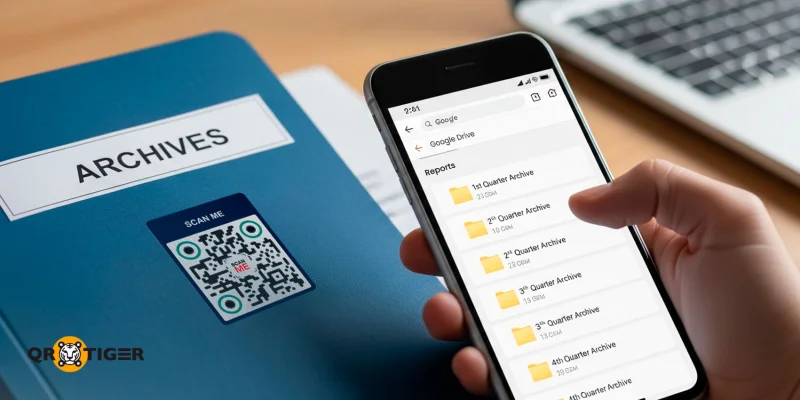
One QR code can link to a cloud folder containing previous reports.
Clients can easily compare performance across months or quarters without having to repeatedly request older files. This QR code reporting solution keeps reporting organized and transparent over time.
5. Data visualizations and infographics
Use a file QR code converter to turn an interactive chart or visual summary into a scannable link, making it easier for users to download and view the content on mobile devices.
Visual storytelling helps clients quickly grasp trends, patterns, and outcomes without having to dig through lengthy reports. This approach is particularly effective for executive-level stakeholders who prefer high-level insights at a glance.
6. Feedback and approval forms
Create a QR code for Google Form to allow clients to quickly open a feedback or approval form and leave comments, approve strategies, or request changes.
This creates a clear feedback loop, speeds up decision-making, and provides a documented record of approvals for accountability.
7. Case study references
Attach a landing page QR code that contains files or links to relevant case studies, benchmarks, or past successes to reports and documents.
This helps put performance into context and builds confidence in your strategy. It’s especially useful during reviews or renewal discussions.
8. Action items and recommendations
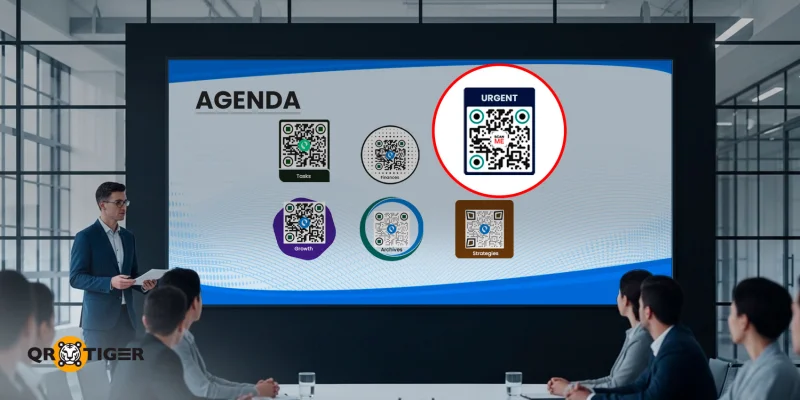
Use a QR code to link to a PowerPoint outlining proposed next steps, timelines, and assigned responsibilities.
This keeps meetings focused on execution rather than interpretation. Clients clearly see what happens next and who is accountable.
9. Campaign asset previews
Show live previews of ads, landing pages, social posts, or email campaigns through QR codes.
Clients can review creative assets exactly as audiences see them. This is useful for approvals, audits, or performance evaluations.
10. Compliance and documentation access
Link QR codes to contracts, consent forms, data privacy notices, or regulatory documents related to the campaign.
This keeps compliance materials accessible without adding bulk to the report. It’s particularly helpful for regulated industries.
11. KPI definitions and methodology
Avoid confusion by linking QR codes to clear explanations of KPIs, formulas, and data sources.
Clients can quickly understand how metrics are calculated and why they matter. This improves trust and reduces misinterpretation of results.
12. Contact and support access
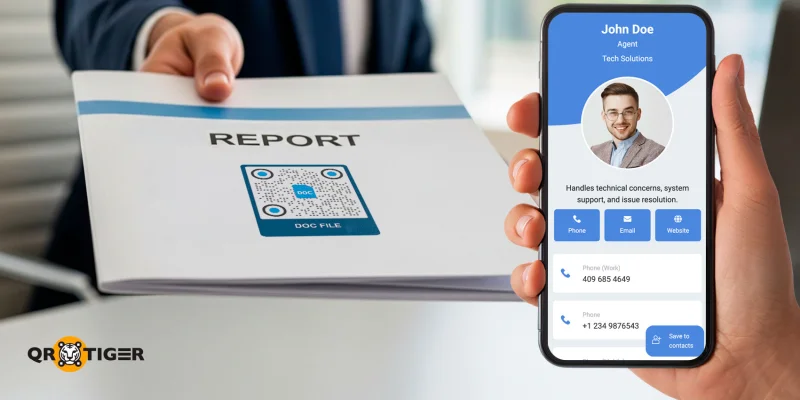
Let clients reach the right contact immediately without searching for details via QR codes. This makes reporting more conversational and client-friendly.
Some QR code reporting solutions to use are email, Calendly, or a vCard QR code, which quickly opens templated drafts, booking schedules, or contact information for follow-up discussions.
13. Report usage insights and engagement tracking
Use an advanced QR code generator with built-in analytics and QR code tracking to monitor how clients interact with reports.
When clients scan the QR code, they access dashboards, documents, or assets as usual, but your team can also view:
- Number of scans
- Scan dates and frequency
- Which reports or sections are accessed most
Teams gain visibility into what clients actually review, helping them tailor discussions, prioritize insights, and improve future reports.
Clients benefit from more relevant follow-ups and better-aligned reporting, without having to manually provide additional feedback.
How to create QR codes for client reporting
A QR-based reporting system helps centralize access to dashboards, PDFs, and other resources while keeping reporting efficient and consistent. Follow these steps to get started:
1. Prepare the report or resource, such as live dashboard links, a PDF report, a spreadsheet, or a shared folder.
2. Go to the best QR code generator website you can find.
3. Choose a QR code solution fitted to your available content.
4. Attach and click the “Generate QR code” button.
5. Customize your QR code design.
6. Perform a test scan to ensure scannability.
7. Download, save, and you’re ready to share your QR code with your clients.
How QR codes improve client reporting
Sharing reports with clients can be time-consuming and inefficient when relying on static PDFs, long email threads, or scattered links.
QR code client reports streamline the process by providing clients with instant access to the most up-to-date information, while reducing manual work for your team. Here’s how they make a real difference:
- Faster access to reports: Clients can scan a QR code to view dashboards or files instantly, no logins or attachments required.
- Better engagement with data: Live dashboards let clients explore key metrics independently, spot trends and patterns, and gain insights without repeated explanations, fostering deeper understanding and more meaningful discussions.
- Improved client experience: Interactive QR codes make reports easier to navigate and give them a modern, professional feel.
- Real-time updates: Dynamic QR codes ensure clients always see the latest data without having to resend files.
- Reduced back-and-forth: Clients get insights immediately, reducing follow-up emails and clarification requests.
- Enhanced transparency: Clients can see updates as they happen, building trust and confidence in your work.
- Insightful tracking and analytics: With a QR code analytics dashboard readily accessible, teams can monitor scans and engagement to understand which reports clients view most.
When implemented thoughtfully, QR codes make client reporting more efficient and engaging, giving clients instant access to updates while helping teams save time and communicate more clearly.
Industries that benefit from QR code client reporting
1. Marketing agencies: Whether it’s a monthly campaign report or a weekly strategy update, marketing agencies would usually include a vast set of data, like performance or growth trends.
Add a QR code that leads attendees to a live dashboard or a real-time summary sheet, helping them better understand the numbers.
2. SEO agencies: SEO specialists often talk about rankings, backlinks, site issues, and technical audits. But discussing each aspect one by one will take forever.
To make meetings more efficient, why not talk about the summary directly and provide the client with a QR code leading to the specifics of the report, which they can review anytime after the meeting.
3. Consulting firms: Allow clients to access project dashboards or progress trackers using QR codes. This helps consultants discuss suggested strategies or growth recommendations without having to present everything on a screen or print in bulk.
4. SaaS companies: These businesses are heavily reliant on data and performance analytics, so adding a QR code that directly leads to analytics dashboards will help clients better understand the numbers at their own pace.
5. Finance teams: Most clients are very particular about digits related to finance; they want to know where their money goes or how it is spent.
Using QR codes that provide them with copies of budget reports or expense analytics will be beneficial, as they can access them anytime on their own devices rather than flipping pages.
Best practices for using QR codes in client reports
Using QR codes for client reporting is simple, but following a few best practices ensures they’re effective, professional, and secure:
- Label QR codes clearly: Let clients know exactly what they’ll access when scanning, so there’s no confusion or hesitation.
- Place QR codes strategically: Position them in prominent areas of reports or presentations where clients can easily scan without searching.
- Use branded QR codes: Custom colors or logos add credibility and help the codes align visually with your brand.
- Test before sharing: Always scan your QR codes to confirm they link to the correct report or resource and display properly on multiple devices.
- Consider security and access: Use strong passwords, restrict access, or client-specific QR codes for sensitive reports. Dynamic QR codes can also help control access, letting you update the linked content without changing the code itself.
- Maintain expiration or tracking settings: For confidential data, consider QR codes that expire after a set period or monitor which clients scan which reports to maintain oversight.
- Keep links organized and up to date: Regularly review linked reports and folders to ensure clients aren’t directed to outdated, archived, or irrelevant content.
Deliver clear client reports with the help of QR TIGER
Client reporting doesn’t have to rely on static documents, long email threads, or repeated follow-ups.
QR codes for client reporting are practical tools that make reports easier to access, update, and understand, while improving transparency and engagement for clients.
Whether you’re an agent, consultant, or service provider, integrating QR codes into your reporting workflow can simplify information sharing and strengthen client trust.
With the right strategy and a trusted QR code software, you can turn client reporting into a more efficient, transparent, and friendly experience.
FAQs
How to convert a link to a QR code?
You can convert a link to a QR code using an online QR code maker. Simply paste the URL into the website, customize the code if needed (colors, logo, frame), and download it. If you opt for a dynamic QR code, you can update the link later without changing the code itself.
How to get details from a QR code?
To get details from a QR code, scan it using a smartphone camera or a QR code scanner app. The QR code will reveal the embedded information, such as a website URL, text, contact details, or a link to a file.
For dynamic QR codes, creators can also access analytics to view scan data, location, and device information.
Can I create a QR code to collect data or survey responses for free?
Yes. Many online generators offer free options for creating QR codes that link to forms, surveys, or spreadsheets. You can collect responses in real time through tools like Google Forms, Microsoft Forms, or other survey platforms, often without a paid plan. 

