Best QR Code MCP Servers in 2026
 By Sheen
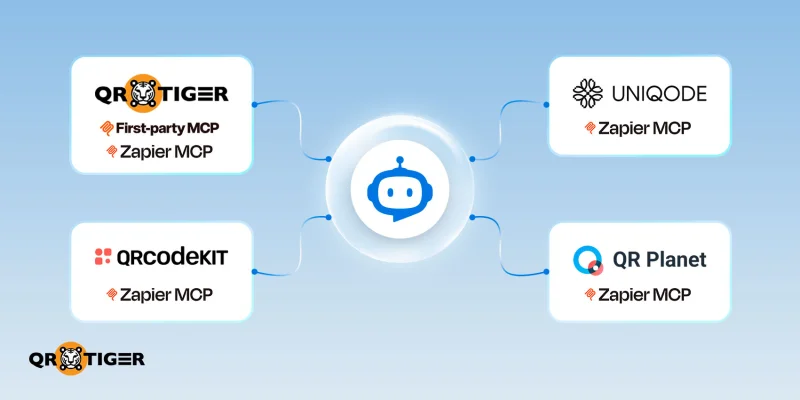
The best QR code MCP (Model Context Protocol) server depends on what you want an artificial intelligence (AI) model and application to do.
Some give AI agents some sort of autonomy to access your software’s tools to create the QR codes, while others connect QR actions with the enterprise integrations you already use.
We compare how different QR code generator MCPs work, what each MCP connection exposes, and key considerations before linking your QR codes to AI applications.
Note: The details in this guide were last checked in September 2026. Check each platform’s official website for the latest features and updates.
Summary
|
How we compared the QR code MCP servers
We kept the comparison of QR code MCP servers on the functions documented for AI use. A feature available in the main product didn’t count unless its MCP setup also supports it.
We consider how useful those capabilities are for different business and technical requirements:
- QR code lifecycle coverage – What the AI can create, find, update, delete, or track.
- MCP tool coverage and task clarity – What tools are available and how clearly each one maps to a QR task.
- Analytics and context access – Whether AI can retrieve scan data and use it to answer questions about QR code performance.
- Authentication and access control – How users sign in, what data the AI can access, and which actions it can execute.
- Business integration – How each solution works past simple asset creation–if the MCP server can trigger actions with enterprise CRMs, marketing tools, and business apps.
- Documentation and implementation readiness – The technical information available to get the server up and running.
The top QR code MCP servers at a glance
Each QR code MCP server grants AI agents varying levels of control. Some let agents manage codes and access analytics, while others connect action tools with other business systems.
| Provider | MCP approach | Best for | QR tools available | QI analytics control |
| QR TIGER | First-party MCP + Zapier MCP | Working directly with QR codes or cross-app QR code tasks | Create, customize, update, find, and QR code analytics (plus exposed Zapier actions) | Yes, with its native MCP |
| QR Planet | First-party MCP | Broad QR management | Extensive | Available |
| Uniqode | Zapier MCP | Existing Uniqode and Zapier workflows | Creation and other exposed tools | Available |
| QRCodeKIT | First-party MCP | Focused QR management | Create, edit, update, and delete actions | Not currently available |
Best QR code generators that work with AI tools via MCP Server
1. QR TIGER MCP server (Hybrid MCP setup)
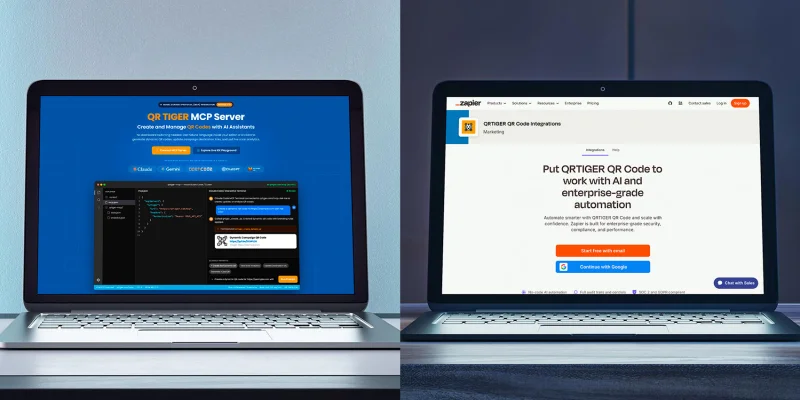
QR TIGER’s Hybrid MCP Setup (First-party MCP Server + Zapier MCP)
QR TIGER supports two ways for AI tools to connect to its platform: a first-party MCP server and a Zapier MCP connection. Its first-party MCP server uses an API key, with no special OAuth or token setup required, keeping the connection simple.
Its direct route provides access to QR code tools via QR TIGER’s API, while its Zapier setup works well when QR codes are part of a larger workflow that spans marketing, CRM, and other SaaS platforms.
What it does: The QR TIGER first-party MCP server lets AI assistants create, retrieve, update, and analyze QR codes.
Through Zapier, the agent can use code actions for social media profiles, Google Forms, app stores, files, HTML, and vCard QR codes with a custom URL.
Connection: First-party MCP and Zapier MCP connector
Setup:
- Native MCP – Connect to QR TIGER’s MCP server and provide the API key from your QR TIGER account.
- Zapier MCP – Generate an MCP URL from Zapier, pick which QR TIGER actions the agent can use, and plug that URL into your AI client. Each successful MCP tool call counts as two tasks against your Zapier plan.
Best for: Businesses that want direct AI access to QR code tools and the option to work on different business stacks like CRMs, marketing tools, and other connected apps.
Skip if: You just want to use basic QR code generation and don’t need direct QR management or cross-app automation.
Note: Zapier says MCP doesn’t currently support Enterprise app and action restrictions out of the box.
2. QR Planet
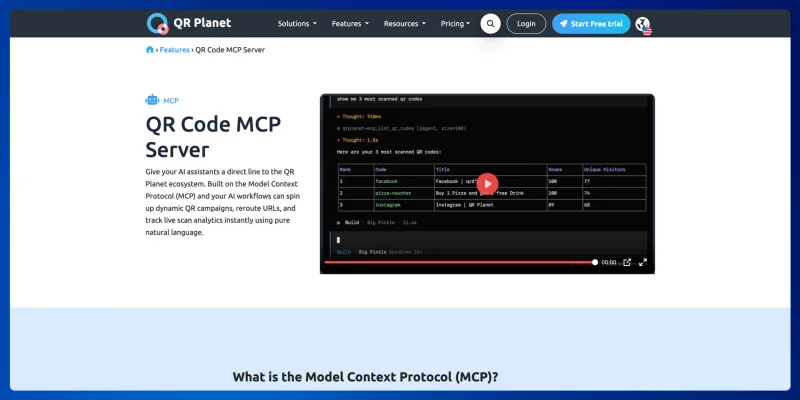
QR Planet’s first-party MCP server
QR Planet goes deeper into direct QR management. Its first-party MCP server exposes provider-specific operations without putting an automation platform between the client and the QR service.
What it does: AI agents can create, retrieve, update, and work with other supported QR code operations. Users can request scan statistics, generate SVG code, or audit dynamic business cards.
Connection: First-party MCP server
Setup: You need a QR Planet account and an API key; authentication uses a Bearer token with the key. This works with ChatGPT, Claude, Gemini, and other MCP-compatible AI tools.
Best for: Businesses that need full QR code lifecycle management through a direct MCP connection.
Skip if: You only need basic QR code actions or prefer routing QR tasks to run with a broader automation platform.
3. Uniqode through Zapier MCP
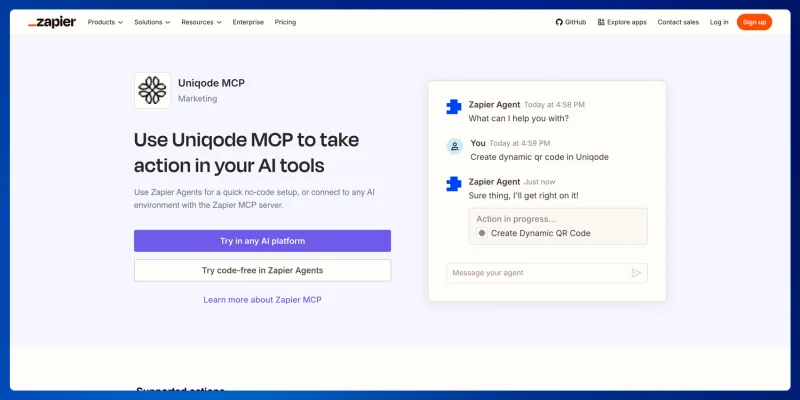
Uniqode’s MCP connector via Zapier
Uniqode uses Zapier as its MCP route. Its existing actions can join more agent-led tasks without adding a separate first-party MCP connection.
What it does: gives the AI agent access to call Uniqode actions that Zapier supports. This includes creating dynamic and static codes, downloading, updating, and finding QR codes or users.
Connection: Zapier MCP bridge
Set up: Generate an MCP URL from Zapier, choose which action the agent can perform, and connect your AI tool.
Best for: Existing Uniqode users who already rely on Zapier for connected business tasks.
Skip if: You want a direct first-party MCP connection without an automation platform between the AI client and QR code service.
4. QRCodeKIT
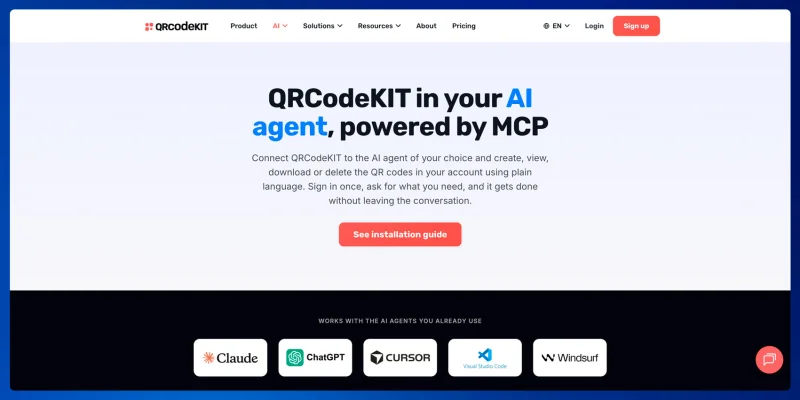
QRCodeKIT’s first-party MCP server
QRCodeKIT keeps the MCP surface narrower with its first-party approach. It suits cases where an AI assistant needs common QR operations without the broader scope of more extensive ones.
What it does: Exposes supported QR management functions to compatible AI agents. The agent can create new codes from a prompt, list existing codes, and download them in different formats through conversation.
Connection: First-party MCP server
Setup: Add the MCP URL to your AI tool’s settings and sign in with your account. Works with Claude, ChatGPT, Cursor, and any other AI client compatible with MCP.
Best for: Businesses that want direct AI access to common QR code operations without adding a new integration layer.
Skip if: You need a wide set of QR management, analytics, or advanced routing tools from the AI agent (these aren’t available yet).
Feature comparison: QR code MCP servers
Basic QR code generation is available on different options we reviewed. We compared what each setup lets AI do beyond that, so you can determine which one better fits your business.
Note: We only evaluate features documented for MCP use, not the entire set of main product offerings.
| Capability | QR TIGER | QR Planet | Uniqode | QRCodeKIT |
| Create QR code | Yes | Yes | Yes | Yes |
| Cuztomize QR code | Yes | Yes | Depends on action | Not currently exposed |
| Retrieve existing codes | Yes | Yes | Yes | Yes |
| Scan analytics access | Yes | Yes | Yes (through Zapier actions) | Not currently exposed |
| Scan-triggered automation | Yes (through Zapier) | Not established | Not established | Not established |
| Multi-app workflows | Yes (through Zapier) | Limited | Yes (through Zapier) | Limited |
| Business app ecosystem | Broad (through Zapier) | QR-focused | Broad (through Zapier) | QR-focused |
| QR creation from other app data | Yes (through Zapier) | Requires connected client logic | Yes (through Zapier) | Requires connected client logic |
| Advanced QR routing | Not established | Yes | Not established | Not documented |
| MCP connection | First-party MCP + Zapier MCP | First-party MCP | Zapier MCP | First-party MCP |
(“Not established” means we can’t confirm the features from its current documentation, MCP, or integration route. The feature may still exist elsewhere in the product.)
- QR TIGER – Stands out by offering both routes. Its first-party MCP handles direct QR code tasks, while its QR code API connection with Zapier opens the door to CRM, marketing, and other business apps.
- QR Planet – Puts more QR code-specific functions in the agent’s control, including analytics and dynamic routing.
- Uniqode – Fits for existing Uniqode and Zapier users who want QR tasks to work with other connected apps.
- QRCodeKIT – Covers the everyday QR tasks with a smaller first-party toolset. Analytics and customization haven’t been implemented in MCP yet.
What can an AI agent do with a QR code MCP server?
A QR code MCP server isn’t only useful for marketing. The same tools can help support teams, regional managers, developers, and other employees to work with QR data without giving everyone full access to the account.
With QR code MCP servers, you can connect QR data directly to AI tools using natural language queries for analytics, campaign updates, and cross-departmental tasks.
Campaign monitoring
The marketing team can ask AI to compare scan performance from different locations, while an MCP server that surfaces analytics can retrieve the available scan data.
QR TIGER takes a different route for this today. Its AI data chat Sena lets users ask plain, conversational questions about campaign performance.
Why it works:
- Handles different questions: Your team isn’t limited to the filters and reports someone has already built into a dashboard.
- Uses live account data: AI agents can call analytics tools exposed by the server rather than relying solely on their existing knowledge.
- Keeps access limited: you decide which campaign data and tools the assistant can access.
How to use it:
1. Connect your platform to an MCP-compatible AI application.
2. Give the AI agent access to approved analytics tools.
3. You can ask about campaign performance with natural language.
4. The agent chooses the needed tools and returns the available data.
Campaign management
Authorized employees can find an existing code, inspect its settings, and make changes allowed by the MCP server. Your team can update a destination using an internal AI assistant instead of manually reviewing each campaign.
Why it works:
- Finds before acting: The agent can locate the right campaign before making a change.
- Limit available actions: Read, update, and delete tools don’t all need the same level of access.
- Works from a request: Employees can describe the change instead of navigating several account screens.
How to use it:
- Expose the QR management tools your team needs.
- Set which actions the agent can perform.
- Require approval for higher-risk changes where needed.
- Keep a record of the action and its result.
Cross-department tasks
An AI agent can retrieve scan data, add the results to a spreadsheet, update CRM records, and pass information to another team.
Why it works:
- Connects several apps: The same request can use tools from your platform, CRM, spreadsheet, or other systems.
- Carries data forward: Information retrieved from one service can be used for the next action.
- Cuts custom integration work: No need to build every connection around the QR platform itself.
How to use it:
- Connect the data source involved in the task.
- Make the required actions available to the AI client.
- Set what the agent can read or change in each service.
- Let the agent call those tools as it works through.
Operations support
Support staff doesn’t need to access every account function just to answer one support request. They can ask an AI assistant to locate a QR code, check its destination or settings, and pull information needed to investigate a problem.
Why it works:
- Gets the necessary account context: The assistant can retrieve the current QR details rather than relying on the customer's description.
- Keeps support access narrower: The team doesn’t need every management tool.
- Cuts account searching: The agent can retrieve the relevant code and its available information from the request.
How to use it:
- Give the support assistant access to selected lookup tools.
- Keep unrelated account actions unavailable.
- Let staff ask for the campaign or code needed.
- Use the retrieved details to investigate issues.
Regional operations
You can inspect which destinations, routing rules, or local campaigns need attention and also compare QR activity across countries or campaigns.
Why it works:
Pulls data across campaigns: You can query multiple markets in a single request.
Supports follow-up questions: One result can lead to another query without starting a new report.
Can expose routing controls: Supported servers may also provide country, language, or location-based QR tools.
How to use it:
- Give the agent access to the required campaigns and analytics.
- Ask it to compare the regions you want to review.
- Inspect the results before changing a destination or routing rule.
- Keep higher-impact changes behind the permissions you set.
Internal QR code lookup
You can find existing QR codes without knowing the exact campaign name or digging through large accounts manually, especially when your company has thousands of codes spread across teams and locations.
Why it works:
- Searches from intent: Easily describe what you are looking for.
- Uses existing account data: The agent searches with whatever retrieval tools the server allows.
- Works as a starting point: Once the right code is found, you can inspect it or continue with another approved action.
How to use it:
- Expose QR retrieval and search tools.
- Limit the account data each team can reach.
- Describe the code or campaigns needed.
- Return the matching records for review.
Important: Not every QR task needs MCP. Generating thousands of predefined QR codes from database records already follows a fixed process:
- Get records
- Generate codes
- Save results
- Repeat
There isn’t much for the AI model to decide. A direct API or standard, predictable computer program is way cleaner for that kind of work.
How to connect a QR code MCP server to Claude or ChatGPT
The exact setup depends on the MCP server and AI client you use, but the basic process goes like this:
- Get the MCP server connection details from your QR code provider.
- Open your AI client’s MCP configuration or settings.
- Add the MCP server and provide the required authentication, such as your API key.
- Save the changes and restart the AI client if required.
- Test the connection by asking the AI to perform a supported QR code task.
Once connected, you can ask the AI to use the QR code tools available through the MCP server.
Which QR code MCP server should you choose?
MCP doesn’t need to replace the QR APIs you already use. Keep fixed jobs in your existing systems and give AI access to the QR tools where it can actually help.
QR TIGER has its own MCP setup, so the AI can build or manage QR codes directly. It also uses API keys for secure account access instead of OAuth.
QR TIGER through Zapier MCP takes the cross-app route. It fits tasks where QR actions need to integrate with other business apps you already use, and it offers enterprise QR code solutions for teams with advanced needs.
Start with the QR tasks where your AI agent can save time and make the work easier.
This article is for general informational purposes only and does not constitute legal, financial, or other professional advice. For questions about QR TIGER's products or services, please contact our support team at [email protected].
Frequently Asked Questions (FAQ)
What are MCP servers exactly? What market are they targeting, and who are they built for?
What is the difference between a first-party MCP and an MCP bridge?
Does MCP replace API?
Can ChatGPT or Claude create QR codes with MCP?
Can AI agents analyze QR code scans through MCP?
Was this article helpful?
Maximize Scans with the Best QR Code Generator
Join thousands of global brands using QR TIGER to manage dynamic routing, bulk creation, and deep attribution analytics.
Get Started For Free