
Single Sign-On (SSO) Setup Guide for Enterprise Login
How to enable Single Sign-On on QR TIGER Enterprise
To enable SSO login to your QR TIGER Enterprise account, follow these steps:
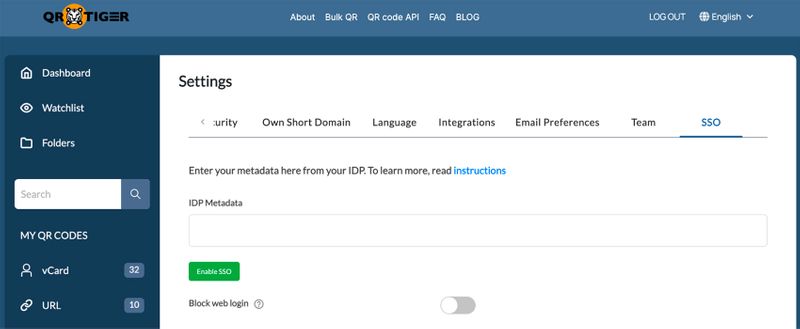
1. Log in to your QR TIGER Enterprise account.
2. Click My Account > Settings > SSO tab.
3. Under the SSO tab, simply enter the IDP Metadata to enable the SSO feature.
How to get an IDP Metadata for SSO
Here’s how you can get an IDP Metadata for the SSO:
1. Go to Okta and log in to your account.
2. Click Applications, then Create App Integration.
3. Choose SAML 2.0 and enter all the required details.
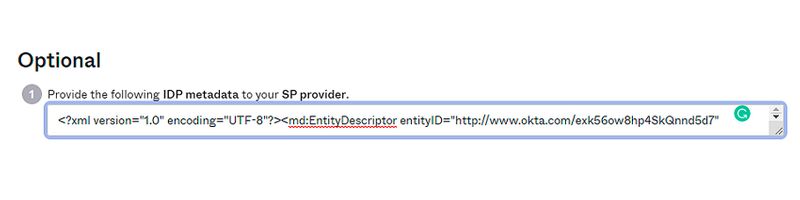
4. After filling out the information, get or copy the IDP Metadata.
IDP Parameters
Follow these parameters to configure your custom SAML connection in your IDP.
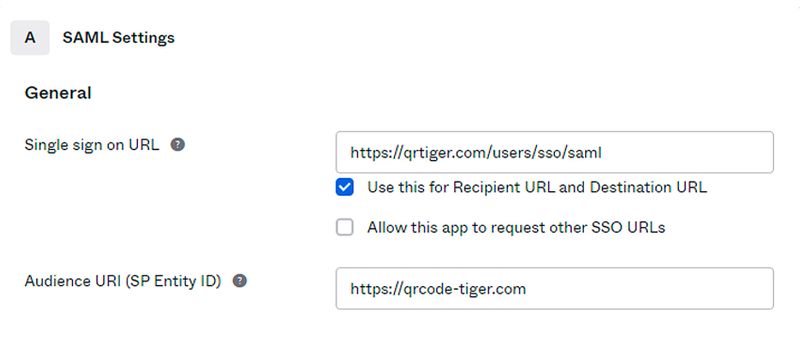
| https://qrtiger.com/users/sso/saml |
| https://qrcode-tiger.com |
Settings to include

How to Setup SAML SSO with Okta
1. Login to your Okta account
2. Go to Applications and click on Create App Integration
3. Select SAML 2.0

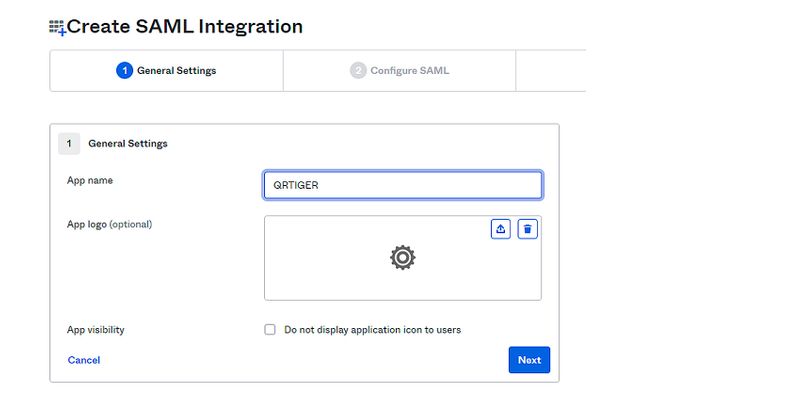
4. Enter an App Name and then click on Next
5. In the configuration, fill in the Single sign-on URL and Entity ID. Add the required attributes and then click on Next

6. Lastly, fill in the Feedback tab and click on Finish.
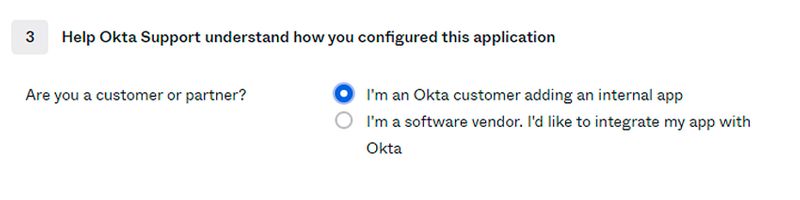
7. You will need to first assign users to your apps. Then, under your app’s Sign on tab, click on View Setup Instructions and then proceed to QRTIGER’s settings page.
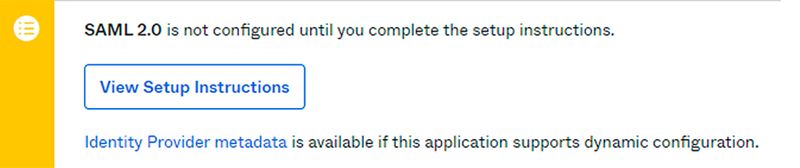
8. Inside your instructions page, find the IDP Metadata and copy its contents.
How to login QR TIGER Enterprise account using SSO
To log in on QR TIGER via SSO, follow these simple steps:
1. Go to QR TIGER Enterprise or enterprise.qrcode-tiger.com online
2. Click Continue with SSO. Enter your email address and click Sign in to proceed.
3. You’ll be redirected to Okta. Simply log in to your Okta account to successfully log in to your QR TIGER Enterprise account.
Learn how to integrate PingFederate SSO with QR TIGER using this guide: PingFederate SSO Guide.

