
How QR Code Drawing By Hand Works + Steps and Ways to Use It

QR code drawings have caught users' attention online and piqued their curiosity. Is this actually possible? Will it work?
Yes, QR codes can be drawn by hand, and as long as it's done correctly, they will work just as well as a normal QR Code.
A study published in the International Journal of Internet Marketing and Advertising found that one of the best ways to encourage people to scan a QR code is to make it unique and visually engaging.
One particular way to do so is through hand-drawn QR code art, meticulously crafted to mimic every pattern and ensure the code’s overall scannability.
Keep reading below to learn all about art QR codes and how to make one that attracts scans and engagement.
Table of Contents
What is a QR code drawing?
Hand-drawn QR codes are exactly what they sound like: a QR code sketched manually on paper using a pen, pencil, paint, or other artistic tools. This is what makes it unique from the ones printed digitally.
To make one, you start by generating a custom static or dynamic QR code using an online QR code generator, then tracing the QR code on paper or a canvas.
Here’s the catch: QR codes can be very sensitive. Minor issues like distortion or unevenness can make them difficult for scanners to read. Because of this, you must carefully replicate the grid pattern and key elements to make sure it works when scanned.
How to draw a QR code?
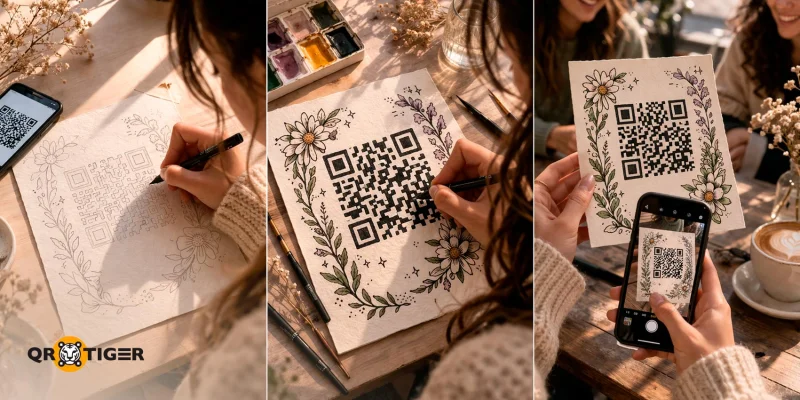
Follow this quick step-by-step guide to hand-sketch a QR code:
Step 1: Create a QR code on the best QR code generator online
1. Open a QR code maker like QR TIGER.
2. Choose the type of QR code (URL, text, file).
3. Set it to Static or Dynamic.
Recommendation: Select the dynamic QR code to edit its content at any time and monitor its scan performance.
4. Input the URL or text you want to share.
5. Generate the QR code and customize it.
6. Test the QR code using various devices (smartphone, tablet, etc.) to see if it works.
7. Download the QR code in SVG or PNG and print it on paper for tracing the QR code pattern.
Step 2: Drawing the QR code
1. Prepare your materials. Gather clean paper and a fine-tip pen or marker, then set up a well-lit workspace to help you sketch the QR code on paper accurately.
2. Draw the grid. Start by tracing the outline of the entire QR code. Begin by identifying the modules, three eyes, and the timing patterns. It’s essential not to distort these elements, or the entire QR code will not work.
3. Fill out the data modules. Once the outline is complete, color or shade the QR code in high-contrast colors to ensure it is scannable.
4. Keep a quiet zone. Leave a clean margin around the QR code, no extra designs or clutter. This signals to scanners where the QR code starts and ends, making scanning easier.
5. Add additional design around the QR code. Sketch a simple frame, themed elements, geometric patterns, or a speech bubble. Make sure to avoid covering key areas like the corners and spacing, and test intermittently to ensure it still scans properly.
6. Test the QR code. Scan the QR code drawing with your smartphone’s scanner. If it doesn’t work, refine the shapes, improve contrast, and clarify key elements. Repeat until it scans quickly and consistently.
Tips for drawing QR codes
Drawing a QR code by hand is a fantastic way to express creativity, but it can be frustrating if your finished design fails to scan. To make sure your hand-drawn QR codes work properly, keep these tips in mind:
- Use dynamic QR codes with high error correction. They let you update a link to the QR code at any time and improve scan reliability for hand-drawn codes.
- Use graphing paper. Graphing paper makes it easier to trace and align the QR code accurately. This helps reduce mistakes and ensures that your hand-drawn design remains scannable.
- Prioritize high-contrast, solid QR code colors. Use high-contrast, solid colors for better scanning. Fine-tip or technical pens also help improve accuracy.
- Trace or copy strategically. You can carefully trace its original pattern by placing the graphing paper over a screen displaying the QR code. This ensures the QR code for drawing remains accurate while avoiding errors.
- Test your QR code. After finishing your drawing, scan the QR code to test it. This helps you confirm that your drawing is accurate before finishing the entire piece.
- Maintain accurate proportions: QR codes have a strict grid structure, so even the slightest distortion in the size or alignment of the squares can make them unreadable. For this reason, it's recommended to trace a QR code rather than freehand it without a guide.
- Never alter the finder pattern: Also called the ‘eyes’ of the QR code, the three large squares at its corners are essential for scanners to detect and orient the code. It’s better to avoid changing its shape or size when drawing to ensure the QR code maintains functionality.
- Avoid overstyling: While it's tempting to get creative, excessively styling your QR code can lead to issues when scanning it. It’s better to keep its core structure intact and add only small enhancements, such as borders and colors.
- Respect the quiet zone: Each QR code needs an empty margin around it (a quiet zone) to help scanners detect and isolate it from surrounding elements. When drawing, ensure this margin remains intact to avoid scan failures.
- Keep a strong background contrast: Always use a lighter background for the QR code. Avoid backgrounds with rough textures or shades that match the QR code.
Hand-drawn QR codes in real life
Because of its unique, creative style, 2D barcode drawings are a great way for artists to promote their work and portfolio, and brands to market their products and launch their campaigns.
Here are some great, real-life examples of QR code drawing online:
Jenny Mehrtens Q-ART code (2024)
Jenny Mehrtens is known for creating Q-ART codes, in which she draws a QR code on a canvas and then uses acrylic paint to create beautiful art pieces that remain accurate enough to be successfully scanned as a QR code.
One of her standout works is “COPENHAGEN TOWN HALL,” which was inspired by the patterning in Copenhagen Town Hall. When scanned, the QR code itself links to a YouTube video called “You are Loved”.
Many of Jenny’s works are exhibited both locally and internationally, and her commissioned artworks are now part of private art collections worldwide.
Yiying Lu’s Beautiful Traps (2012)
As part of her “Portal to the unknown” project, tech-savvy artist Yiying Lu introduced her “Beautiful Traps” artworks, featuring seven women wearing predatory plants on their heads.
Hidden in these watercolor paintings were hand-drawn QR codes that, when scanned, led directly to the artist’s website, which included a time-lapse video of Yiying Lu painting each piece.
On her website, Yiying Lu stated that the QR code-enabled artworks allow users to interact with the art itself, thereby enhancing the art-viewing experience.
Miss Marc QR code (2009)
jpg_800.jpeg "Miss Marc QR code drawing")
Fashion brand Marc Jacobs Japan released a custom hand-drawn QR code art featuring its signature mascot, Miss Marc.
Having seen high-fashion brands take the plunge with fashion QR Codes, Marc Jacobs got into the act as well, displaying a unique QR code that linked users to its new mobile website when scanned.
The QR code itself was created by SET, a Tokyo-based creative agency that has produced cinematic video content for some of the world’s foremost brands and organizations for over 16 years.
The campaign itself was praised at the time for being a creative and groundbreaking integration of QR code drawing easily combined with fashion.
Benefits of using drawn QR codes
While some use AI to create uniquely designed QR codes, QR code drawings offer a more hands-on, creative way to blend artistic expression with digital marketing technology.
Beyond that, they also offer some key benefits for those who use them:
- Personal touch and authenticity: When done well, a hand-sketched QR code can add a personal artistic touch, making your brand or product feel more authentic and memorable.
- High perceived value & memorability: Creative QR code design will naturally catch your audience's eye, and with the creative freedom of hand-drawn QR codes, you can ensure that anyone who sees it will scan it out of curiosity.
- Great for one-off or small-scale campaigns: Hand-sketched QR codes are ideal for small-scale or one-time campaigns, as creating a few hand-designed QR codes generated by an advanced QR code generator can be more cost-effective than printing large batches of standard QR codes.
- Themed integration: While most online QR code platforms let you customize QR codes, a drawing of a QR code gives you the freedom to seamlessly integrate it into your overall design. This ensures that it feels like a natural part of your artwork or branding.
Different ways to use drawn QR codes creatively
You can use a QR code drawing in many different ways, with a clear purpose and the right QR code solution.
Here are some creative ways to use them to attract engagement:
Art exhibits
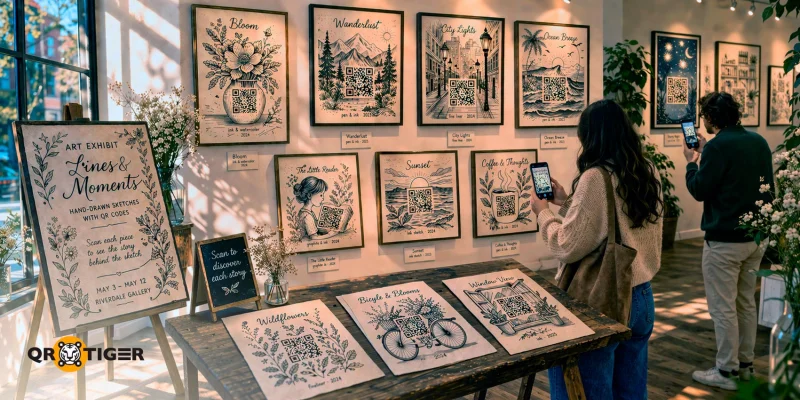
What better way to showcase this kind of QR code creation than in an art exhibit?
Display QR code drawings in photos, galleries, or exhibits that lead to behind-the-scenes or time-lapse videos of the artist creating the artwork, creating a unique and immersive experience for visitors.
This not only helps artists gain more exposure but also lets people understand the work's intent and the time and effort the artists put into it.
Murals and guerrilla campaigns
Murals and guerrilla campaigns capture people’s attention effortlessly. Incorporating a drawings of QR codes in your piece can offer it an interactive feel that your audience will remember.
Brands can also take advantage of this by using a QR code generator with logo to link users who scan the QR code to their campaign page, promotional videos, or even an augmented reality experience that brings the mural to life.
The best example is the Dodgers mural in Torrance featuring an AR QR code by Robert Vargas, which made headlines for honoring the team’s top players through augmented reality activation.
Memorial keepsakes
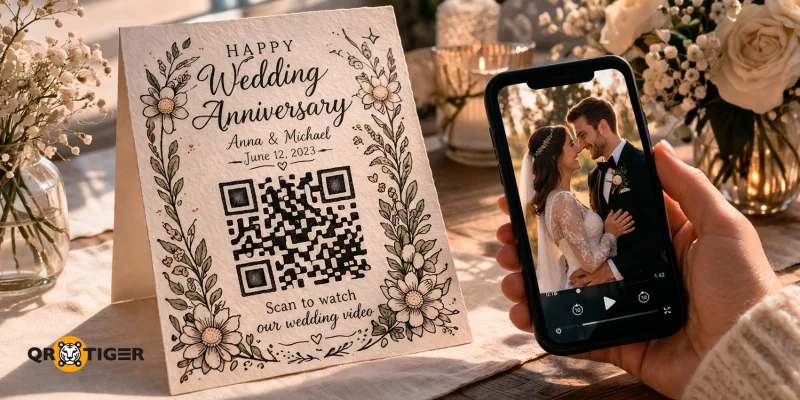
Another QR code drawing idea is to use one to commemorate an event or honor a loved one.
Businesses can work with artists to create a beautiful design around the QR code on the cards, linking users who scan it to cherished photos, videos, or memories, making the keepsake both meaningful and interactive.
Wedding invites
Make your wedding invitations stand out with a hand-drawn QR code that matches your wedding theme.
A beautifully drawn QR code can become the centerpiece of your wedding invites, encouraging guests to scan the QR code drawing to RSVP or watch a personalized video greeting from the soon-to-be-wedded couple.
Interactive children’s book

Reading with children can be a great way to build language skills, develop empathy, and deepen the connection between the parent or teacher and child.
Hand-sketched QR codes are perfect for making the experience interactive, as simple QR code drawings can be seamlessly integrated into illustrations without disrupting the overall art style.
After scanning, you can use QR code software to link the QR code to an audio reading of the page or to additional multimedia content, such as videos, making it accessible to all readers.
Custom tattoo designs
QR code tattoos have become a unique trend, and with the right tattoo artist, you can turn a hand-drawn QR code into a customized tattoo.
Doing so will let you combine personal expression with technology, so your QR code can link to photos, websites, videos, or meaningful messages.
Local store branding
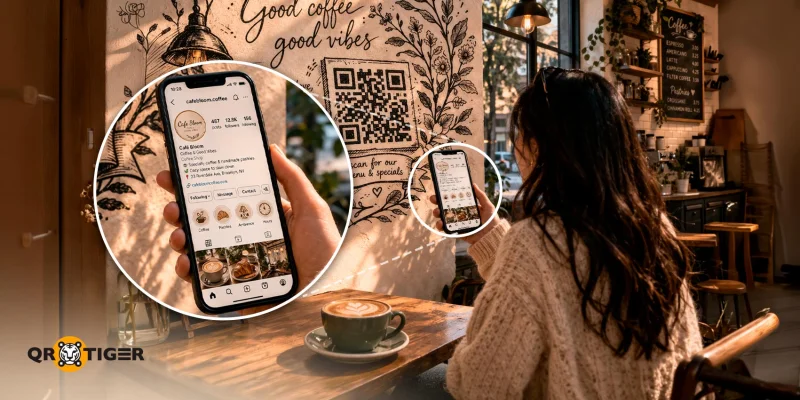
Local stores can add a unique, artistic touch to their branding by incorporating drawn QR codes into their designs.
These QR code drawings can link to the store’s website, social media page, or even showcase its best-selling products, helping increase brand engagement and making the shopping experience more memorable for customers.
Sketch your QR codes uniquely
QR code drawings prove that advanced technology and human creativity don’t have to exist separately. By turning a simple QR code into a hand-drawn piece of art, you can create something both eye-catching and useful.
Using the best QR code generator, proper contrast, and careful tracing helps make your QR code creative and fully scannable, even when hand-drawn.
If you’re looking for a fresh and creative way to grab attention and drive engagement, try drawing QR codes that make scanning fun.
FAQ
Can you paint a QR code?
You can paint a functional QR code using a stencil or by tracing it and then painting over the tracing with careful grid techniques. The key is to generate a QR code with high error correction and use high-contrast colors to ensure it works properly.
How do I design my own QR code drawing?
Customize the borders of your hand-drawn QR code to give it a more artistic feel without affecting its scannability. Make sure to follow the best practices when designing your QR code.
How long does a QR code drawing last?
As long as the drawn QR code is intact, it will remain scannable. Its expiry, however, is dependent on the type of QR code you are using. Static QR codes last indefinitely but cannot be updated.
Dynamic QR codes are recommended because they allow you to edit and update their content without affecting the drawing, and their expiry can be customized depending on the platform you use to generate them.

