15 Best QR Code Generators Online—Reviewed and Tested
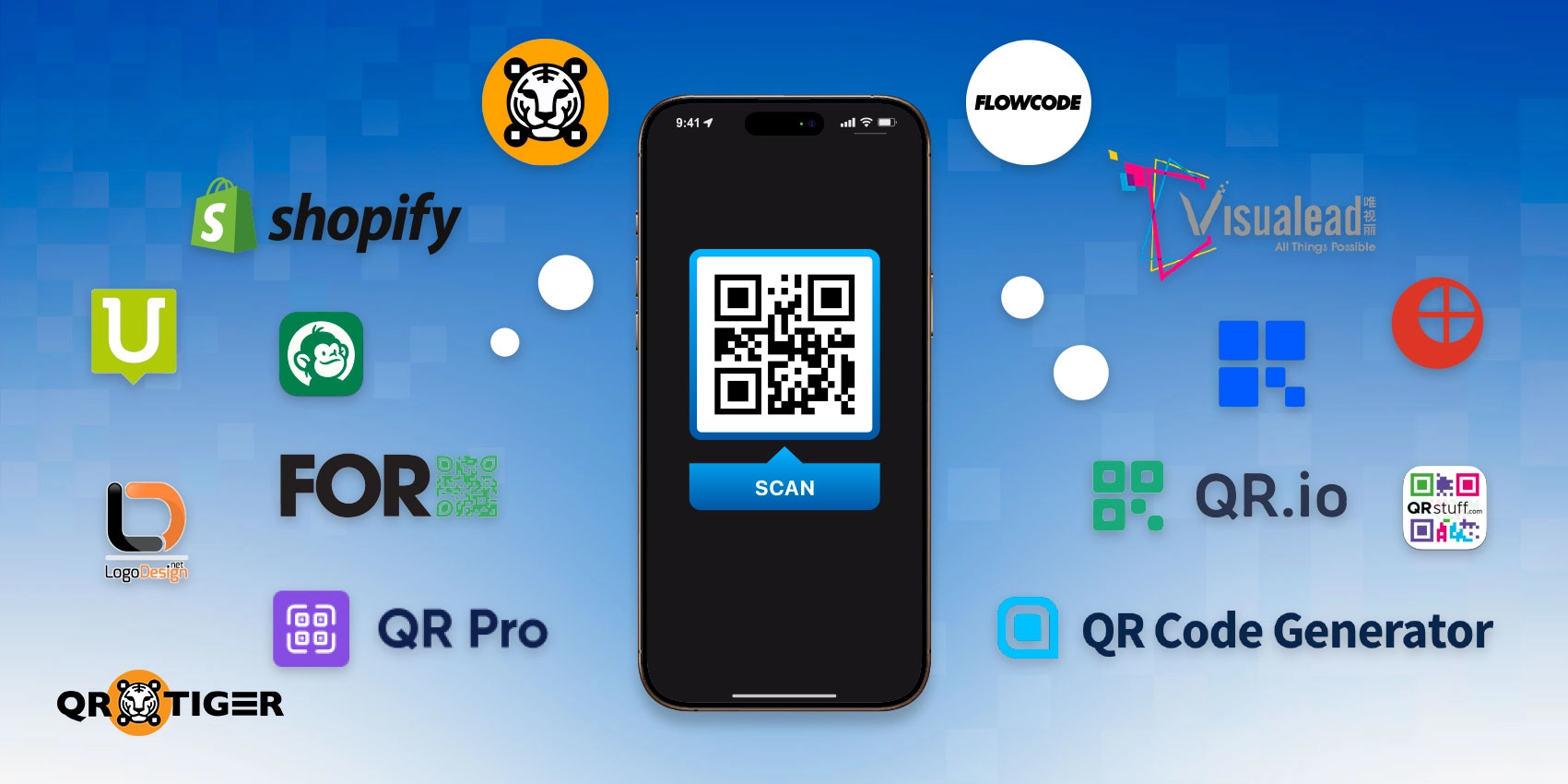
Choosing the best QR code generator isn’t as simple as picking the first website you find online.
Many platforms advertise “free” QR codes, only to limit their access after days, lock analytics behind paywalls, or restrict editing once your campaign is live. Others offer advanced features but are overpriced or unnecessarily complex.
To help you avoid these pitfalls, we tested and reviewed 15 popular, advanced QR code generators using real-world scenarios, not just feature lists, so you can confidently choose the right tool.
Whether you need a basic QR code, tracking, or a custom design, we’ve got you covered. By the end of this list, you’ll know exactly which QR code maker is right for you.
Table of Contents
- How we tested and ranked QR code generators
- 15 best QR code generators in 2026: In-depth reviews
- Top-rated QR code generators: A side-by-side comparison
- Quick verdict: Best QR code generators by use case
- How to choose the right QR code generator
- How do I know if my QR code generator is safe?
- Make the smart choice and start creating QR codes today
- Frequently asked questions
How we tested and ranked QR code generators
Unlike many roundup articles that rely on marketing claims or surface-level feature lists, this guide is built on hands-on testing and direct comparison.
Each generator was evaluated by creating, customizing, exporting, and scanning QR codes across different devices and use cases.
This approach enabled us to identify genuine strengths, limitations, and practical differences that aren’t immediately apparent from product pages alone, ensuring that our recommendations accurately reflect how each tool performs in practice.
Each top-rated QR code generator was evaluated using the following criteria:
- Scan reliability: Tested on multiple devices (iOS and Android), screen sizes, and printed formats
- Static vs dynamic QR code support: Ability to edit content after creation and update links without reprinting
- Analytics and tracking: Availability of scan data such as location, device, time, and campaign performance
- Customization and branding: Logo support, color control, frames, CTAs, and design flexibility
- Bulk QR code generation: CSV uploads, batch creation, and scalability for large campaigns
- Export formats: SVG, PDF, EPS, and high-resolution PNG for print and digital use
- Security and compliance: GDPR, CCPA, SSL, and ISO-level data protection
- Pricing transparency: Free tier limitations, trial restrictions, and long-term cost clarity
- Ease of use: UI clarity, onboarding, and learning curve for non-technical users
These factors matter because QR codes are often used in printed materials, packaging, and campaigns where mistakes are costly and difficult to fix later.
15 best QR code generators in 2026: In-depth reviews
Below is our thorough assessment of the top QR code generators, based on hands-on testing and real-world use.
Each tool was evaluated on ease of use, customization options, dynamic versus static capabilities, analytics, pricing transparency, and overall value.
Instead of just listing features, these reviews clarify the ideal use cases, drawbacks, and best-fit scenarios so that you can choose the right generator with confidence.
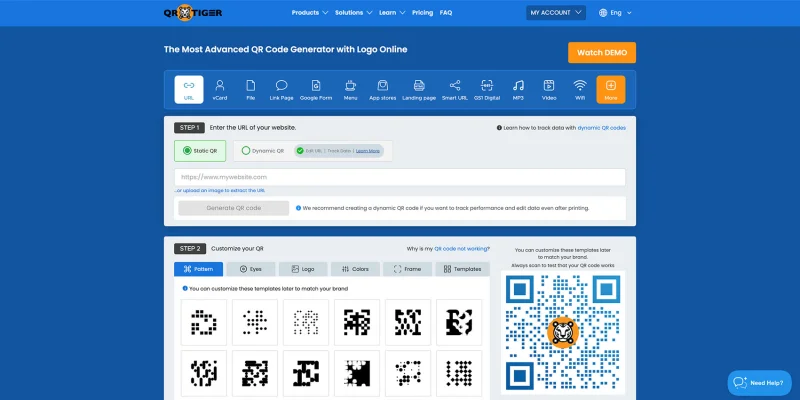
1. QR TIGER

QR TIGER is a full-featured QR code platform designed for businesses that rely on QR codes for marketing, operations, and customer engagement.
It supports both static and dynamic QR codes, offers extensive customization options, enables bulk generation, and provides campaign-level analytics.
Unlike basic generators, QR TIGER is designed for long-term use, enabling users to update content, track performance, and manage multiple campaigns from a single dashboard.
It is widely regarded as a top-rated QR code generator for enterprises and growth-focused teams.
This advanced software also functions as a free QR code generator, allowing users to explore its capabilities.
Pros:
- It supports dynamic QR codes. They can be tracked and edited after distribution.
- It provides detailed scan analytics that help measure campaign performance.
- It enables bulk QR code generation for large-scale campaigns.
- It offers extensive branding and customization options for a consistent visual identity.
- It is ISO-27001:22 certified and complies with the GDPR and other data privacy standards, ensuring the protection of user data.
Cons:
- Most advanced features are only accessible through paid plans.
- The platform may feel overwhelming for users who only need a simple QR code.
Plan Breakdown:
- Free: Static QR codes, limited dynamic features
- Paid: Monthly plans unlock dynamic QR codes, analytics, bulk tools, and integrations. Starts at $7.
Use-case Categories:
- Best overall QR code generator
- Best dynamic QR code generator
- Best for marketing campaigns
- Best for bulk QR code creation
- Best for branded QR codes
- Best for analytics and retargeting
- Best for GDPR-compliant QR codes
Client Reviews: Users frequently cite the platform's reliability, depth of analytics, and suitability for long-term campaigns, particularly for marketing and enterprise use.
Best For: QR TIGER is best suited for teams that treat QR codes as a long-term marketing or operational asset rather than a one-off tool.
2. LogoDesign.net

LogoDesign.net’s QR code generator is a straightforward, browser-based tool that focuses on simplicity. It allows users to create static QR codes quickly, with basic customization options and no account required.
Here, you can create free QR codes with a logo. Using the offline QR code generator’s solutions, text and phone, customers can view a code’s content even when they are not connected to the Internet.
Pros:
- It allows users to generate QR codes completely free of charge.
- It does not require account creation or login to start generating QR codes.
- It offers a quick and straightforward process for creating QR codes.
Cons:
- It only supports static QR codes, with no option to edit them after creation.
- It does not provide scan analytics or tracking features.
- Its customization options are limited compared to advanced tools.
Plan Breakdown:
- Free: Full access to static QR code generation
- Paid: Not applicable
Use-case Categories:
- Best free QR code generator
- Best for static QR codes
- Best for offline use
- Best for individuals and startups
- Best for quick, no-frills QR codes
Client Reviews: Users appreciate the simplicity and zero cost, but note the lack of advanced features.
Best For: This tool is ideal for individuals and startups that need a hassle-free, free QR code generator without worrying about analytics or dynamic editing.
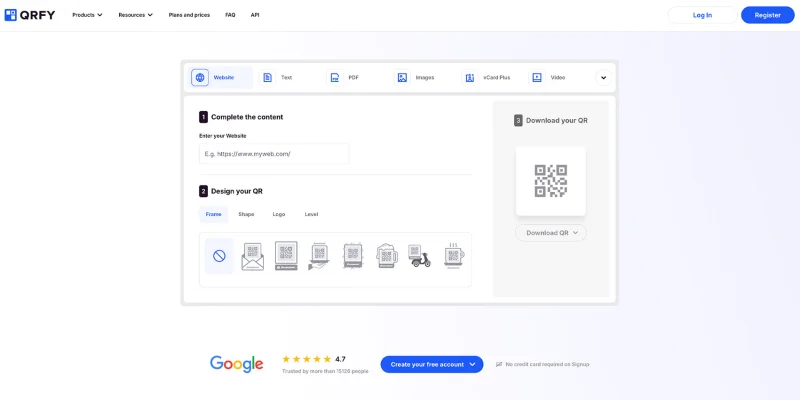
3. QRfy

QRfy offers dynamic QR codes with basic analytics and editing features, positioning itself between free tools and enterprise platforms.
It offers dynamic, editable QR codes that let you update the embedded content at any time, even after the code is created.
No more reprints, just a quick edit, and your code is as good as new.
Pros:
- It supports dynamic QR codes that can be edited after printing or sharing.
- It includes basic analytics to track QR code scans.
- Its interface is easy to navigate, even for beginners.
Cons:
- The free plan has limited functionality and usage caps.
- It lacks advanced integrations available in enterprise-level platforms.
Plan Breakdown:
- Free: Limited dynamic features
- Paid: Unlocks full dynamic editing and analytics. Plans are designed for use over a quarter, a semester, or an annual period.
Use-case Categories:
- Best entry-level dynamic QR code generator
- Best for small businesses
- Best for short-term campaigns
- Best for users new to QR analytics
Client Reviews: Often praised for its ease of use, although power users may find it somewhat limited.
Best For: QRfy is an excellent stepping stone for small businesses transitioning from static to dynamic QR codes, offering simple analytics and editing capabilities without overwhelming complexity.
4. Unitag

Unitag specializes in visually refined QR codes, particularly for vCard and professional use cases, emphasizing brand consistency and presentation.
Known for its vCard Pro for business solution, it can turn any contact card into a modern, interactive portal of information that’s easy to share without downloading an application. This makes it a top QR code generator for professional users.
Pros:
- Unitag excels in creating professional vCard QR codes for business networking.
- It offers strong branding and design customization features.
- It is well-suited for enterprise and professional use cases.
Cons:
- It is less flexible for use cases outside contact sharing and branding.
- Access to advanced features requires higher-priced subscription plans.
Plan Breakdown:
- Free: Limited QR code creation
- Paid: Required for customization and business features. Starts at $29 a month.
Use-case Categories:
- Best QR code generator for business cards
- Best for vCard QR codes
- Best for enterprise branding
- Best for professional networking
Client Reviews: Users highlight its polished output and suitability for professional branding.
Best For: Unitag excels when QR codes are part of a professional identity strategy, such as networking or client-facing materials, rather than for casual or mass marketing use
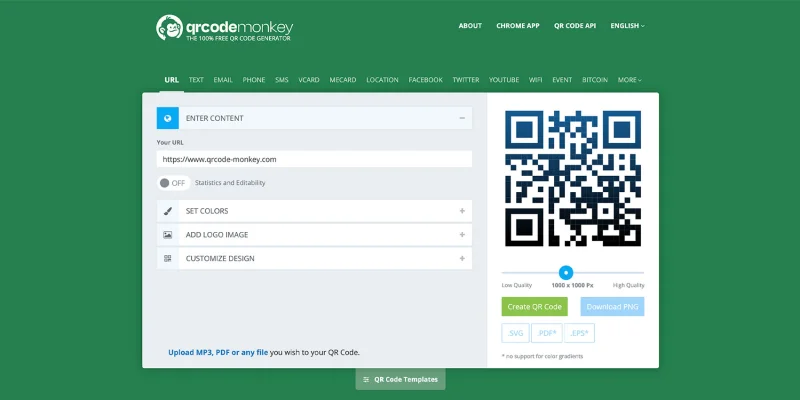
5. QR Code Monkey

QR Code Monkey is a popular free generator known for design flexibility and high-resolution outputs, especially for print use. It is widely recognized as the most popular QR code generator among designers and marketers.
It also offers a bulk generation feature that allows users to batch-create QR codes in seconds, making it a perfect tool for marketing campaigns.
Pros:
- It allows users to create QR codes entirely for free.
- It supports bulk QR code generation for large print campaigns.
- It provides high-resolution QR code downloads suitable for professional printing.
- It offers extensive design customization for visually appealing QR codes.
Cons:
- It only generates static QR codes without content editing capabilities.
- It does not include analytics or scan tracking features.
Plan Breakdown:
- Free: Full access to static QR codes
- Paid: Not applicable
Use-case Categories:
- Best for bulk QR code creation
- Best for print marketing
- Best QR code generator for designers
- Best free static QR code generator
- Best for high-resolution QR codes
Client Reviews: Highly rated for print quality and creative control, especially among designers.
Best For: QR Code Monkey is ideal for print-heavy campaigns or creative projects where visual quality and batch generation are top priorities, although it lacks dynamic and analytics features.
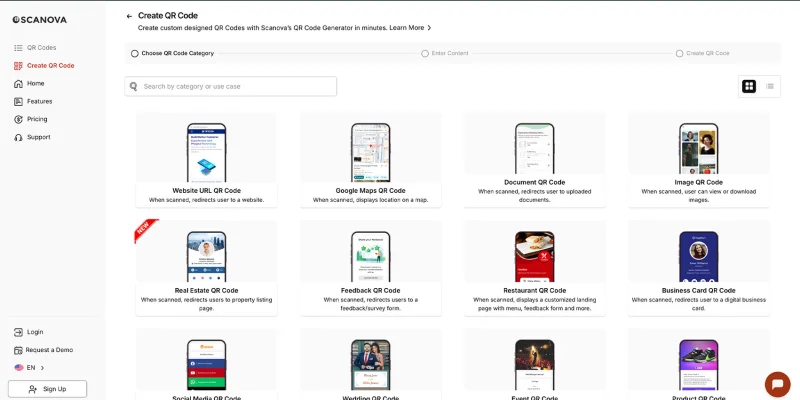
6. Scanova

Scanova is an analytics-focused QR code platform designed to track scan behavior and campaign performance.
With their set of advanced tools, such as dynamic QR codes, businesses can keep their marketing promotions fresh without wasting resources on reprints.
Pros:
- It delivers advanced analytics for tracking QR code performance.
- It supports dynamic QR codes for flexible campaign management.
- It is designed specifically for marketing and data-driven teams.
Cons:
- It does not offer a permanently free plan beyond the trial period.
- Its pricing may be restrictive for individuals or small businesses.
Plan Breakdown:
- Free: Limited trial
- Paid: Required for continued use. Starts at $5 per month.
Use-case Categories:
- Best QR code generator for analytics
- Best for marketing teams
- Best for campaign performance tracking
- Best for data-driven decision making
Client Reviews: Users value the analytics capabilities but mention pricing as a consideration.
Best For: Scanova is perfect for professional marketing campaigns that rely on data to optimize engagement and ROI.
7. Shopify

Shopify’s QR generator is a lightweight tool designed for speed and simplicity, focusing on basic URL-based QR codes. It is one of the easiest QR code generators to use.
Easily generate unlimited functional QR codes in seconds. Users can receive their QR codes via email and save and download them there.
Pros:
- It allows users to generate QR codes without creating an account.
- It provides a fast, simple experience for creating QR codes.
- It is backed by a well-known and trusted e-commerce platform.
Cons:
- It only generates static QR codes with no editing capabilities.
- It does not support customization or analytics tracking.
Plan Breakdown:
- Free: Full access
- Paid: Not required
Use-case Categories:
- Best no-sign-up QR code generator
- Best for quick QR code creation
- Best for simple URLs and links
Consumer Reviews: Praised for convenience, with expectations aligned to its simplicity.
Best For: It’s ideal for quick, one-off QR code needs where simplicity and speed take precedence over analytics or customization.
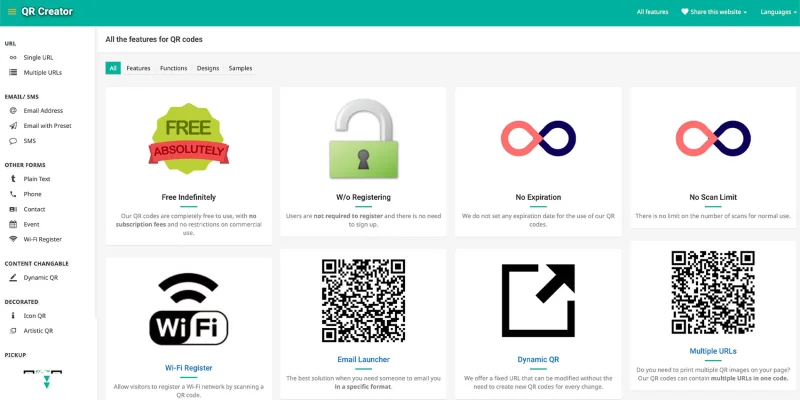
8. QR Creator

QR Creator enables users to generate dynamic QR codes that can contain multiple URLs.
It supports several customization options, scan statistics, and language detection, making it a convenient choice for small-scale campaigns and multi-link marketing efforts.
While it lacks advanced content-editing features, it provides a solid foundation for experimenting with dynamic code. It is a secure QR code generator for small campaigns.
Pros:
- It allows multiple URLs to be embedded in a single QR code.
- It supports dynamic QR codes with editable destination links.
- It offers scan statistics to monitor basic engagement.
- It is free to use for small-scale campaigns.
Cons:
- It lacks advanced editing and tracking features.
- It may not scale well for large or enterprise campaigns.
Plan Breakdown:
- Free: Full access to dynamic QR codes and multi-URL support
- Paid: No paid plan required for core features
Use-case Categories:
- Best free dynamic QR code generator
- Best for multi-link campaigns
- Best for small businesses and startups
- Best for basic analytics
Client Reviews: Users appreciate its multi-link functionality but note the absence of enterprise-grade analytics.
Best For: It’s ideal for small campaigns and for experimenting with dynamic QR codes at no cost, but it may not scale for enterprise use.
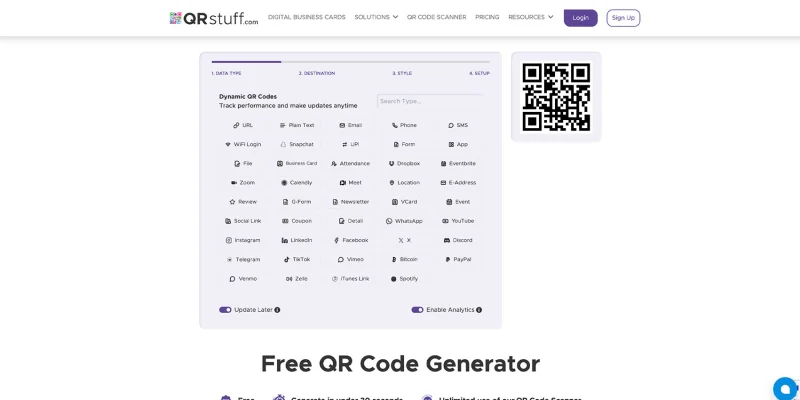
9. QR Stuff

QR Stuff supports both static and dynamic QR codes, offering extensive design options that include color, shape, and logo insertion. It is a reliable QR code maker for design-oriented users.
While free users can create an unlimited number of static codes and up to 10 dynamic codes, editing privileges are reserved for premium subscribers. It’s especially suitable for those who value visual customization.
Pros:
- It allows extensive customization of QR code design and color.
- It supports both static and dynamic QR codes.
- It enables bulk QR code creation for larger campaigns.
- It is beginner-friendly with a straightforward interface.
Cons:
- Dynamic QR code editing is only available in paid plans.
- Some features are gated behind a subscription, limiting free users.
Plan Breakdown:
- Free: Unlimited static QR codes and 10 dynamic QR codes
- Paid: Unlocks full dynamic editing, analytics, and advanced customization
Use-case Categories:
- Best for customization and design
- Best for static QR codes
- Best for bulk QR code creation
- Best for beginners exploring QR functionality
Client Reviews: Users praise its customization flexibility but note the restrictions on free dynamic codes.
Best For: This tool can serve as the standard for users who prioritize creative design and bulk static QR codes, though dynamic editing requires a paid plan.
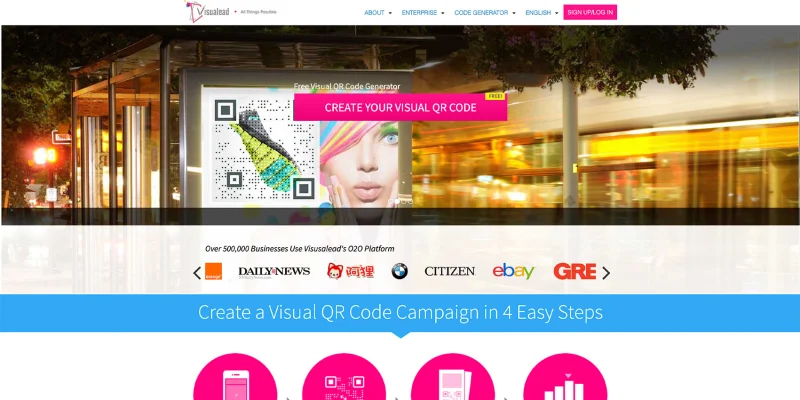
10. Visualead

Visualead allows users to generate visually engaging QR codes that can include images and blended designs, making codes more attractive and clickable.
While it offers dynamic QR code functionality and analytics, it has fewer design templates than dedicated design-first generators. It stands out in QR code generator reviews for interactive designs.
Pros:
- It allows visually interactive QR codes that blend images and QR patterns.
- It supports dynamic QR codes that can be updated after creation.
- It provides analytics to track scan performance.
- It is mobile-friendly and compatible with major scanning apps.
Cons:
- Design template options are limited compared to some competitors.
- Advanced features may require a subscription.
Plan Breakdown:
- Free: Limited static QR codes
- Paid: Dynamic QR codes, analytics, and advanced features start at $15 per month.
Use-case Categories:
- Best for interactive QR codes
- Best for dynamic campaigns with visual focus
- Best for marketing campaigns needing higher engagement
Client Reviews: Users report that Visualead’s visual QR codes boost engagement, as evidenced by scan rates; however, a few note that the interface can feel dated.
Best For: Visualead is the go-to choice for marketers seeking visually interactive QR codes that strike a balance between aesthetics and functionality.
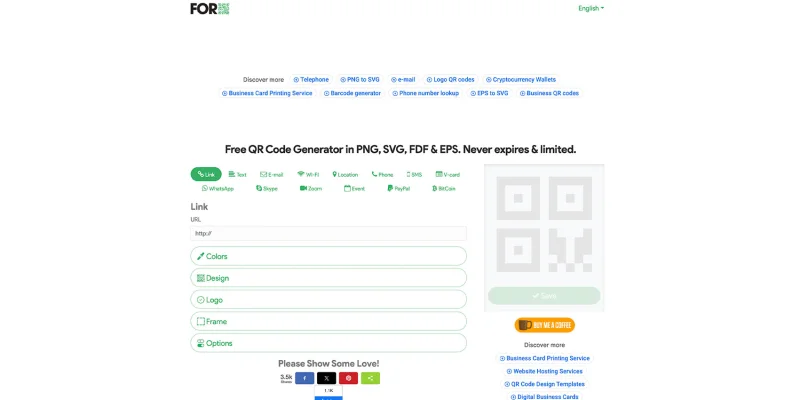
11. ForQRCode

ForQRCode supports a wide variety of QR code types, including URLs, vCards, Wi-Fi credentials, social media, Skype, Zoom, and PayPal.
While its customization options are limited, it is user-friendly and suitable for a wide range of scenarios, from business cards to social media campaigns. It often appears in QR code generator comparisons.
Pros:
- It supports multiple QR code data types on a single platform.
- It allows the creation of unlimited QR codes.
- It delivers high-quality images suitable for printing.
- It is easy to navigate, even for beginners.
Cons:
- Customization options are limited compared to premium generators.
- Advanced analytics are not available.
Plan Breakdown:
- Free: Unlimited QR codes and all basic features
- Paid: Not applicable
Use-case Categories:
- Best for multi-purpose QR codes
- Best free QR code generator
- Best for small businesses and startups
- Best for simple campaigns
Client Reviews: Users praise its simplicity and the variety of QR code types, although some desire more advanced editing options.
Best For: ForQRCode is a solid all-rounder for those who need variety and simplicity without requiring advanced analytics or paid subscriptions.
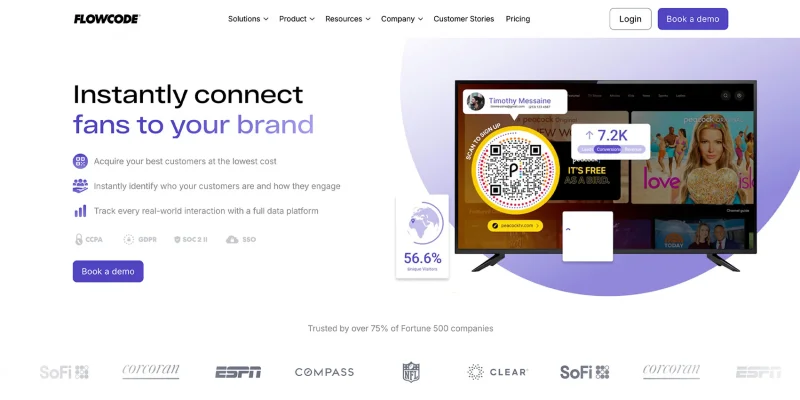
12. Flowcode

Flowcode focuses on DTC marketing, providing smart, dynamic QR codes that track consumer behavior, location, and scans.
It supports branded designs, integrates with analytics tools, and is ideal for campaigns requiring real-time insights. It bridges the gap between paid vs free QR code generators.
Pros:
- It provides dynamic QR codes with detailed analytics and scan tracking.
- It supports brand customization for professional QR campaigns.
- It allows multiple downloadable image formats.
- It integrates with CRM and analytics tools for enhanced marketing insights.
Cons:
- The free plan limits users to only 2 QR codes.
- Some advanced features require a subscription.
Plan Breakdown:
- Free: 2 dynamic QR codes
- Paid: Starts at $10/month for more QR codes and advanced analytics
Use-case Categories:
- Best for dynamic QR campaigns
- Best for first-party data tracking
- Best for marketing analytics and consumer insights
- Best for DTC brands
Client Reviews: Flowcode is praised for its analytics and ease of use. These features help optimize campaigns, but some users find the free tier limited and customer support to be slow.
Best For: It’s perfect for brands seeking both engagement and measurable data from QR campaigns, especially for targeted marketing.
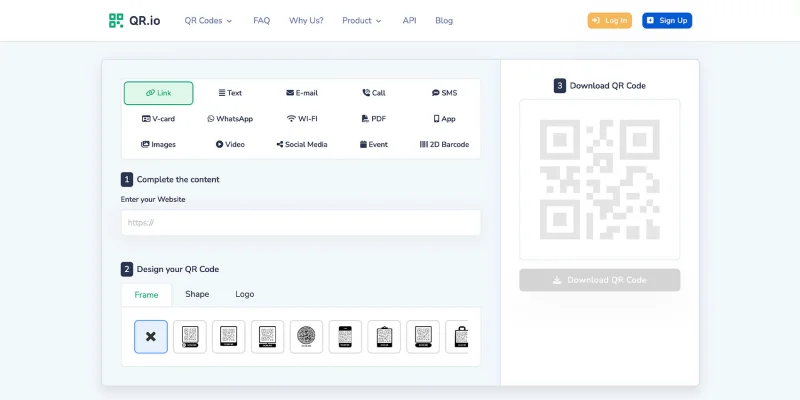
13. QR.io

QR.io allows the creation of both static and dynamic QR codes and provides analytics on scan volume, locations, and dates. It is highly rated in QR code generator reviews & ratings.
It also supports customizable landing pages, making it suitable for growing businesses that want a unified QR strategy. This software is one of the best online generators with tracking functionality.
Pros:
- It supports both static and dynamic QR codes.
- It provides scan tracking with location and device data.
- It allows the creation of fully customized landing pages.
- It is easy to navigate and manage.
Cons:
- Pricing starts at $35 per month, which may be high for small users.
- Some advanced features require a paid plan.
Plan Breakdown:
- Free: Limited free trial
- Paid: Starting at $35 per month
Use-case Categories:
- Best for dynamic QR codes
- Best for growing businesses
- Best for analytics and tracking
- Best for customizable landing pages
Client Reviews: Users like the landing page customization and detailed analytics, but note the higher cost.
Best For: Ideal for businesses seeking to scale QR campaigns with comprehensive analytics and seamless landing page integration, though the cost may be prohibitive for smaller teams.
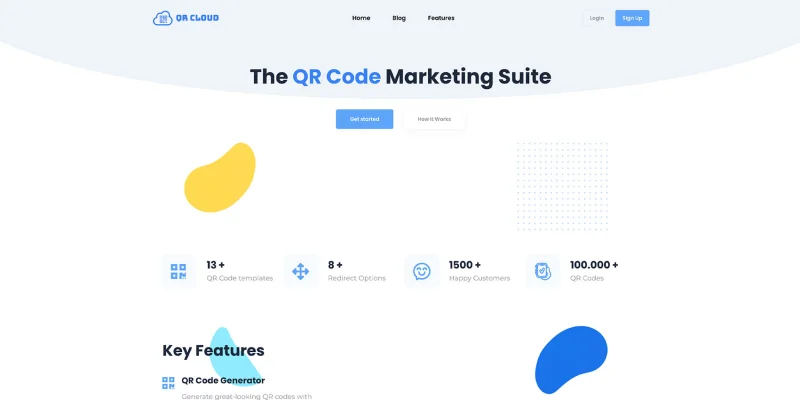
14. QR Cloud

QR Cloud is one of the promising QR code generator pro alternatives online. It supports 13 QR types, such as video, audio, documents, and contact information, that transcend the limitations of text-based codes.
And with their dynamic QR links, businesses can edit URLs even after the codes have been printed.
It is considered a secure QR code generator for professional campaigns.
Pros:
- It supports a wide variety of QR code types, including multimedia.
- It allows dynamic updates on URLs after creation.
- It offers unlimited QR code scans.
- It features a professional, easy-to-use interface.
Cons:
- Users must sign up before creating QR codes.
- Paid plans start at $9.99 per month.
Plan Breakdown:
- Free: Limited trial with sign-up
- Paid: Plans start at $9.99 per month
Use-case Categories:
- Best for multimedia QR codes
- Best for dynamic QR codes
- Best for branded campaigns
- Best for professional use
Client Reviews: Users appreciate the variety of QR types and dynamic editing capabilities, although signing up is required.
Best For: Ideal for businesses and professionals needing media-rich, dynamic QR codes for marketing or branded content, although sign-up and paid plans are required
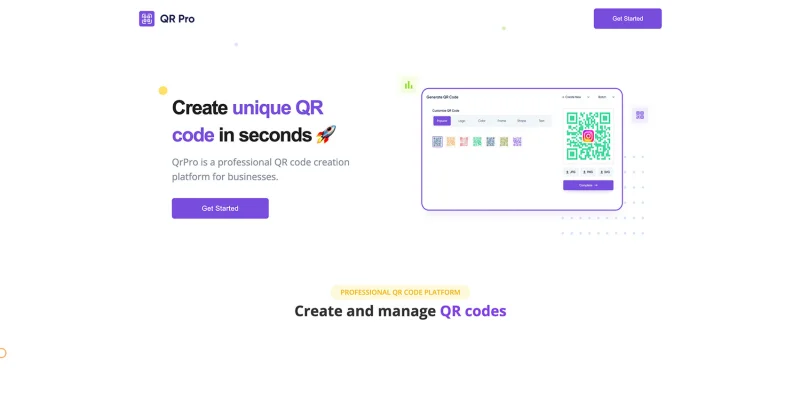
15. QR Code Pro

QR Code Pro focuses on superior QR design elements, allowing color adjustments, pattern changes, and eye‑catching shapes that align with brand identity.
It does not support dynamic QR codes, but it excels at creating aesthetically appealing codes for print and marketing use. It stands out in the QR code generator comparison for static design.
Pros:
- It creates visually appealing and brand‑aligned static QR codes.
- It offers a wide range of customization options for patterns, colors, and shapes.
- It is easy to use, even for beginners.
Cons:
- It does not support dynamic QR codes or content editing after creation.
- It lacks scan analytics and tracking features.
Plan Breakdown:
- Free: Static QR code generation with customization
- Paid: Optional upgraded features (brand templates and higher‑resolution downloads)
Use‑case Categories:
- Best static QR code designer
- Best for branded QR code visuals
- Best for print marketing
- Best for beginner designers
Client Reviews: Users frequently comment on its creative design flexibility but note the absence of trackable features.
Best For: QR Code Pro is ideal for brands and designers who want striking static QR codes rather than data‑driven campaign tools.
Top-rated QR code generators: A side-by-side comparison
For a deeper look at features, pricing, and capabilities, this comparison table breaks down the key attributes of the high-ranking QR code generators.
Compare functionality, pricing, dynamic support, and more to find the tool that best fits your needs at a glance.
| QR Code Generator | Free Plan Option | Paid Pricing | Dynamic QR Support | Analytics / Tracking | Bulk QR Code Creation | Customization Options | Consumer Feedback |
| QR TIGER | Yes | Starts $15/mo | Yes | Yes | Yes | Full branding & design | “Robust tool for marketing campaigns with great analytics.” |
| LogoDesign.net | Yes | N/A | No | No | No | Logo & color | “Fast and easy, no sign-up required.” |
| QRFY | Trial (7-day) | $43/3mo | Yes | Yes | No | Basic branding | “User-friendly with simple analytics.” |
| Unitag | Yes | Starts $99/mo | Yes | Yes | Yes | Branding & vCard | “Professional design templates for corporate use.” |
| QR Code Monkey | Yes | Optional upgrades | No | No | Yes | Colors, patterns, high-res | “Great for print campaigns and high-res designs.” |
| Scanova | Trial (14-day) | Starts $39/mo | Yes | Yes | Yes | Branding & multimedia | “Dynamic QR with robust analytics for marketing teams.” |
| Shopify QR Code Generator | Yes | N/A | No | No | No | Minimal | “Quick and easy, simple QR generation.” |
| QR Creator | Yes | Paid | Yes | Yes | No | Multi-link support | “Useful for testing multi-URL QR codes.” |
| QR Stuff | Yes | Paid plan for dynamic | Yes | Yes | Yes | Colors, logo | “Good customization, some dynamic features require a subscription.” |
| Visualead | Yes | Starts $15/mo | Yes | Yes | Yes | Image-based visual codes | Boosted engagement, interface slightly dated.” |
| ForQRCode | Yes | Optional | Yes | No | Yes | Limited branding | “Versatile QR types, easy to use.” |
| Flowcode | Limited (2 codes) | Starts $10/mo | Yes | Yes | Yes | Brand customization | “Easy analytics and scan tracking; free tier limited.” |
| QR.io | Yes | Starts $35/mo | Yes | Yes | Yes | Custom landing pages | “Flexible and scalable dynamic QR solution.” |
| QR Cloud | Yes | Starts $9.99/mo | Yes | Yes | Yes | Media-rich content | “Supports video/audio/documents, great for professional campaigns.” |
| QR Code Pro | Yes | Paid templates | No | No | No | Advanced static design | “Great for visually appealing branded codes.” |
This simplified table lets you compare the top QR code generators at a glance based on features that matter most, helping you make an informed decision quickly.
Quick verdict: Best QR code generators by use case
Depending on your needs, whether it’s branding, analytics, bulk generation, or quick one-off codes, different tools shine. Here’s a quick overview to help you pick the best generator for your specific use case.
| Use Case | Best QR Code Generator | Why It Fits |
| Best overall for dynamic campaigns | QR TIGER | Offers robust analytics, bulk creation, and full dynamic QR management. |
| Best for interactive, visually engaging codes | Visualead | Lets you integrate images and blended designs for higher engagement. |
| Best free QR code generator | LogoDesign.net | Easy to use, no sign-up required, perfect for quick static codes. |
| Best for bulk generation | QR Code Monkey | High-resolution, print-ready codes with batch creation features. |
| Best for marketing analytics | Flowcode | Tracks scans, locations, and engagement, ideal for data-driven campaigns. |
| Best for branding & business cards | Unitag | Professional design templates and vCard QR codes for corporate use. |
| Best for multi-format versatility | ForQRCode | Supports Wi-Fi, PayPal, vCard, social media, and other data types. |
| Best for small businesses testing dynamic QR codes | QRFY | User-friendly interface with basic analytics and dynamic editing. |
| Best for creative static QR codes | QR Code Pro | Offers advanced design tools for visually appealing branded static codes. |
| Best for scalable dynamic campaigns with landing pages | QR.io | Customizable landing pages, analytics, and scalable QR management. |
| Best for media-rich campaigns | QR Cloud | Supports video, audio, documents, and dynamic editing. |
| Best for occasional dynamic + static use | QR Stuff | Offers both static and dynamic QR codes with extensive customization options. |
| Best for one-off static codes | Shopify QR Code Generator | Quick, simple generation for URLs and contact info. |
| Best for experimenting with multi-link QR codes | QR Creator | Multiple URLs in one code, basic analytics, free tier. |
| Best for professional marketing campaigns with analytics | Scanova | Combines dynamic QR codes with in-depth scan reporting. |
Among the platforms here, you can decide which most popular QR code generator aligns with your goals, whether you’re running a high-volume campaign, designing interactive codes, or simply creating a quick static QR for an event.
How to choose the right QR code generator
Choosing the right QR code generator can be overwhelming, given the numerous options available.
To help you make an informed decision, follow this step-by-step framework tailored for marketers, business owners, and anyone looking to implement QR codes effectively.
1. Identify your use case
Start by clarifying what you want your QR code to do. Start by clarifying what you want your QR code to do.
Are you sharing contact information, converting a link to QR code for a website, promoting a product, or running an interactive marketing campaign?
Knowing your objective first ensures you can consult QR code generator reviews to select the tool that best fits your needs.
Tip: Make a list of your top 2–3 use cases before comparing tools.
2. Decide between static and dynamic QR codes
- Static QR codes are permanent, cannot be edited once created, and are ideal for simple, one-time uses.
- Dynamic QR codes are editable, trackable, and let you update the destination URL without reprinting.
If your campaigns are likely to change over time or require tracking and analytics, dynamic QR codes are usually the better choice.
For single-use items or one-time promotions, choosing the right plan comes down to paid vs free QR code generator options.
3. Determine if analytics matter
Analytics can provide insights on who is scanning your codes, when, and where, which is essential for measuring ROI, optimizing placements, and targeting campaigns.
Tip: If understanding audience behavior is critical, prioritize tools with robust analytics dashboards from a reliable QR code maker.
4. Check bulk needs
If you need to create hundreds or thousands of codes at once, ensure the generator supports bulk QR code generation.
Some platforms allow batch creation and even bulk customization. This is particularly important for large-scale campaigns or corporate deployments.
Tip: Check if the platform offers high-resolution bulk export, which is essential for printing.
5. Confirm export quality
High-resolution QR codes are essential for printing on brochures, posters, product packaging, or other materials.
Make sure the generator allows vector formats (SVG, EPS) or high-res PNGs to ensure scannability at any size. Some generators also allow you to customize frames, colors, and logos without compromising scan reliability.
Tip: Always test your QR codes at the intended size before launching campaigns.
6. Review pricing transparency
Finally, evaluate the cost structure. Some generators offer free tiers but with limited features (e.g., restricted scans or codes), while others charge for premium capabilities, such as analytics, dynamic editing, or bulk creation.
Compare subscription plans, trial periods, and upgrade costs to ensure there are no hidden surprises.
Choosing a high-ranking QR code generator ensures you invest in a reliable platform that performs well and provides the features you need.
Tip: Factor in your long-term needs. Sometimes paying a small monthly fee for dynamic and bulk capabilities is more cost-effective than repeatedly using free tools.
How do I know if my QR code generator is safe?
Choosing a safe, secure QR code generator is crucial to protecting yourself and your data from online QR code scams.
Consider these factors to help you determine the security measures of a QR code maker:
Check security certificates
When using a secure QR code generator, they commonly request sensitive data, such as email addresses, passwords, or banking details.
Look for an ISO 27001 certified QR code generator or one that complies with GDPR, SSL, and CCPA. This way, the information collected by the software will be safeguarded from misuse, unauthorized access, disclosure, or modification.
Examine software reviews and ratings
Look for user reviews and ratings on reputable platforms, such as Trustpilot, G2, or Product Hunt.
Reviews reveal the generator’s strengths and weaknesses. This helps you identify potential issues like common bugs, usability challenges, or security concerns before committing to and wasting resources on problematic software.
Use domain checker tools
One way to assess a QR generator’s legitimacy is to perform a domain authority check.
By doing this, you can be confident that the QR code maker you’ve chosen is well-recognized among users who are also actively integrating QR codes into their operations.
A high score generally indicates a more established, trustworthy, and respected website.
Make the smart choice and start creating QR codes today
Choosing the best QR code generator doesn’t have to feel like picking the fastest checkout line at the grocery store.
With so many options available, it can feel mind-boggling, but now, you have all the insights you need to make an informed decision.
From dynamic QR codes with analytics and bulk creation to simple free generators, each tool is evaluated for usability, customization, security, and performance. No more trial and error, no more broken codes.
With an advanced QR code generator, your campaigns, promotions, and operations can run smoothly, efficiently, and with measurable results.
Frequently asked questions
What is the most trusted QR code generator?
QR TIGER is one of the most trusted QR code generators, offering a secure and reliable platform for creating QR codes.
It stands out for its user-friendly interface, extensive customization options, and advanced tracking features, making it a top choice for businesses and individuals alike.
Is there really a free QR code generator?
Yes, several free QR code generators are available online, including QR TIGER, QR Code Monkey, Canva, and Adobe Express.
These platforms let you create QR codes for free, with some offering additional premium features.
Is a free QR code generator safe?
Yes, most reputable free QR code generators are safe to use. Platforms like QR TIGER, QR Code Monkey, and Canva use secure connections and do not embed malware in generated codes.
However, it’s important to avoid unknown or suspicious websites, as some may compromise data or generate codes that lead to unsafe links.