
Best Enterprise QR Code Generators for Businesses in 2026

We tested 11 enterprise-grade QR code generators for businesses to find out which ones can handle large-scale operations, including campaign management, analytics, integrations, and security.
Spoiler: most QR code tools look similar on the surface, but only a few are built to scale with business demands. Some excel in analytics, while others specialize in design or team collaboration.
For brands running multi-region campaigns or managing thousands of active codes, an enterprise-grade platform isn’t optional; it’s essential.
Disclaimer: All product details, ratings, features, and pricing mentioned are accurate as of January 2026. For the most recent updates, visit each platform’s official website.
Table of Contents
TL;DR
- Enterprise-grade QR code generators widely differ once scale enters the picture.
- Dynamic QR codes, bulk creation, and multi-user access are baseline needs for businesses.
- Advanced analytics matter more than scan counts when campaigns span regions or channels.
- Security and compliance (GDPR, ISO, SOC 2) separate enterprise tools from basic generators.
- Integrations with CRMs, analytics tools, and design platforms save teams real time.
- QR TIGER, Scanova, and ME-QR stood out for large-scale, long-term business use.
How we tested each platform
We created a dynamic QR code for enterprise use cases: marketing campaigns, product labels, internal document sharing, and digital business cards.
From there, we assessed the ease of management for the QR codes, monitored the analytics reports, and followed the process of sharing access with teammates.
Then we rated each platform based on the following non-negotiables:
- Feature depth: Dynamic codes, tracking, API, integrations
- Ease of use: Interface and learning curve
- Security and compliance: SSL, GDPR, CCPA, ISO, SOC
- Reliability: Service uptime and customer support
- Scalability: Multi-user access, folders, campaigns
- Pricing fairness: Enterprise features vs. cost
Let’s get straight to the results.
Best enterprise-grade QR code generator for businesses
| Platforms | Bulk Creation | Analytics | Security | Integrations | Starting Price | Best For |
| QR TIGER | Yes | Advanced | GDPR, CCPA, ISO 27001:2022 | API and CRM | $7/month | Full-scale enterprise campaigns |
| Scanova | Yes | Advanced | GDPR, ISO/IEC 27001:2022 | API and CRM | $5/month | Organized marketing teams |
| QRStuff | Yes | Advanced | GDPR | API and CRM | $100/year | High-volume QR generation with minimal setup |
| ME-QR | Yes | Advanced | GDPR | API and CRM | $5.75/month | Small businesses upgrading |
| QRFY | Yes | Advanced | GDPR | API and CRM | $19.99/month | Teams preferring simplicity |
| Hovercode | Yes | Advanced | GDPR, CCPA | API and CRM | $10/month | Design-focused brands and creatives |
| QR Code Kit | Yes | Advanced | GDPR | API and CRM | $20/month | Enterprises needing long-term QR campaigns |
| Flowcode | Yes | Advanced | GDPR, CCPA | API and CRM | $5/month | Creative/offline marketing |
| QR.io | Yes | Advanced | GDPR | API and CRM | $35/month | Growing teams/startups |
| QR Planet | Yes | Advanced | GDPR | API and CRM | $5/month | Classic tool with solid customization for business use |
| Trueqrcode | Yes | Advanced | CCPA, GDPR | API | $5.95/month | Simple enterprise use |
1. QR TIGER
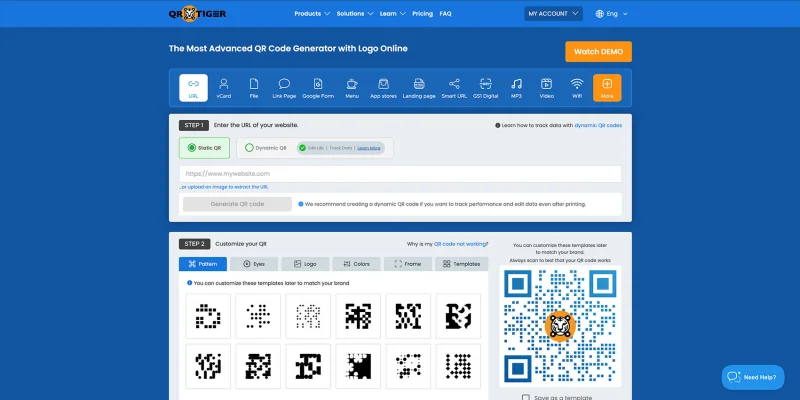
QR TIGER stands out as the most popular QR code generator among enterprise users. It offers everything a business could need: dynamic QR codes, advanced analytics, integrations, bulk generation, white labeling, and multi-user management.
Creating, customizing, and organizing campaigns all have a smooth process. Its dashboard is designed for scale, not just one-off use. Users can export scan data, set up multi-user access, and even use the API for automation.
Key Features:
- 24 QR code solutions, including a QR code generator for business cards
- In-depth analytics
- Customization for both static and dynamic QR codes (free and paid plans)
- Advanced features (edit, password protection, expiry control, and email notification)
- Direct integration with Google and Apple Wallet
- QR code retargeting via Google Tag Manager and Meta Pixel
- Smart redirection
- Geotagging and UTM tagging
- AI chat for QR code analytics
- GPS tracking
- API and CRM integrations (Zapier, HubSpot, Canva, GA4, Monday.com)
- Batch generation of QR codes
- White labeling and domain branding
- 99.9% guaranteed service uptime
- 24/7 human customer support
- Compliance with GDPR and CCPA security standards
- ISO 27001:2022 certification
Plans and Pricing:
- Free Plan
- Regular - $7 per month
- Advanced - $16 per month (billed annually)
- Premium - $37 per month (billed annually)
- Professional - $89 per month (billed annually)
- Enterprise - Custom pricing
Pros: As a bulk QR code generator, users can create thousands of QR codes at once, view in-depth analytics, and track campaigns in real time.
User Review:
“As a retail store with more than 8 locations throughout Texas, we decided to use QR TIGER to create dynamic codes that could help us identify when customers want to work for us.
We post job openings and include a QR code so we can see how many people have scanned it and from where.
Additionally, we use them for marketing support in our campaigns and as a link in our social media bios. I wholeheartedly recommend QR TIGER for its ease of use, included tools, and cost.” — Mario Fernandez, Trustpilot
Cons: Users need a paid plan to access the more detailed analytics and campaign controls.
User Review:
“User interface need[s] [a] more modern design.” — Mario F., G2
G2 Rating: 4.8 stars
Trustpilot Rating: 4.7 stars
Sourceforge Rating: 4.8 stars
Google Play Rating: 4.7 stars
App Store Rating: 4.8 stars
2. Scanova
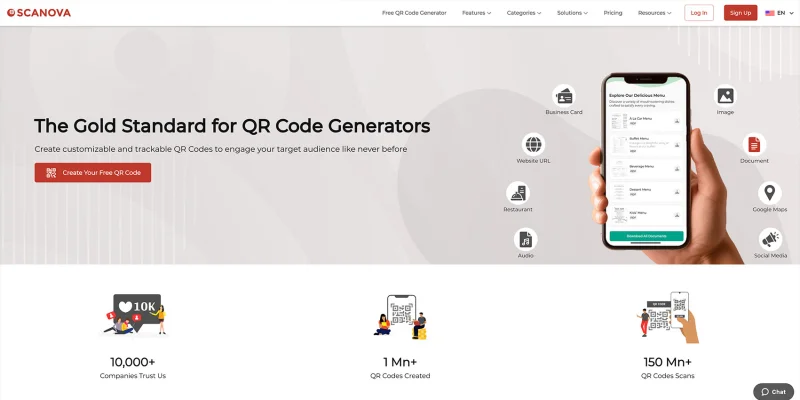
Scanova feels like the “Excel sheet” of QR code platforms, but in a good way. It’s clean, structured, and perfect for teams that thrive on organized workflows.
It’s built with marketers in mind, offering templates, campaign management, and analytics. Users will also appreciate how easy it is to clone or edit existing campaigns.
Key Features:
- 26 QR code solutions, including mobile landing pages
- Detailed analytics
- Customization for both static and dynamic QR codes
- AI-generated designs
- Bulk generation
- Advanced features (edit, password protection, age restriction, expiry control)
- Google Workspace extension
- Geofencing
- Multiple conditional redirection
- Tracking parameters (UTM)
- White labeling and domain branding
- API and CRM integrations
- Compliance with GDPR and SOC 2 data security protocols
- ISO/IEC 27001:2022 certification
Plans and Pricing:
- 14-day free trial
- Basic - $5 per month (billed annually)
- Lite - $9 per month (billed annually)
- Standard - $35 per month (billed annually)
- Pro - $75 per month (billed annually)
- Enterprise - Custom pricing
Pros: Users can manage multiple QR campaigns at once, customize designs fully, and control how each QR behaves. Editing live campaigns, cloning existing ones, and applying rules such as expiry or geofencing is straightforward.
User Review:
“The best part about Scanova is that its QR codes are not limited to link redirects but can contain multimedia, Social media follow links, etc.
We used it for our print magazines and embedded these QR codes in our printables. It makes QR codes engaging and takes this to a whole new level.” — Deepam G., G2
Cons: Analytics can feel unreliable at times, especially for scan location data. Accuracy may drop when scans come from older devices.
User Review:
“Scanova can do a bit of work on its analytics part. When I test it with my friends, I often get the wrong scanning location, especially on older devices. Rest all the things are great.” — Deepam G., G2
G2 Rating: 4.6 stars
Capterra Rating: 4.5 stars
3. ME-QR
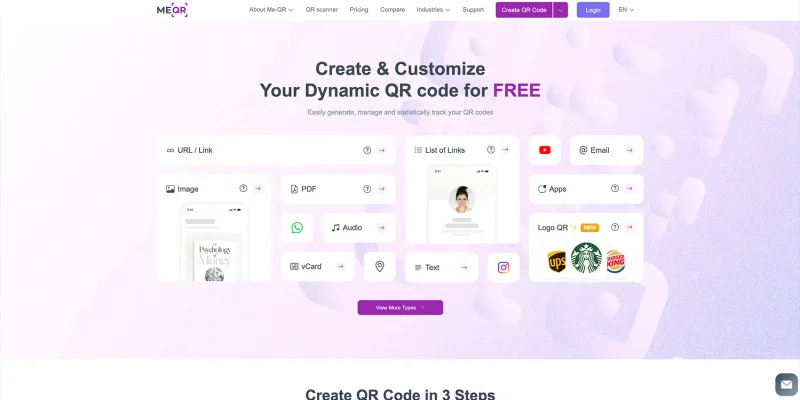
ME-QR is one of the top-rated generators for businesses. It offers an unusually high number of QR code solutions at a lower price point. Creating codes is quick.
Customization options are generous. While the experience is generally smooth, some scan flows may feel less direct, especially on free or lower-tier setups.
Key Features:
- 52 QR code solutions
- Detailed analytics
- Wide variety of customization options
- Advanced features (Edit, password protection, expiry control, email notification)
- Batch generation of QR codes
- Mobile and web-based QR code scanner app
- Geofencing and UTM tagging
- API and CRM integrations
- Custom domain branding
- Compliance with GDPR
Plans and Pricing:
- Free Plan
- Lite - $5.75 per month
- Premium - $8.25 per month
Pros: Users get access to a huge number of QR code types at a relatively low cost. The platform supports bulk creation, advanced controls, and customization options that work well for ongoing campaigns.
User Review:
“Always quick and efficient support! Had been using their platform for years already.” — Anabelle, Trustpilot
Cons: QR codes redirect users through ad pages, which can disrupt the scan experience. This setup may feel intrusive for brands that want direct traffic.
User Review:
“Awful, the QR code does NOT go to your site, but instead to their site where you have to watch adverts, just get a direct free one that goes direct to your site and avoid this one” — Graham, Trustpilot
Trustpilot Rating: 3.9 stars
Sourceforge Rating: 5 stars
Google Play Rating: 4.2 stars
App Store Rating: 4.9 stars
4. QRStuff
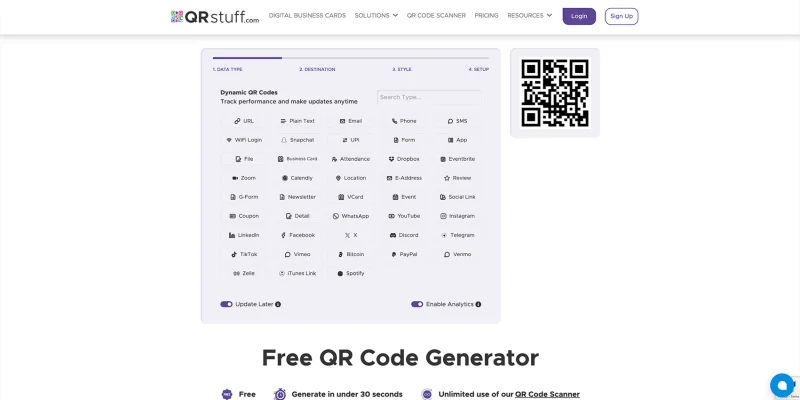
QRStuff stands out for its sheer variety of QR code solutions. It focuses on quick creation and straightforward use, especially for users who already know what they need.
While advanced controls and insights are available on paid plans, the free experience is more limited in scope.
Key Features:
- 43 QR code solutions, including digital business cards
- Detailed analytics
- Full customization for both static and dynamic QR codes (paid)
- Advanced features (edit, password protection, expiry control, email reports)
- UTM tagging
- API and CRM integrations
- Batch generation of QR codes
- GPS tracking
- White labeling and domain branding
- Complies with GDPR
Plans and Pricing:
- Lite Suite - $100 per year
- Full Suite - $250 per year
- Enterprise - $2,500 per year
Pros: Users can utilize a wide range of QR code solutions, with advanced features available upon upgrading to a paid plan. The platform feels simple to use and supports batch generation, tracking, and branded QR codes.
User Review:
“QRStuff is straightforward and efficient. I like how it allows me to create QR codes instantly without any complexity. The customisation options are great, and the platform is reliable. It's great tool for generating high-quality QR codes effortlessly.
Of course their contact details, attendance and wifi login QR code is best.” — Virendra S., G2
Cons: Free users can’t access the dashboard or customize QR codes. Free QR codes also stop working after a limited number of scans.
User Review:
“QRStuff.com does not clearly state that their free QR codes without signup stop working after 10 scans. Instead, the scan tells users they have to create an account and takes users elsewhere, not the link I intended. This makes these codes of very little use.
I found the 10 scan limit after-the-fact in very small font on the FAQ page. This is not the proper way to keep users informed. I would never have used them if I had known this, and it seems deceptive that such an important aspect of the functionality is hidden in the middle of the FAQ's.” — Matt Douglass, Trustpilot
G2 Rating: 3.9 stars
Trustpilot Rating: 4.6 stars
5. QRFY
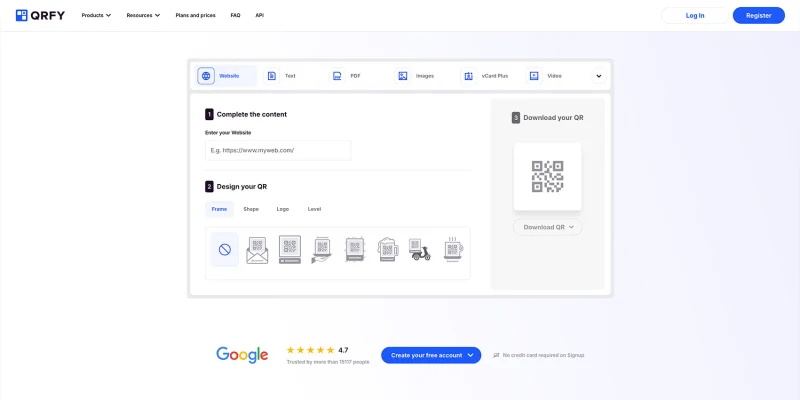
“Simple” describes QRFY the best. It focuses on getting dynamic QR codes live quickly, without extra friction. Creating and updating codes felt straightforward, and campaign changes didn’t require reprints.
The dashboard remains clean and easy to follow, which helps when managing multiple QR codes simultaneously.
Key Features:
- 25 QR code solutions
- Detailed analytics
- Customization for both static and dynamic QR codes
- Advanced features (edit, password protection, expiration)
- UTM tagging
- API and CRM integrations
- Batch generation of QR codes
- White labeling and domain branding
- Complies with GDPR
Plans and Pricing:
- 7-day free trial
- Annually - $19.99 per month
- Semester - $29.99 per month
- Quarterly - $39.99 per month
Pros: Users can create and manage dynamic QR codes fast, update content without reprints, and access detailed analytics. The interface feels clean and direct, which works well for educational and professional use.
User Review:
“What I like most about QRFY is how easy and intuitive it is to create and manage dynamic QR codes. The interface is clean, the process is straightforward, and it works very well for educational and professional environments.
It allows quick updates without having to reprint materials, which is extremely useful in a teaching context. Customer support is also responsive and helpful.” — Jose B., G2
Cons: Customer support quality appears inconsistent, especially for billing and renewal concerns. Some users report slow or no follow-ups after initial contact.
User Review:
“About the worst level of customer service you could receive.
Automated copy & paste responses quoting terms and conditions when I tried to contact them regarding an auto renewal. Then silence … no response to any further communication.
Don’t give these guys your money, go to a decent company who will work with their customers.” — Miss. Sara, Trustpilot
G2 Rating: 4.6 stars
Trustpilot Rating: 3.9 stars
Sourceforge Rating: 1.1 stars
6. Hovercode
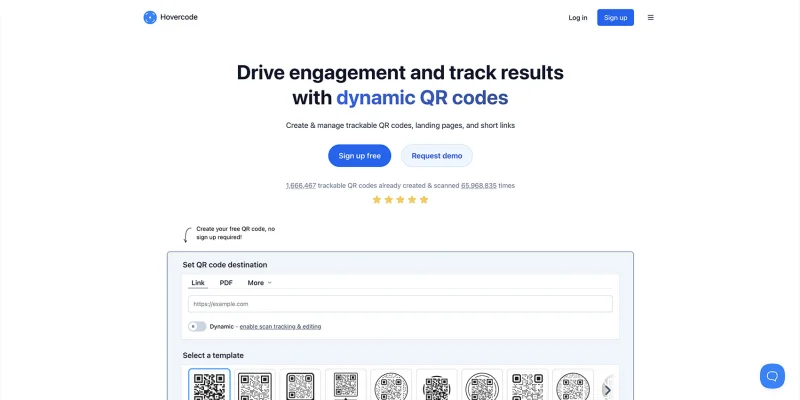
Hovercode is impressive in terms of responsiveness. Creating and customizing dynamic QR codes felt fast, and managing multiple codes was straightforward.
While its analytics aren’t as in-depth as those of some competitors, the platform’s integrations, especially with Canva, make campaign setup easy and user-friendly.
Key Features:
- 9 QR code solutions
- Detailed analytics
- Customization for both static and dynamic QR codes
- Advanced features (Edit, retargeting, email notification)
- UTM tagging
- Batch generation of QR codes
- API and CRM integrations
- Custom domain branding
- Complies with GDPR and CCPA security standards
Plans and Pricing:
- Pro - $120 per year
- Business - $390 per year
- Business Plus - $990 per year
Pros: Users can create dynamic QR codes, fully customize them, and manage campaigns without friction. The Canva integration is a nice touch, and the customer support feels responsive and genuinely helpful.
User Review:
“Creating a dynamic QR code has never been easier with Hovercode. And they offer ten free dynamic codes through Canva, which will be incredibly helpful to my work.
On top of that, Hovercode sent an email to ask if I got what I needed and said, "Even if Hovercode can't currently do what you need, I can at least point you in the right direction." That's a step beyond what I would expect.” — Julie H., G2
Cons: Analytics feel surface-level. Users can receive scan counts, but deeper insights, such as demographics, scan locations, or engagement metrics, are limited.
User Review:
“Hovercode provides analytics, but they are not so deep. I see the scan counts indeed, but the deeper dive report would be worth aspiring to.
Demographics, scan location, or even click-through rates could be a good indicator of how people engage with my QR codes; I can deduce how effective specific locations or their click-through behavior is.” — Adalberto B., G2
G2 Rating: 4.9 stars
7. QR Code Kit
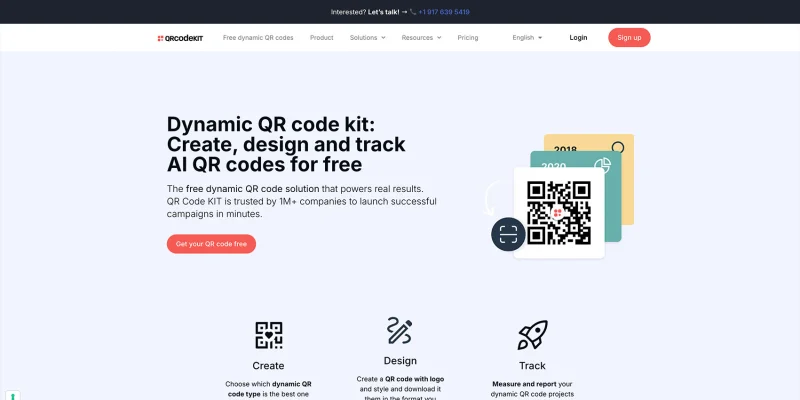
QR Code Kit provides a straightforward QR code experience without overcomplicating things. Its focus on clear analytics, bulk generation, and basic customization makes it ideal for teams that want efficiency over extra features.
Setting up and managing campaigns feels quick, and the templates cover most common business needs.
Key Features:
- 10 QR code solutions
- Detailed analytics
- Basic customization
- Advanced features (Edit, expiry control, password protection)
- Batch generation of QR codes
- API and CRM integrations
- Complies with GDPR
- ISO/IEC 18004 certified
Plans and Pricing:
- Starter - $20 per month (billed annually)
- Pro - $50 per month (billed annually)
- Enterprise - $120 per month (billed annually)
Pros: Users can generate multiple QR codes, customize designs, and track campaigns with clear analytics. The platform is user-friendly and provides helpful templates for different use cases.
User Review:
“It's a great platform; we're very satisfied. It's very easy to use and offers many template options to suit individual needs. Communicating with the team is easy, and they're very helpful. The metrics are very useful and clear.” — Primagaleria, Trustpilot
Cons: Marketing emails can be intrusive and lack proper unsubscribe options, which feels unprofessional.
User Review:
“Their irrelevant and annoying marketing emails from Lucas Gingles support at qrcodekit.com do not have an unsubscribe button. This is unprofessional and a bad practice. Had to block their domain from my mail server.” — Simon G, Trustpilot
G2 Rating: 4.5 stars
Trustpilot Rating: 4.8 stars
8. Flowcode
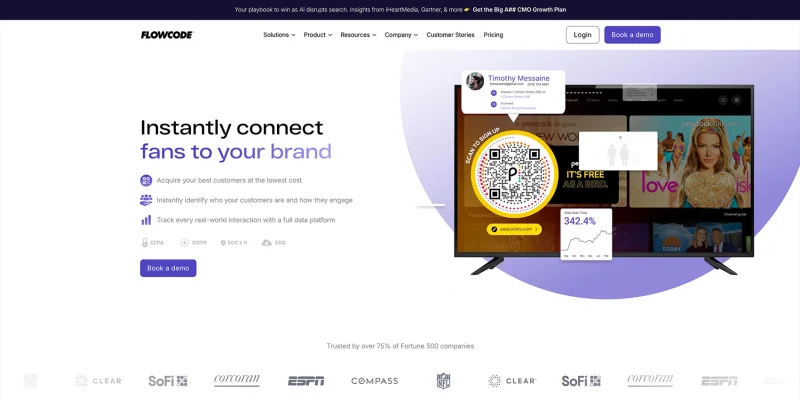
Flowcode makes creating and managing QR codes easy and approachable. Customizing codes with colors and hybrid designs is straightforward, and tracking scan data provides clear insights for campaigns.
The platform’s dashboard is user-friendly, letting users handle codes individually or in bulk without confusion. It covers the essentials well, even if advanced features are more limited.
Key Features:
- 9 QR code solutions
- Detailed analytics
- Hybrid customization
- Advanced features (Edit, retargeting)
- Batch generation of QR codes
- API and CRM integrations
- White labeling and domain branding
- Complies with GDPR and CCPA security standards
Plans and Pricing:
- 7-day free trial
- Pro - $5 per month (billed annually)
- Pro Plus - $25 per month (billed annually)
- Growth - $250 per month (billed annually)
- Growth Plus - $750 per month (billed annually)
- Enterprise - Custom pricing
Pros: Users can track who scans their QR codes, customize designs with colors, and manage campaigns easily. The platform is straightforward and provides clear analytics for better insights.
User Review:
“I’m so happy I found Flowcode! It’s seriously the best QR code tool out there. Setting it up was super easy, and now I can actually see who’s scanning my codes and where they’re doing it.
The info they give you is way better than anything I’ve tried before. I also love the fun colors that I can add to the QR code!” — Morgan Kramer, Trustpilot
Cons: Customer support is almost nonexistent, the free plan is very limited, and losing codes in use can cause major issues.
User Review:
“Absolutely 0 customer service presence. Skip this one, use something different. Only allows 3 codes free, then it's expensive and they still don't care about helping you. Customer service doesn't answer the phone AND the AI chat help literally just doesn't respond.
This company is a joke. They've "lost" my codes that are currently IN USE, so I have no way of editing them. A joke.” — Hannah Kneisley, Trustpilot
G2 Rating: 4.6 stars
Trustpilot Rating: 3.4 stars
9. QR.io
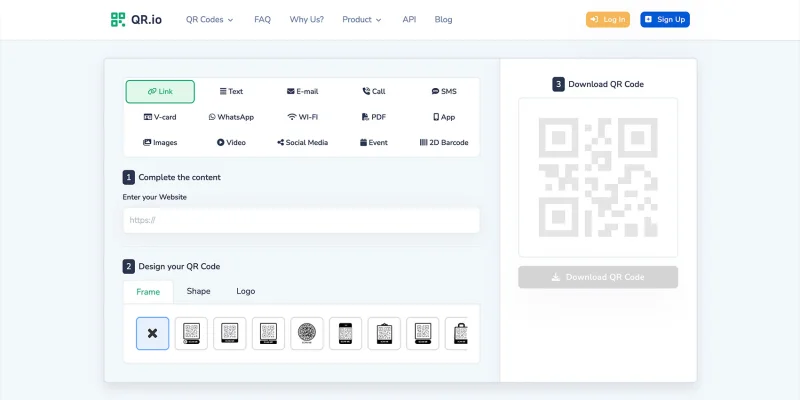
QR.io is admirable for its focus on detailed customization and integration. It’s not just about generating codes; users can fully brand them, track performance, and plug them into longer-term campaigns.
The interface is clean, and creating multiple QR codes felt straightforward. For teams that want control over every aspect of their QR codes and analytics, QR.io delivers a solid foundation.
Key Features:
- 18 QR code solutions
- In-depth analytics
- Customization for both static and dynamic QR codes
- Batch generation
- UTM tracking
- API and CRM integrations
- Complies with GDPR
Plans and Pricing:
- $35 per month
- $350 per year
Pros: Users can custom-make their QR codes, track campaigns with analytics, and integrate them into long-term projects. The platform allows detailed control over QR code generation and branding.
User Review:
“The most important thing for me in QR io is that they have a very solid QR code solution which easily integrates into our long term product concepts. The level of detail control in the generation of QR code in particular platforms from which I have chosen to integrate is superb.
The interface facilitates creation of appealing QR codes which match with our brand elements and thus provide a uniform look to the marketing collateral. Few partners appreciate such subtleties. This gives me the flexibility of fine tuning my campaigns to make me stand out.” — Babalola O., G2
Cons: The free trial is misleading, and QR codes created can expire quickly, forcing paid plans. This can be frustrating for print campaigns or long-term use.
User Review:
“This is my first 1star review. Horrible experience. They market themselves as a free QR Code Generator and after a few days, the QR Code expires and then you need to pay a significant amount of money monthly to be able to use that code.
I printed mine on a huge amount of flyers that I can not use anymore . On their website is marketed as free, even it says that you can use your QR Code created during the trial period. It is not stated that it is valid just for a few days.
If I have a trial period on Canva and create a video then post it on my Instagram, that video will not dissapear from my Instagram profile because my trial period on Canva ended. This is just ridiculous, time consuming and it shows a big lack of respect towards their customers.” — Larisa C., G2
G2 Rating: 4.5 stars
Trustpilot Rating: 4.3 stars
Sourceforge Rating: 1 star
10. QR Planet
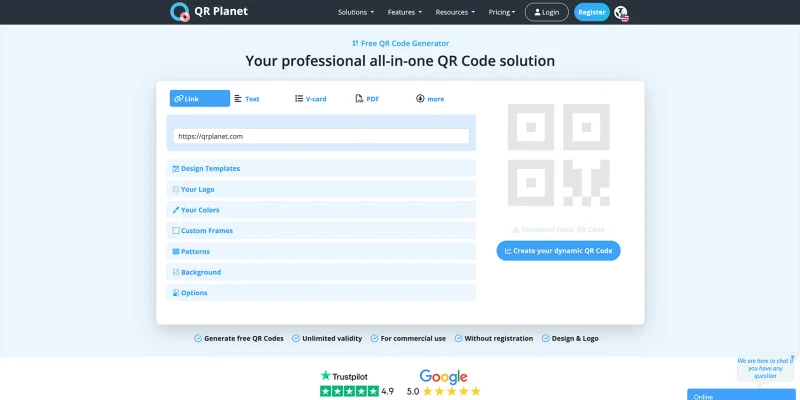
QR Planet is impressive due to its balance of simplicity and functionality. It lets teams manage multiple campaigns and clients while keeping customization and analytics accessible.
Generating QR codes in bulk, tracking UTM data, and giving clients their own dashboards made workflows feel efficient and organized. The platform’s features are practical without being overwhelming, which is perfect for teams that need results without fuss.
Key Features:
- 13 QR code solutions
- In-depth analytics
- Customization for both static and dynamic QR codes
- Batch generation of QR codes
- UTM tracking
- API and CRM integrations
- Complies with GDPR and CCPA security standards
Plans and Pricing:
- Starter - $5 per month (billed annually)
- Premium - $15 per month (billed annually)
- White Label - $35 per month (billed annually)
Pros: Users can create fully customized QR codes, track campaigns with detailed analytics, and manage multiple clients through separate dashboards. Bulk generation and API integrations make scaling simple.
User Review:
“It was the platform that made easier for us to use a custom domain on our QR Codes and our customers' QR Codes.
The ability to give our customer's access to their own dashboard to see their statistics and manage their QR Codes is really efficient.” — Verified User in Marketing and Advertising, G2
Cons: Some advanced features have a learning curve and may take time to master.
User Review:
“The initial learning curve for understanding some advanced features can be somewhat challenging.” — Verified User in Cosmetics, G2
G2 Rating: 4.8 stars
Trustpilot Rating: 4.9 stars
11. Trueqrcode
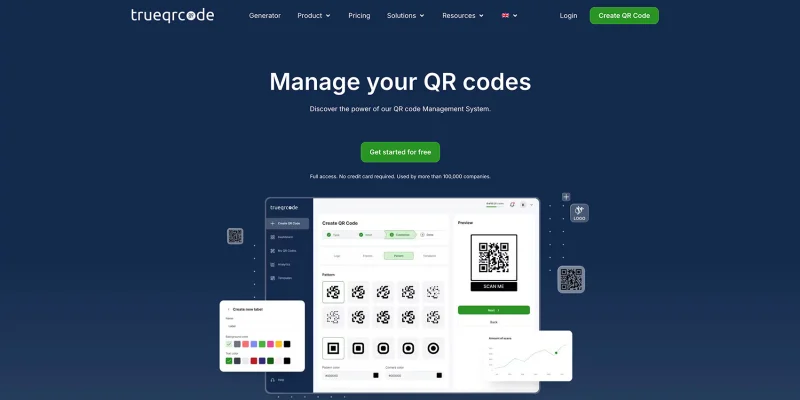
Trueqrcode is straightforward and utility-first. It covers the essentials well, from batch creation to branded QR codes, without adding too much friction.
The platform keeps things simple, which works well for teams that want quick setup and basic tracking, rather than layered workflows or complex dashboards.
Key Features:
- 6 QR code solutions
- Detailed analytics (w/out device type)
- Customization for both static and dynamic QR codes
- Advanced features (edit, password protection)
- GPS tracking
- API integration
- Batch generation of QR codes
- White labeling and domain branding
- Complies with GDPR and CCPA security standards
Plans and Pricing:
- Basic - $5.95 per month (billed annually)
- Pro - $14.95 per month (billed annually)
- Business - $49.95 per month (billed annually)
Pros: Users can generate QR codes in batches, apply basic security controls, and manage branded QR codes without much setup. The interface feels simple, and customer support is responsive.
User Review:
“Great service, simple to use, and excellent customer support. Highly recommended.” — Bahereh Hassanpour, Trustpilot
Cons: Scan limits on lower plans are not always clear, which can cause interruptions during live campaigns. Analytics also lack device-level insights.
User Review:
“Very bad experience, because it is offered for free without indicating the limit of scans and in the middle of the event it stopped working causing great damage. Opaque marketing strategy that hides the real conditions and price.” — cib, Trustpilot
Trustpilot Rating: 4.6 stars
What makes a QR code generator for companies “enterprise-grade”?
Not every QR code tool is built for scale. Many work fine for short campaigns. Enterprise-grade platforms go further. Here’s what separates them from basic generators:
1. Dynamic QR codes
Static QR code locks you in. Enterprise tools rely on dynamic QR codes, allowing links, files, or pages to change without requiring reprinting. This matters when campaigns run for months or years.
Think product packaging, store signage, or compliance labels. Reprints are costly. Edits shouldn’t be.
2. Advanced analytics that go beyond scan counts
Scan totals are the bare minimum. Enterprise platforms track location, time, device, and engagement patterns. Some add UTM data, GPS signals, and event-based tracking.
This helps teams answer real questions, like:
- Which region performs best?
- Which placement underperforms?
- Which channel drives repeat scans?
3. Security, privacy, and compliance
For enterprises, trust is non-negotiable.
Enterprise-grade tools support General Data Protection Regulation (GDPR) and California Consumer Privacy Act (CCPA) by default.
Many organizations add ISO certifications, SOC 2 compliance, Single Sign-On (SSO), role-based access controls, and data encryption.
If the QR codes contain customer data, internal files, or payment information, these layers of protection should be non-negotiable.
4. Team access and campaign organization
Single-user dashboards don’t scale. Enterprise tools support multiple users, folders, and campaign-level permissions.
Marketing teams, IT, and operations can work together without stepping on each other’s work.
5. Bulk creation and automation
Creating a single QR code for small business use is easy. Creating 5,000 is different.
Enterprise platforms support bulk uploads, batch exports, and APIs.
6. Integrations that fit real workflows
Enterprise QR codes don’t live in isolation.
The best platforms integrate with CRMs, analytics tools, automation platforms, design tools, and internal systems. This reduces friction and keeps reporting centralized.
If your team already uses Google Analytics, HubSpot, Zapier, or Canva, integrating the QR code software into these tools can save you more time.
Which platform should you choose?
There’s no single best QR code generator for business; the right choice depends on the scale, data needs, and the level of control your team requires.
If you need deep analytics, automation, and enterprise security, use QR TIGER. Alternatively, you can rely on Scanova and ME-QR.
If simplicity and speed are more important, tools like QRFY, Hovercode, or QR Planet may be a better fit.
Ask yourself this simple question: Will this platform still work when campaigns triple in size?
If the answer is yes, you’re already looking at an enterprise-grade QR code platform.
FAQ
What is the most trusted QR code generator?
The most trusted QR code generator across review sites and enterprise use is QR TIGER, known for strong security, advanced analytics, and reliable performance at scale. It consistently earns high ratings from users and professionals alike.
How do I generate a QR code for my business?
You can generate a QR code for your business in a few simple steps:
- Choose a reliable QR code generator that supports business use.
- Select the QR code type you need (URL, file, vCard, menu, or landing page).
- Enter your content and decide between static or dynamic QR codes.
- Customize the design to match your brand, then test it.
- Download the QR code and place it on your marketing or operational materials.
For long-term campaigns, dynamic QR codes are the smarter option since you can edit content and track scans without reprinting.
Is there a 100% free QR code generator?
Yes. There are QR code generators that allow you to create codes for free, but most limit features such as editing, analytics, and custom design.
Free tools are suitable for simple uses, but if you require tracking, content updates, or business-level controls, a paid plan will usually be necessary.

