
Best QR Code Generator for Contact Sharing via Wallet Pass

Networking opportunities can pop up anywhere: at events, in elevators, during casual conversations, or even while traveling.
When that moment comes, having a business card QR code ready in your phone can make all the difference between a missed chance and a meaningful connection.
You can simply show it, and others can scan the QR code to save your information directly to their devices in seconds.
That said, what is the best QR code generator for contact sharing via Wallet Pass?
Take a moment to review this curated list of reliable online QR code software before you decide.
Table of Contents
How contact sharing through Wallet Pass works
A wallet pass is a digital version of a physical card, such as a business card, credit card, or ticket. It’s usually stored in apps like Apple and Google Wallets.
Using a vCard QR code generator, now commonly available online, users can create a single QR code that stores all their contact information, address, email, website, and social media links.
This exact contact QR code works as a wallet pass. With this setup, contact sharing becomes fast and seamless, as it takes only a second to scan the QR code with contact information and save it directly to the phone.
10 QR code generators for contact sharing via Wallet Pass
Below are ten of the best advanced QR code generators for digital business cards that work well for wallet passes:
1. QR TIGER
⭐Rated 5 stars (SourceForge)
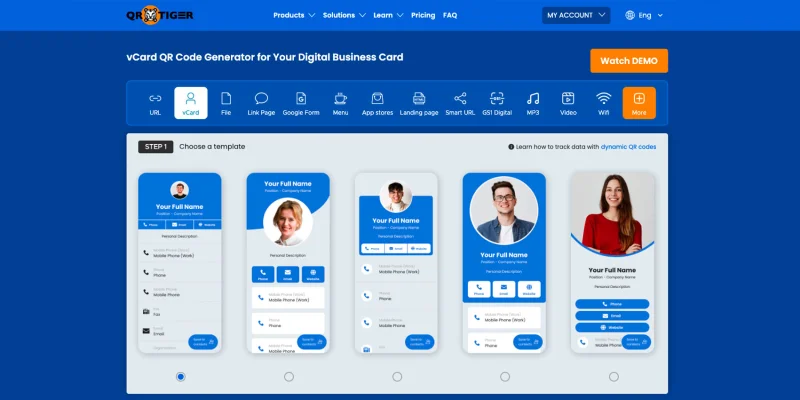
QR TIGER lets users create and design a unique-looking digital business card with a QR code using its vCard QR code solution.
Users can choose from multiple design templates for a digital business card and add key details such as company position, website links, and additional contact information.
With direct compatibility with both Apple and Google wallets, the vCard QR code can be scanned from within the app, linking the scanner to a landing page that includes all the user’s contact details.
Features:
- Primarily focuses on dynamic QR codes, QR TIGER allows users to update contact details at any time without needing to redownload or reprint.
- Quick integration of the digital business card to Apple Wallet and Google Wallet via QR code or link.
- Allows customization of the Apple Wallet and Google Wallet QR code for deep branding. A default logo can be applied to all future wallet passes.
- Supports bulk QR code generation, allowing users to create over 3,000 vCard QR codes simultaneously.
- Provides real-time analytics, including scan counts, GPS tracking, and email notification.
- The platform boasts ISO 27001:2022 certification and GDPR compliance, ensuring your data remains secure at all times.
Pricing: Offers a free plan that covers basic needs and allows you to upgrade to their Regular plan ($7/month), Premium plan ($37/month), Professional plan ($89), or Enterprise plan (custom pricing).
2. Free QR Code Generator
⭐Rated 3.7 stars (Trustpilot)
This free platform makes contact sharing via QR codes quick and effortless, as users can enter their contact details directly into a vCard QR completely for free.
Features:
- Provides a simple and straightforward template for vCards.
- Offers extensive customization tools for designing the QR codes.
- Provides static QR codes for free and dynamic QR code generation upon signing up.
- QR codes generated on this site do not expire, and can be scanned an unlimited number of times.
Pricing: Allows users to create QR codes completely for free, but provides access to dynamic QR codes and basic tracking through a free trial.
3. QR Code Chimp
⭐Rated 4.5 stars (Trustpilot)
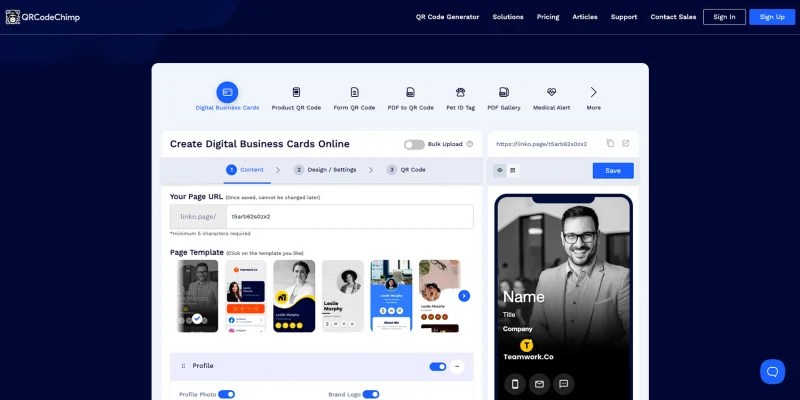
QR Code Chimp is also an intuitive and reliable platform for creating and sharing multiple business card QR codes for Apple Wallet through their digital business card solution.
What makes them stand out is the ability to save the contact info of whoever scanned their QR code, making it easier for both parties to contact each other.
Features:
- Offers extensive customization options through pre-designed templates, which include logos, call-to-actions, and 3D shapes.
- Provides both static and dynamic vCard QR code generation, with robust analytics and tracking.
- Google Analytics integration allows users to track landing page data and QR code scans.
- The platform is SOC Type II-certified and GDPR-compliant to ensure security.
Pricing: Starts at $6.99/month for the Starter plan, with the Ultima plan costing $34.99/month.
4. Online QR Generator
⭐Rated 4.8 stars (TrustPilot)
Online QR Generator is an easy-to-use platform that lets users create a single vCard containing all their contact information, then add a QR code to Apple Wallet and other digital wallet apps for quick contact sharing.
When scanned, the QR code leads to a landing page that includes the user's contact details, along with the option to save it directly to their phones.
Features:
- The platform supports both Static and Dynamic QR codes, allowing users to choose which one to use.
- Allows users to customize colors and logos, and even includes pre-made layouts that can help better reflect your business.
- Analytics and other data from your business card QR code can be exported to Excel for easier use.
- The generator is also GDPR-compliant, ensuring the proper handling of personal data.
Pricing: Starts at $17.79/month for the Annual plan, and $46.60/month for the Monthly plan.
5. QR Code Monkey
⭐Rated 4.8 stars (G2)
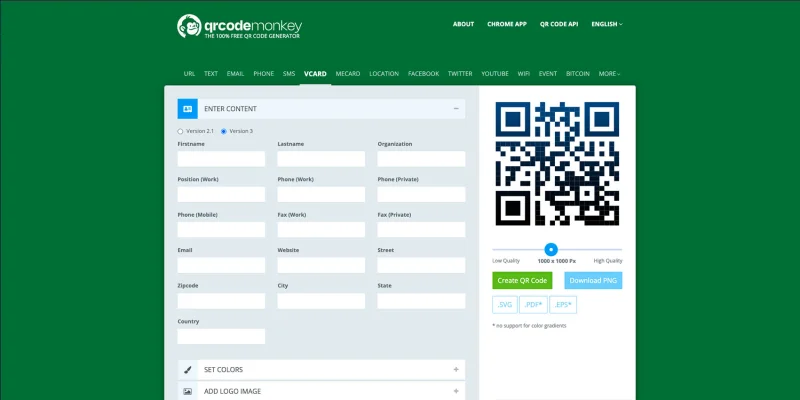
QR Code Monkey also offers a reliable solution for sharing contact details. It allows users to easily input their basic contact details directly into a QR code. Anyone who scans it can save the information without any hassle.
Additionally, all its features are free with no sign-up required, even for commercial projects.
Features:
- The platform lets you generate static vCard QR codes for free.
- Offers a wide range of customization options, including full-color control, shape customization, and logo upload.
- QR codes can be downloaded in high-resolution formats for better quality, with outputs up to 1000 x 1000 pixels and 30% error correction.
- This platform is GDPR compliant and includes a strict no-data-storage or reuse policy to ensure privacy.
Pricing: While free, you can upgrade to paid plans that include additional features such as analytics and dynamic QR codes.
6. QR Planet
⭐Rated 4.9 stars (Trustpilot)
QR Planet is a utility-focused platform that lets users create a simple vCard QR code with all the necessary contact information, which can be downloaded and added to Apple Wallet Pass.
Features:
- Includes a wide range of customization options for the QR code, with options for gradients, logo uploads, as well as patterns and background photos.
- The platform supports both static and dynamic types, so you can generate QR codes depending on your preference.
- Supports bulk creation via CSV imports and includes integration with HubSpot and Zapier.
- The platform is GDPR- and CCPA-compliant and includes features such as email notifications and data export for reporting.
Pricing: Starts at $5/month for the Starter plan and $35/month for the White Label plan.
7. Uniqode
⭐Rated 4.8 stars (G2)
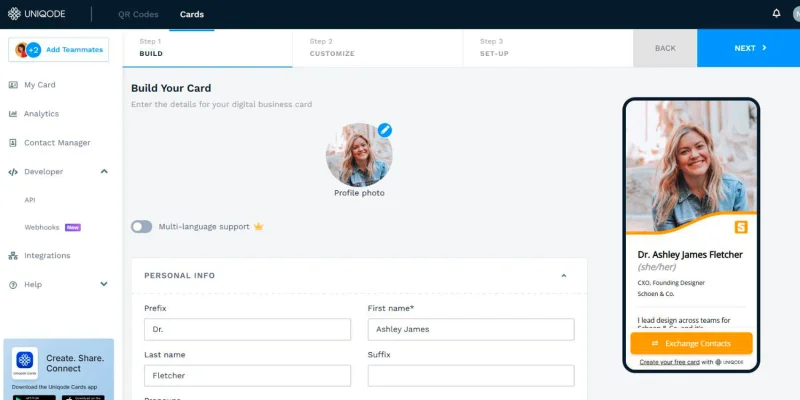
If you plan on sharing contacts through Google Wallet or any other Wallet app QR code, then Uniqode’s digital business cards are a great place to start.
With it, users can easily create a digital business card that includes all their essential contact information, then add it directly to a wallet app.
This makes contact sharing via Wallet Pass much simpler, as the QR code can be saved to your digital wallet immediately after creation, making it ready to share anytime.
Features:
- Uniqode offers a decent customization pool, allowing users to create professional designs that match their brand.
- The platform primarily focuses on dynamic QR codes for quick, easy editing of contact data.
- Includes optional, comprehensive, enterprise-grade analytics for better insight.
- Uniqode is GDPR, SOC II, and HIPAA-compliant and ISO 27001-certified, ensuring user data remains secure.
Pricing: Starts at $9/month for the Essential plan, with the Plus plan costing $99/month.
8. GenQRcode
⭐No ratings
GenQRcode’s vCard QR code solution is a flexible, no-cost option for users who want to add any QR code to Google Wallet for basic contact sharing without committing to a paid plan.
The platform lets you create either a static vCard QR code that embeds your contact details or a dynamic QR code that uses the VCF file format.
(With the dynamic option, all contact information can be saved immediately to the scanner’s phone after one quick scan.)
Features:
- GenQRcode offers basic customization options, with only two premade templates available.
- Supports bulk QR code generation, with a limit of up to 3,000 per subscription plan.
- Like many other platforms, GenQRcode is GDPR-compliant regarding data privacy.
Pricing: Starts at $5/month for the Starter plan, with the Pro plan costing $25/month.
9. QR Generator AI
⭐Rated 4.8 stars (Trustpilot)
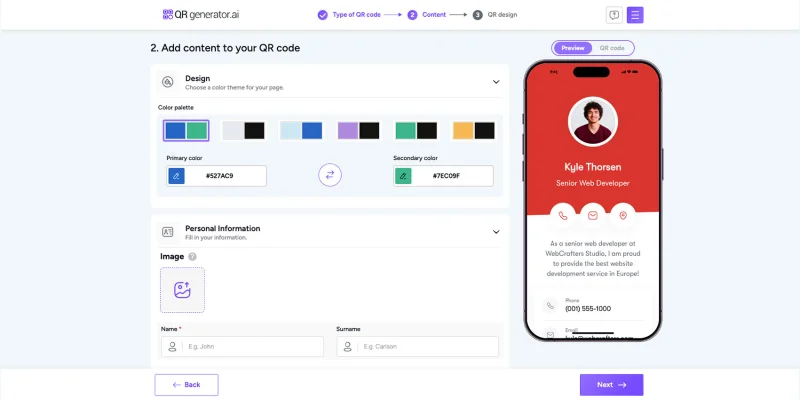
This platform highlights an AI-assisted approach to generating QR codes, making it much easier for users to design and generate one.
With the help of its AI chatbot, you can quickly create your vCard and then save the QR code to Apple Wallet, allowing users to share their contact info by scanning the Wallet Pass QR code.
Features:
- The platform primarily focuses on dynamic vCard QR codes, allowing users to track and update the content as needed.
- Includes a wide pool of customization options, along with an AI-powered chatbot for better personalization.
- Maintains GDPR compliance to ensure data privacy.
Pricing: $49.95/month for the monthly plan, and $19.95/month for the annual payment.
10. GoQR
⭐No ratings
GoQR is a purely static QR code platform that lets users enter their contact info and generate a completely free, static vCard QR code.
This QR code can then be easily added to a digital wallet pass for practical use, making it a decent platform for creating simple, reliable vCards at no cost.
Features:
- Provides only static QR code generation, with no customization or tracking options.
- The platform does not store any user data, and all entered data is encrypted on transmission.
Pricing: The platform is completely free, with no sign-ups or payment plans required.
Final recommendations
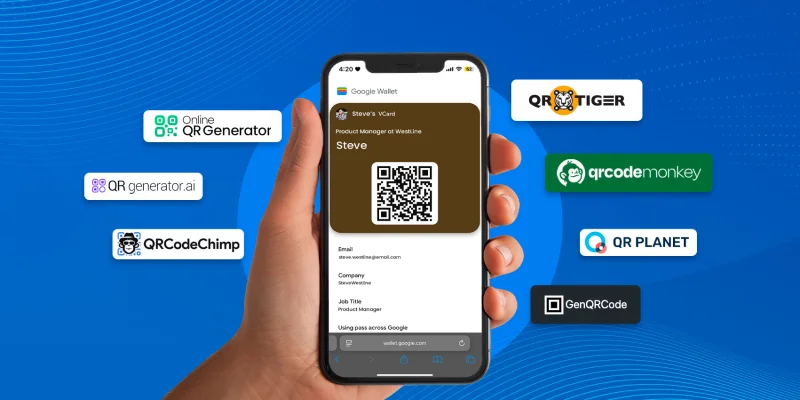
Each QR code generator has its own strengths. Choosing the right one comes down to knowing what your business needs.
Here are our recommendations for each of the platforms mentioned above:
- Best for Professionals and Enterprise-Level Businesses: QR TIGER suits professionals and large corporations thanks to bulk generation support, GPS/email alerts, and trackable vCard QR codes. The direct compatibility of the digital business card solution with both Google and Apple Wallet makes it suitable for high-volume professional networking.
- Best for Marketing Agencies: Uniqode stands out for its advanced features, two-way contact sharing, and dedicated support, making it the best QR code generator for contact sharing via Wallet Pass.
- Best for Small Businesses or Startups: QR CodeChimp is a strong option thanks to its flexible design tools and digital business card solution, which includes real-time tracking via Google Analytics.
- Best for Professional Services Firms: Online QR Generator focuses on editable vCards, branded designs, and a free static tier, and broad digital wallet compatibility, making it a practical choice for firms in need of basic contact sharing.
- Best for Creative or Tech-Savvy Individuals/Small Teams: QR Generator AI will appeal to most tech-savvy users with its AI-powered customization, secure tracking, dynamic vCards, and cost-effective lifetime plans.
- Best for Non-Profits or Hobbyists: GenQRcode’s free advanced features, such as dynamic vCard QR codes and face images, make it ideal for users planning to use it for personal or niche projects.
- Best for E-Commerce or Event Organizers: QR Planet is ideal for businesses seeking budget-friendly, editable digital business cards with tracking, bulk creation, location analytics, and a free static tier.
- Best for Budget-Conscious Users or Freelancers: QRCodeMonkey, Free QR Code Generator, and GoQR offer solid customization, high error correction, and print-ready QR codes, making them ideal for freelancers who want polished results without a subscription.

What’s the verdict?
The best QR code generator for sharing contacts via Wallet Pass is the one that fits your networking style.
If you’re someone who is constantly looking for opportunities and meeting people, you need a platform that’s dynamic, trackable, and polished. An advanced QR code generator gives you the control you’re looking for.
Freelancers, startup founders, or users who just want a clean, reliable way to share contact details might find that a simpler (or even free) option is more than enough.
Networking doesn’t always happen on schedule. But with a Wallet Pass QR code with you, you’ll always be prepared when it does.
FAQ
How to make a QR code to share contact info?
To create a QR code to share contact info, you can do the following steps:
- Visit an advanced QR code generator like QR TIGER.
- Select the “vCard QR code” solution or a similar option.
- Customize the landing page and add all of the contact info.
- Select “Generate QR code.”
- Customize the QR code design
- Download the QR code to use in your digital business cards.
How do I share a wallet pass?
Sharing a wallet pass is dependent on which app you are using.
For the Apple Wallet pass, tap the share icon in the Wallet app to send it via Mail or AirDrop. The app also lets you use proximity sharing to send the wallet pass to nearby iPhone users.
For Google Wallet, you can tap the share icon from within the app to share a link to your Wallet Pass. This feature does not apply to all passes, as only some passes can be shared.
How does Wallet Pass work?
Wallet Passes are digital versions of physical cards, such as tickets, loyalty cards, or coupons. They allow for easy scanning via barcode or NFC, making redemption simple and convenient.
Users can add passes via links in apps or websites, or by downloading or scanning a QR code, and access them instantly from their mobile wallet whenever needed.

