
What is the best QR Code Software for Business Use?

Table of Contents

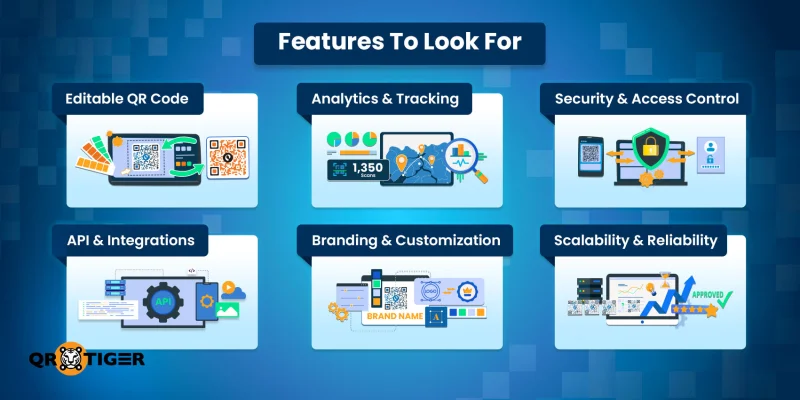
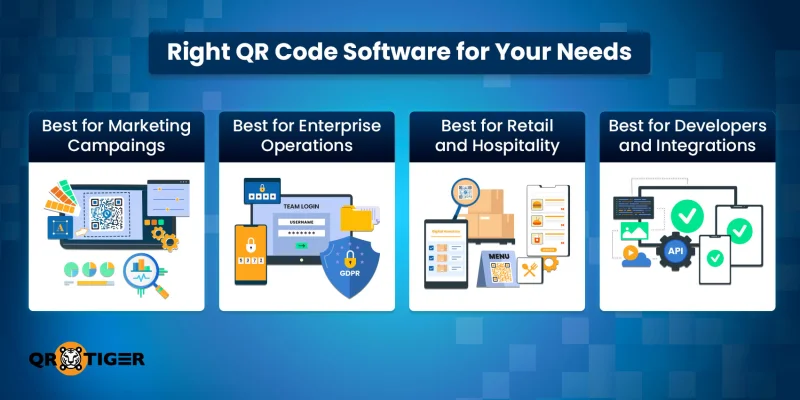
The best QR code generator changes depending on how you plan to use it.
Best for marketing campaigns
Here, you’ll care more about editable QR codes, scan analytics, and visual control. You want to update the destination mid-campaign and see what actually gets scanned, without reprinting or recreating anything.
Best for enterprise operations
Your priorities shift here. Security, uptime, compliance, and team access are the center, because QR codes often connect to internal systems or sensitive data.
Best for retail and hospitality
In retail and hospitality, QR code inventory software enables seamless stock labeling and branch-level tracking without adding process overhead.
Simplicity matters most here. Menus change, branches multiply, and staff turnover is a reality, so the software must be easy to manage while still reliable at scale.
Best for developers and integrations
Developers and IT teams look at QR code software through a different lens. API access, clean documentation, and system compatibility matter more than design tools.
So, in short, the right platform depends less on flashy features and more on how well it fits your day-to-day use..gif)
Free vs paid QR code platform
Using just a free QR code generator can be tempting, especially if you just need a QR code for a quick flyer or small campaign.
They’re fine for experiments, but they often come with limits: a restricted number of creations and scans, no editability, none to minimal analytics, or forced branding.
There are also hidden risks, such as QR codes expiring, features being locked without notice, and unclear ownership of scanned data.
Paid software addresses these issues by giving you control, reliability, and support. The moment your QR codes start driving revenue, representing your brand, or connecting to critical operations, a paid platform becomes less of a luxury and more of a necessity.
What to check before choosing a software for QR codes
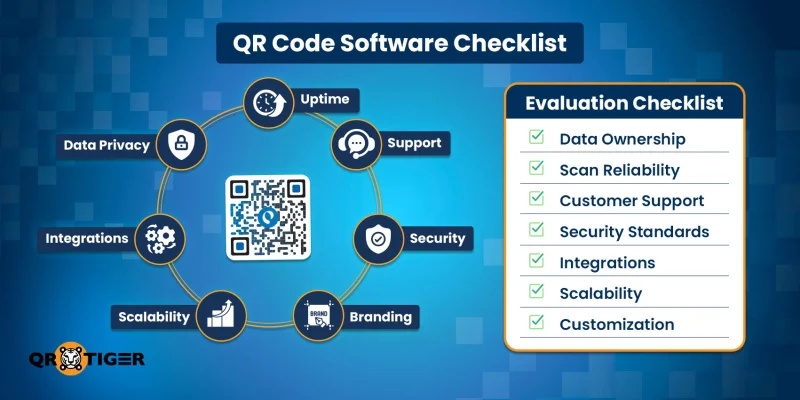
Choosing a QR code platform isn’t just about catchy design or a free trial. You want a tool that works reliably, protects your data, and grows with your business. Here’s what to focus on before committing:
1. Data ownership and privacy
Ask yourself: Who really owns the scan data?
Some platforms technically store analytics on their servers, which may limit your access or reuse of the data. For businesses, owning your data isn’t negotiable.
Why it matters: You need to analyze campaigns, report to stakeholders, and protect customer information.
Tip: Look for platforms that explicitly state you own all QR code data and that comply with GDPR, CCPA, or other relevant privacy standards in your region.
2. Long-term scan reliability
A QR code that stops working after a few months can damage both your finances and credibility.
What to check:
- Is the QR code dynamic or static? Dynamic QR codes enable updates without requiring recreation.
- Does the platform guarantee uptime?
Who needs this: Retailers, marketers, and enterprises with long-term campaigns or printed materials.
Example: Imagine a YouTube QR code on packaging linking to a product video. If it expires, you lose both engagement and trust.
3. Support and Service-Level Agreements (SLA)
Even the best software for QR codes has hiccups. You want fast, reliable support.
Questions to ask:
- How quickly can the customer support team respond?
- Is there live chat, email, or phone support?
- Are SLAs provided for uptime and technical issues?
Who needs this: Enterprises and high-volume marketing teams. Downtime isn’t just inconvenient; it can also be costly.
4. Compliance and security standards
If your QR codes contain sensitive data, such as customer information, internal links, or payment details, then you need robust security.
Look for:
- User authentication, roles, and access controls
- Password-protected or expiring QR codes
- GDPR, CCPA, ISO, or SOC certifications
- Encryption standards
Why it matters: Data breaches or public disclosure of sensitive information can create reputational and legal risks.
5. Integration and workflow compatibility
Your QR codes shouldn’t work in isolation. Check if the platform can integrate with:
- CRMs (Salesforce, HubSpot, Zapier, Zoho)
- Marketing automation tools (Mailchimp, ActiveCampaign)
- Analytics platforms (Google Analytics, Meta Pixel)
- Custom internal systems via API
Who needs this: Marketing teams, developers, IT teams, and anyone running multi-channel campaigns.
Pro tip: If you plan to automate QR code creation or analytics reporting, choose a platform with solid API support and clear documentation.
6. Scalability and team management
A platform might work perfectly for one QR code today, but what happens when you need hundreds or thousands?
Look for:
- Bulk creation option
- Multi-user accounts with roles and permissions
- Ability to organize codes in folders or campaigns
Why it matters: Large teams or fast-growing businesses need structure. Without it, QR codes get messy, data is fragmented, and errors increase.
7. Customization and branding
While functionality is critical, branding is also important.
Look for:
- Logo embedding
- Custom colors, frames, patterns
- QR code design templates that align with your brand
Who benefits: Marketers, retail stores, and any customer-facing business that wants professional, on-brand QR codes.
Final thoughts
The best QR code software depends on how you plan to use QR codes and the duration of your intended use.
If QR codes support campaigns, products, or daily operations, the software behind them matters. Editability, tracking, security, and reliability are no longer optional.
Free tools work quick tests. Business use needs consistency and control. Before choosing, think past the first scan.
Consider who manages the codes, how data is handled, and whether the platform can keep up as needs grow.
Pick the best QR code generator that fits your workflow today and still makes sense years from now.
FAQ
How many QR codes can a business manage in one platform?
That depends on the software and its scalability. Business tools support hundreds or thousands.
What kind of insights do businesses get from QR code analytics?
Businesses can view scan counts, locations, time data, device types, and performance trends.
Are QR codes created with software secure?
They can be, if the platform includes security controls and access management. Use one that is transparent about its security features and certifications.
Can multiple teams manage QR codes at the same time?
Business platforms like QR TIGER support multi-user access and role permissions.
What is QR code software used for in a business setting?
A special software for creating QR codes is useful for generating, managing, tracking, and updating the codes across campaigns and operations. It’s commonly used for marketing, payments, and inventory.
Do businesses need QR code software, or are free generators enough?
It depends on what the business needs to do with QR codes. Free generators can be useful for simple, one-off use. But for most business purposes, a professional QR code platform offers significant advantages that free tools usually don’t provide.
Can QR code software integrate with other systems?
Yes. Many QR code platforms offer APIs and native integrations.
Is QR code software only for marketing?
No. A QR code platform, particularly one that is built for business use, can support use cases beyond marketing and scales well for large or enterprise organizations, offering advanced features and controls.

