
Python QR Code Generator: A Step-by-Step Guide
 By Lyle
If you’re a developer or someone comfortable working with scripts, using a Python QR code generator can feel like a logical way to create a QR code from scratch.
In this guide, you’ll learn how to generate a Python QR code step by step, which libraries to use, and what you can (and can’t) do with them.
We’ll also look into when it makes more sense to use an advanced QR code generator rather than maintain everything through coding.
Table of Contents
Can Python generate a QR code?
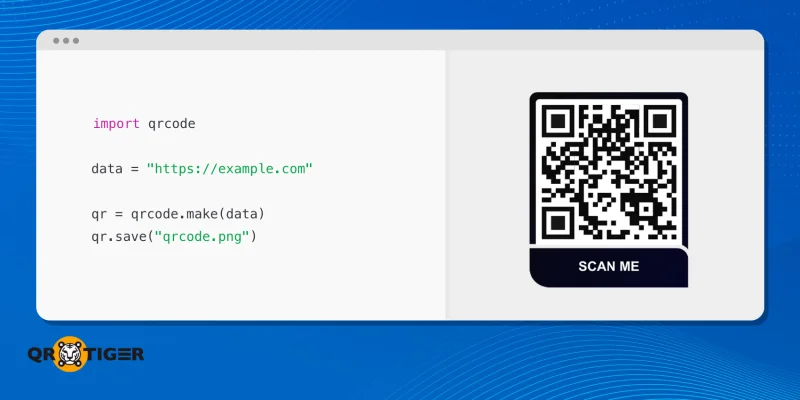
Yes, it's possible to generate a QR code using Python.
While it is best known for automation, data processing, and web development, Python can build a permanent QR code generator app through dedicated libraries that simplify and optimize the process.
Python is a widely used programming language known for its readability and strong library ecosystem. This makes it a practical option for tasks like automation and scripting.
Thanks to its beginner-friendly syntax and libraries that handle much of the technical work, Python lets you create QR codes quickly, whether it’s for a personal project, a marketing use case, or an internal tool.
Understanding these basics before you start helps ensure a smoother setup and avoids common issues later on.
What you need before generating a QR code in Python

Because many QR code libraries are well-maintained and easy to install, you can generate QR codes in Python through lightweight scripts and applications.
Before everything else, you need to make sure you have the following ready:
- Python 3 or later installed: Most modern QR code libraries are built for Python 3 or higher and no longer support Python 2. Using an updated version ensures compatibility, security, and access to the latest features when creating a simple QR code Python script.
- A package manager such as Pip: Pip allows you to install third-party libraries easily without manual setup. It simplifies dependency management and is the standard way to add QR code libraries to your Python environment.
- Python libraries: These libraries handle the encoding, error correction, and image generation, allowing you to build QR codes programmatically with minimal effort.
- qrcode – The most widely used library, perfect for generating static QR codes quickly. Works well with Pillow for image output.
- segno – Lightweight and standards-compliant, supports PNG and SVG outputs.
- pyqrcode – Generates QR codes as SVG, EPS, or PNG; ideal for web and print applications.
- pypng – A pure Python library for writing PNG files, often used alongside QR code libraries for image output.
- qrcodegen – Compact and fast, useful for embedded or resource-limited projects.
- QRCode (part of PyQRCodeNG) – Focuses on simple, scriptable QR code generation for Python projects.
- Tools for customization: These tools provide extra functionality for styling, branding, or integrating QR codes into more complex projects.
These tools make it easier to add custom designs or additional features for the QR code creation with Python.
- Pillow – A Python imaging library that allows you to manipulate QR code images, add logos, or change colors.
- CairoSVG – Converts SVG QR codes to other formats like PNG or PDF for print and digital use.
- OpenCV – Useful if you
- A code editor or IDE: Even though you can run Python scripts from the terminal, using a code editor or IDE like VS Code, PyCharm, or Sublime Text makes it easier to write, debug, and manage your scripts.
💡Syntax highlighting, auto-completion, and integrated terminals save time when generating a Python QR code script efficiently.
How to generate QR code in Python?
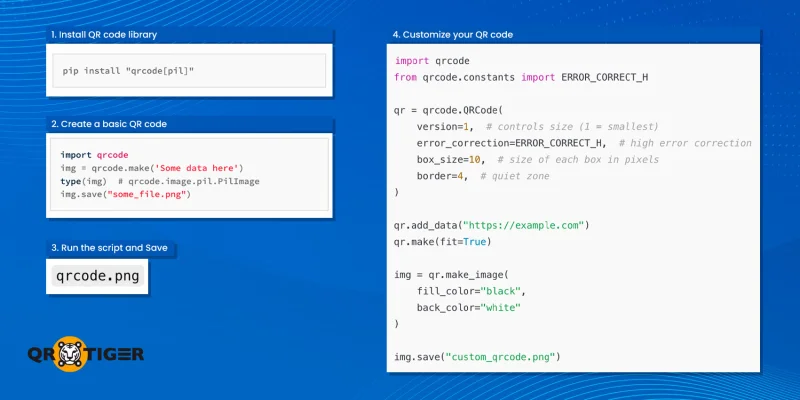
Once you’ve built the Python QR code creator, you can proceed with the QR code generation process.
In this section, we’ll cover and demonstrate how to generate a QR code using Python in more detail.
Step 1: Install the QR code library
First, you need to install a library for generating QR codes. The most popular choice is qrcode:
pip install qrcode[pil]
Step 2: Create a basic QR code
With the library installed, you can quickly convert a link to QR code through Python in just a few lines. Here’s a Python QR code example:
import qrcode
# 1. Define the data you want to encode (e.g., a URL, text, etc.)
data = "https://www.example.com"
# 2. Generate the QR code image using the make() function
# The make() function is a shortcut that returns a PIL.Image object
img = qrcode.make(data)
# 3. Save the QR code image as a file
img.save("my_new_qrcode.png")
print("QR code generated and saved as 'my_new_qrcode.png'")
Step 3: Run the script
Run the Python script from your terminal. This is a simple demonstration of how to make a QR code in Python.
python generate_qr.py
After running the script, a file named my_new_qrcode.png will be saved in the same directory. You can scan this image with your smartphone to verify that it contains the data you encoded.
Step 4: Customize your QR Code
For more control, you can customize QR code Python with size, colors, and error correction levels:
import qrcode
from qrcode.constants import ERROR_CORRECT_H
qr = qrcode.QRCode(
version=1, # Controls the size of the QR code
error_correction=ERROR_CORRECT_H,
box_size=10,
border=4,
)
qr.add_data("https://example.com")
qr.make(fit=True)
# Customize colors
img = qr.make_image(fill_color="black", back_color="white")
img.save("custom_qr.png")
This lets you:
- Adjust dimensions and resolution
- Improve scannability with higher error correction
- Change foreground and background colors
Step 5: Generate advanced QR codes
If you want to go further, Python allows you to build QR codes programmatically with additional features. This Python QR code step-by-step approach helps you create more advanced designs:
- Add logos – Using Pillow, you can overlay a small logo onto the QR code.
- Support different data types – Encode URLs, plain text, WiFi credentials, or vCard information.
- SVG output – Libraries like segno or pyqrcode let you generate vector-based QR codes for printing or web use.
While Python gives you this flexibility, more complex designs or dynamic updates require additional code, which is where advanced tools like QR TIGER can simplify the process.
When a Python QR code generator makes sense
A Python-based QR code software is ideal when you need complete control over the QR code creation process, want to integrate it directly into your workflows, or simply want to create QR codes with Python for learning or automation.
Typical use cases include:
- Internal tools and prototypes: Quickly generate QR codes for testing or internal applications without relying on external services.
- One-time static QR codes: When you just need a QR code for a single event, document, or project.
- Developers who prefer full code control: Python allows you to build QR codes programmatically, customize designs, and automate processes.
- Automated bulk QR code generation: A bulk QR code generator is useful for businesses or projects that need dozens or hundreds of QR codes created quickly from a dataset or spreadsheet.
- Integration with other Python projects: QR codes can be generated directly from scripts, web applications, or dashboards, making them part of a larger automated workflow.
If your goal is to handle QR code generation entirely in code and integrate it into scripts or applications, Python is a strong choice as a reliable QR code maker.
Limitations of using Python to generate QR codes
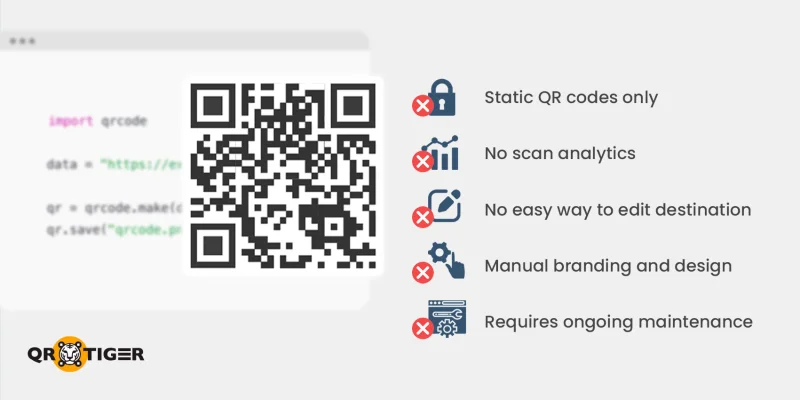
Despite its flexibility, Python does have limitations for QR code projects, especially in marketing or dynamic use cases. Some of the main drawbacks include:
- Static QR codes only by default: Once created, the QR code destination cannot be changed.
- No scan analytics: You won’t know how many people scanned the QR code or when.
- No easy way to edit the destination: Updating a URL or content requires regenerating the QR code entirely.
- Manual handling of branding and design: Adding logos, colors, or styling requires additional libraries and coding effort.
- Requires ongoing maintenance and scripting: For recurring projects or dynamic updates, you must continuously manage scripts and libraries.
While you can create a QR code using Python, its limitations make it less useful for campaigns or business applications that require analytics, dynamic updates, and branding.
A more flexible option: Dynamic QR code generator
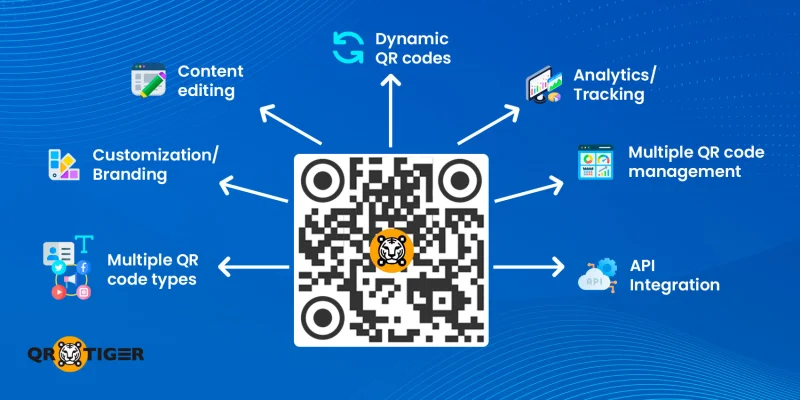
If you need QR codes that go beyond static use, an advanced QR code generator like QR TIGER is a better option.
Unlike the Python QR code script, this advanced QR code software lets you create, manage, and track QR codes with minimal effort, making it especially useful for marketing, business, and long-term campaigns.
- Easy generation without writing complicated code scripts: Anyone can create QR codes with QR TIGER, no coding skills required. The platform handles everything from QR code generation to download, making it accessible to marketers, designers, and business users.
- Options for dynamic QR codes: You can generate dynamic QR codes that can be updated at any time. This means you don’t have to regenerate or redistribute a QR code if the destination URL changes, saving time and reducing errors.
- QR code content editing: Unlike static QR codes generated in Python, QR TIGER lets you edit the destination URL of dynamic QR codes after printing. This is ideal for when you use QR codes in marketing or where content may change frequently.
- Track scans and analytics: The online QR code generator provides built-in analytics, letting you monitor scan location, device type, time, and total scans. This data is invaluable for marketing campaigns, helping you measure engagement and optimize strategies.
- Customization features: Branding is simple with a QR code generator with logo feature. You can also customize QR codes through colors and design elements directly in the platform without additional coding or image editing tools.
- Manage multiple QR codes from a single dashboard: QR TIGER provides a central dashboard to organize and manage them all. This is ideal for businesses running several campaigns or maintaining QR codes across products and locations.
Bonus: You can also create text, vCard, and URL QR codes in bulk with minimal effort using the software.
- Support for multiple QR code types: Beyond URLs and text, QR TIGER supports vCards, landing pages, and social media links. This versatility allows you to meet diverse business and marketing needs without switching tools.
- API integrations with other software: Generate, manage, and track QR codes directly within your own applications using the QR TIGER API, reducing the need for custom Python scripts.
- MCP server integration: Connect an AI assistant in your editor, like Cursor or Claude, to the QR TIGER MCP server and create QR codes from your editor with MCP, including dynamic QR codes with custom colors and logos, without writing or maintaining a script.

End thoughts
You can build a Python QR code generator to create QR codes. However, Python has limitations in generating dynamic QR codes, analytics, and branding.
For marketers and businesses, platforms like QR TIGER provide advanced features such as editable URLs, scan tracking, built-in design tools, and third-party software integrations without writing any code.
Ultimately, the choice depends on your needs: use Python for coding flexibility, or opt for an advanced QR code generator for convenience, analytics, and professional-level design.
Whether you code it yourself or use a no-code tool, the right QR code solution makes sharing information effortless.
FAQs
How to make a barcode in Python?
You can create a barcode in Python using the python-barcode library by selecting a barcode format, providing the required data, and generating the output file. The library produces SVG barcodes by default and can also export PNG images with an image writer.
Many formats handle checksum calculation automatically, making Python a simple and efficient option for generating barcodes programmatically.
What is the Python library for barcode scanner?
Common Python libraries for barcode scanning include ZXing, ZBar (via PyZBar or zbar-py), and Dynamsoft Barcode Reader.
ZXing and ZBar are open-source options that can decode many 1D and 2D barcodes from images, while Dynamsoft offers a commercial Python SDK with more advanced detection and broader format support.
These tools cover different needs, from lightweight scanning to enterprise-level accuracy.
This article is for general informational purposes only and does not constitute legal, financial, or other professional advice. For questions about QR TIGER's products or services, please contact our support team at [email protected].
Frequently Asked Questions (FAQ)
How to make a barcode in Python?
What is the Python library for barcode scanner?
Was this article helpful?
Maximize Scans with the Best QR Code Generator
Join thousands of global brands using QR TIGER to manage dynamic routing, bulk creation, and deep attribution analytics.
Get Started For Free
