
10 Best QR Code Generators to Create QR Codes with Rounded Corners
 By Regie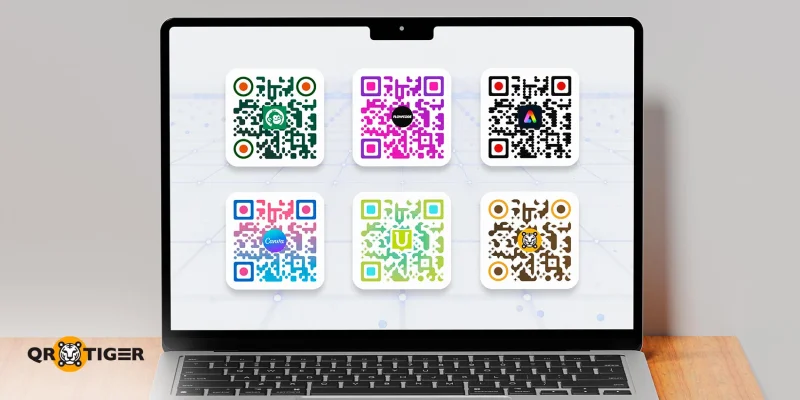
A QR code with rounded corners is simply a QR code where the usual sharp edges of a square are softened into smooth, curved corners. It works the same way as a regular QR code, but its shape is more friendly to scanners and looks more modern.
If you prefer a QR code design with a bit more flair and a touch of unique personality, such as one with softer edges, then this list is for you.
We’ve tested various online QR code generators that let you easily create stylish QR codes for your creative projects and marketing campaigns.
Table of Contents
- Quick comparison chart of the best QR code generators for QR code rounded corners
- 1. QR TIGER: Best for business and professional designs
- 2. ME-QR: Best for themed designs
- 3. QR Code AI: Best for artistic designs
- 4. QR.io
- 5. Free QR Code Generator
- 6. QR Code Chimp
- 7. Hovercode
- 8. QR Code Kit
- 9. Bitly
- 10. QRStuff
- Rounding the corners of your best options
- FAQ
Quick comparison chart of the best QR code generators for QR code rounded corners
These top generators offer unique frames and templates that enable the creation of rounded corners for QR codes.
| Platforms | Rounded Corner Frames | Personalization Options | Customization Access | Design Safety | Export Formats and Resolution |
| QR TIGER | Yes | Logo, patterns, frames, eyes, color, CTA, and templates | Free and Paid Plans | Error correction level set at the highest for all QR codes Auto-adjustments when rounded corners are applied make the code scannable Detection warnings for risky design | PNG, SVG, PDF, and EPS Transparent background support High DPI (300-1200) 256 to 4,000 px resolution |
| ME-QR | Yes | Logo, patterns, frames, eyes, color, CTA, and design overlay | Free and Paid Plans | Error correction level Warnings for risky design | PNG, SVG, PDF, EPS, and JPEG Transparent background 200 to 2,000 px resolution |
| QR Code AI | Yes | Logo, shapes, textures, color, texts, AI templates, special effects | Free and Paid Plans | Detection warnings for risky design | PNG only Transparent background |
| QR.io | Yes | Logo, shapes, frames, eyes, color, CTA | Free and Paid Plans | Error correction level | JPG, PNG, SVG, PDF, and EPS Transparent background |
| Free QR Code Generator | Yes | Logo, patterns, frames, eyes, color, CTA | FREE | Error correction level | PNG only Transparent background |
| Hovercode | Yes | Eyes, patterns, logo, and templates | Free and Paid Plans | Detection warnings for risky design | PNG and SVG Transparent background |
| QR Code Chimp | Yes | Logo, shapes, stickers, eyes, color, 3D effect, CTA | Free and Paid Plans | Error correction level | PNG and PDF Transparent background 256 to 4,000 px resolution |
| QR Code Kit | Yes | Logo, shapes, pattern, color, CTA | Free and Paid Plans | Error correction level Detection warnings for risky design | PNG, SVG, PDF, and EPS |
| Bitly | Yes | Color, eyes, frames, logo, patterns, and CTA | Free (Limited) and Paid Plans | Error correction level | PNG, SVG, JPEG |
| QRStuff | Yes (Paid) | Background/foreground image, colors, frames, logos, patterns, and shapes | Paid Plans Only | Error correction level | PNG, SVG, PDF, EPS, JPG, and DXF Average DPI (72-600) Transparent background support 75 to 3,000 px resolution |
1. QR TIGER: Best for business and professional designs
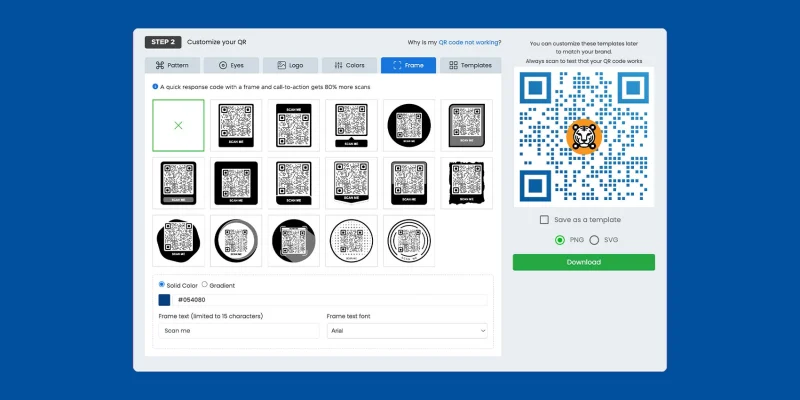
QR TIGER is an advanced QR code generator with logo integration. It provides users with tools to create custom-made dynamic and static QR codes for personal and business projects.
Customization depth
Customizing the QR code occurs after the information has been embedded into it. The steps are straightforward, and the overall interface is easy to navigate.
We can create a QR code with rounded corners by choosing from the available frames on the website. These frames are customizable. We can add our preferred call-to-action tag, colors, and logo.
Pro Tip: Try combining round corners with a gradient color and your logo; it will give your design a premium and professional look.
The eyes are adjustable, too. We can easily switch shapes, tweak the outline, and match everything with our brand colors. The patterns blend nicely with rounded frames as well, so nothing feels out of place.
Of course, we can also skip the hassle of creating our own designs, as there are templates that we can readily apply, all of which are framed with rounded corners.
Scan test results
We tested our designs in bright light and dim corners using different Android and iOS devices.
All versions scanned cleanly as long as the contrast stayed reasonable. The tool also warns us if a design might cause scanning issues.
Moreover, all the QR codes it generates are set with the highest error correction level, which makes them easy to scan and resistant to damage.
Recommended for
Enterprises, SMBs, marketers, and anyone who wants enough room to shape the look of their QR codes without being overwhelmed by and bogged down in pointless controls.
Plans and pricing
- Free
- Regular: $7 per month
- Advanced: $16 per month (billed annually)
- Premium: $37 per month (billed annually)
- Professional: $89 per month (billed annually)
- Enterprise: Custom pricing
2. ME-QR: Best for themed designs
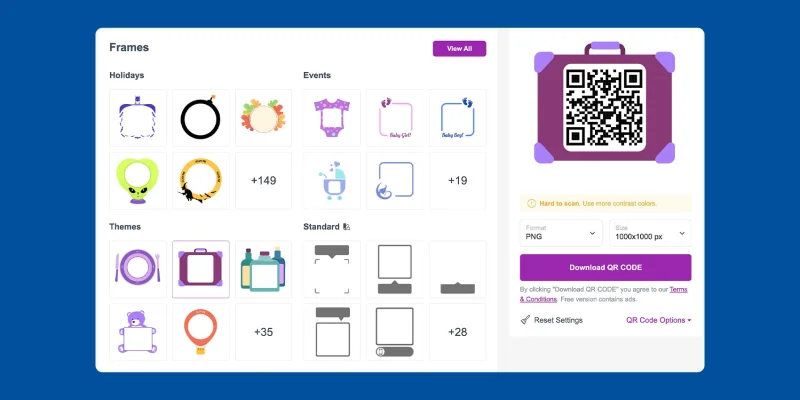
ME-QR offers a simple yet stylish way to generate QR codes with rounded corners. It offers a variety of frame designs, including themed and standard options.
Customization depth
The website gives your code a neat, gentle look without breaking the structure.
We can be playful with the design because of the many choices available to create QR codes with rounded edges. There’s one for every occasion, so we only have to select one that fits our needs.
It also supports logo integration and pattern tweaks, as well as provides various eye styles. Everything works smoothly with its rounded templates, and nothing looks mismatched.
Scan test results
The QR code we made scanned instantly in both bright and dim lighting. No hiccups, even with a logo added.
One thing to note is that this platform allows us to freely adjust the error correction level of the QR code we create. We can choose a level that works best for its purpose or situation.
Recommended for
It's best for users who want quick results and a clean aesthetic. It’s also ideal if you prefer a simple interface but still want your QR code to be on-theme.
Plans and pricing
- Free
- Lite: $5.75 per month
- Premium: $8.25 per month
3. QR Code AI: Best for artistic designs
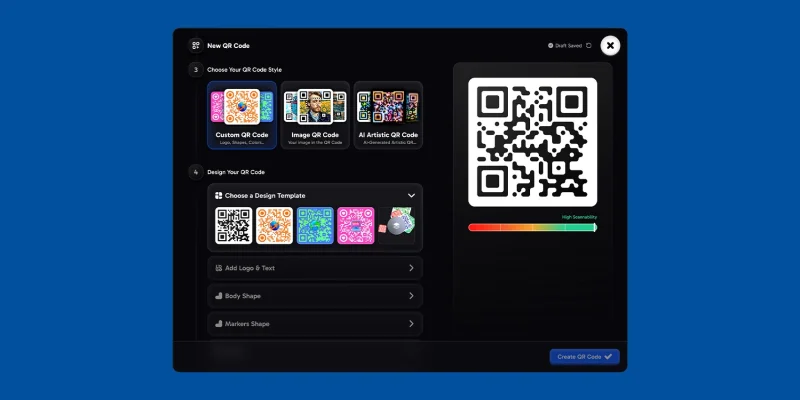
QR Code AI takes creative QR code design to the next level. Unique among the previous two platforms, this one only produces QR codes with rounded sides. It concentrates its customization tools on the appearance of the entire QR code.
Customization depth
We can choose from templates with curved frames, soft shapes, and organic layouts that create that rounded-corner aesthetic.
These curved layouts are customizable, allowing us to choose preferred patterns, eyes, colors, and even textures.
Some AI templates blend the QR pattern with graphics or small images, which gives the design a more natural, rounded look.
Scan test results
Even with the decorative styles, the scans were stable in both bright and dim lighting. The tool flags risky elements, so the QR code stays readable even when you lean into the artsy look.
Recommended for
It’s a solid pick if your goal is visual swag, such as social media posts, packaging, posters, or any other application that requires a QR code that feels less stiff but is still on-brand.
Plans and Pricing
- $9 per month
- $97 per year
4. QR.io
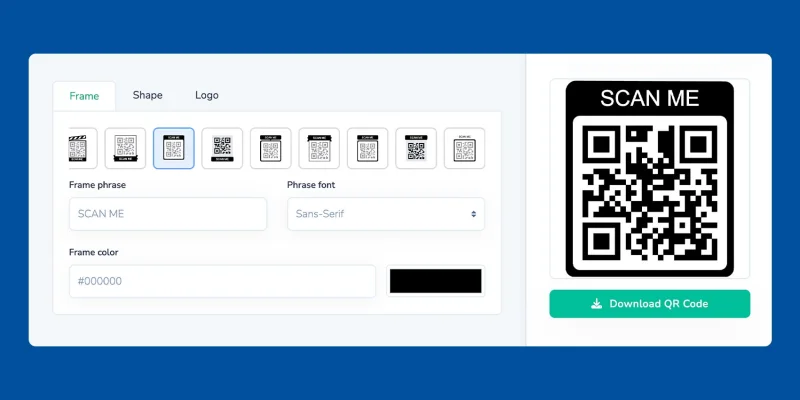
QR.io’s editor gives you full control over how your QR codes look, such as logo placement, colors, and yes, rounded corners frames.
Customization depth
It offers several frame templates with soft, rounded edges. These work well if you want a gentler look without overthinking the design.
Most frame options work in conjunction with their pattern and eye styles. We can mix shapes, adjust colors, and still keep the rounded frame intact.
Scan test results
The QR codes scanned cleanly during tests, even with extra colors added. The tool maintained a strong enough contrast, so nothing became difficult to read under low light.
Recommended for
Marketers, small businesses, or anyone who wants a clean, rounded-corner QR code without spending a lot of time editing.
Plans and pricing
- $35 per month
- $350 per year
5. Free QR Code Generator
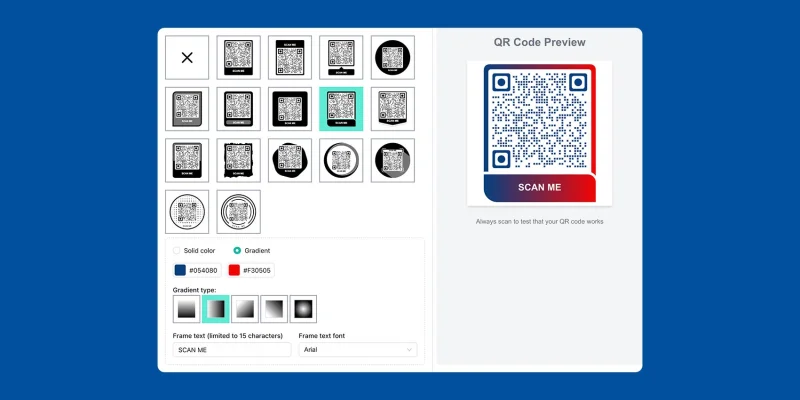
Despite being a FREE QR code generator, it actually allows users to apply frames with rounded corners.
Customization depth
It lets you choose frames with soft, rounded edges. No full module rounding, but the frames give the QR code that smoother look.
Some users use these rounded frames as an alternative to a circle QR code since it still softens the overall shape while keeping everything simple.
You can tweak basic eyes and patterns, though options are limited compared to premium tools. Still enough for clean designs.
Scan test results
It scanned well in our tests. We tried bright light and a dim room. No issues, as long as the frame color contrasts with the modules.
Recommended for
We recommend this to anyone who wants to create a round QR code with logo. It’s great for quick projects, student tasks, or simple business needs.
Plans and pricing
It’s totally FREE.
6. QR Code Chimp
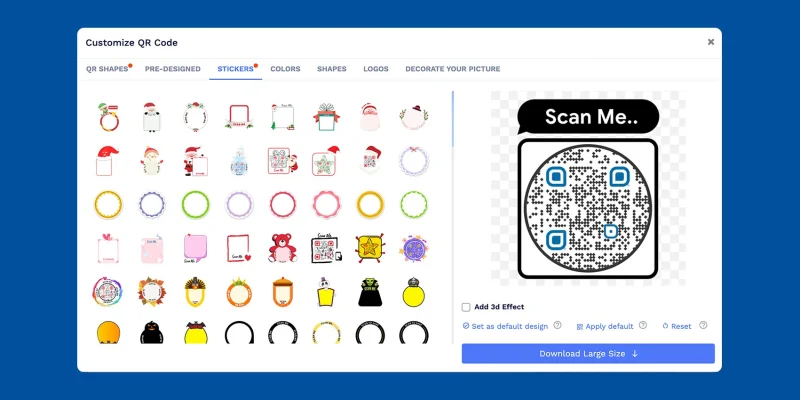
QR Code Chimp is all about creativity. Like ME-QR, it offers stylish frames and shapes suitable for various occasions.
Customization depth
Its designs go beyond basic squares; we can pick rounded frames, fun templates, and even custom shape QR codes, such as circles or hearts. The shapes add personality without making the QR unreadable.
Most pattern styles and eye designs work well with the rounded frames. You can mix colors, logos, stickers, and even 3D effects.
Scan test results
The QR code scanned correctly during our tests under both bright and low-light conditions. Just avoid extreme color contrast or heavy overlays, as these can affect clarity.
Recommended for
Beginners, hobbyists, and small campaigns that want something playful or visually distinct without feeling too technical.
Plans and pricing
- Starter: $6.99 per month
- Pro: $13.99 per month
- Ultima: $34.99 per month
7. Hovercode
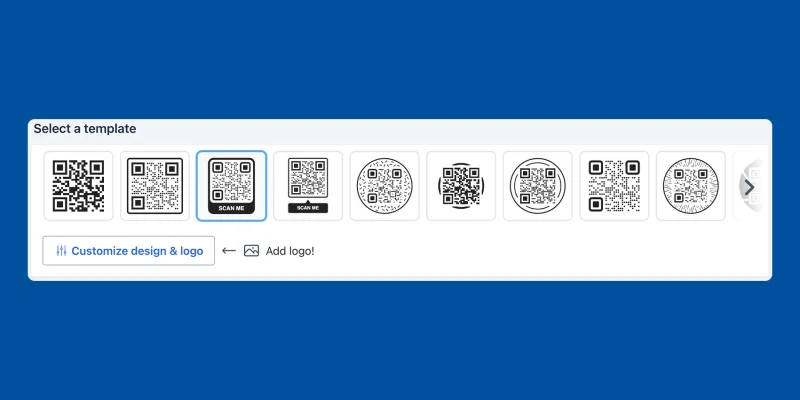
Hovercode may be the simplest custom design QR code generator on this list, as it specializes more in circular frames, but it still delivers the impact you need for your QR codes.
Customization depth
It offers rounded frames in its templates. These frames give your code softer corners without messing with scannability.
Hovercode also lets you create circle QR codes, which is helpful if you need a layout that stands out more than the usual square format.
You can pair its rounded frames with logo placements, pattern styles, and various eye shapes. It’s not the most extensive library on this list, but the combinations still look polished.
Scan test results
Our tests showed steady scans even with heavier color contrast. Bright light was instant. Dim lighting still passed without errors.
It also provides warnings if your design choices might compromise readability, which saved us from a few bad attempts.
Recommended for
Anyone who wants a clean, rounded-frame QR code without fiddling with too many options. Marketers who prefer a set-and-go template will find it easy to work with.
Plans and pricing
- Pro: $120 per year
- Business: $390 per year
- Business Plus: $990 per year
8. QR Code Kit

QR Code Kit may not be as flashy as others, but it’s still a solid choice.
Customization depth
We can choose from clean, rounded corner frames and customize our QR code with brand colors and logos.
Offers simple, rounded-corner frames with adjustable colors and styles. Works with basic patterns and eye customizations, providing enough options for clean, branded visuals.
Scan test results
Scans smoothly under normal and dim lighting. The rounded-frame designs don’t interfere with readability.
Recommended for
Agencies or freelancers handling multiple clients who need organized campaigns and consistent branding without dealing with too many advanced controls.
Plans and pricing
- Starter: $20 per month
- Pro: $50 per month
- Enterprise: $120 per month
9. Bitly
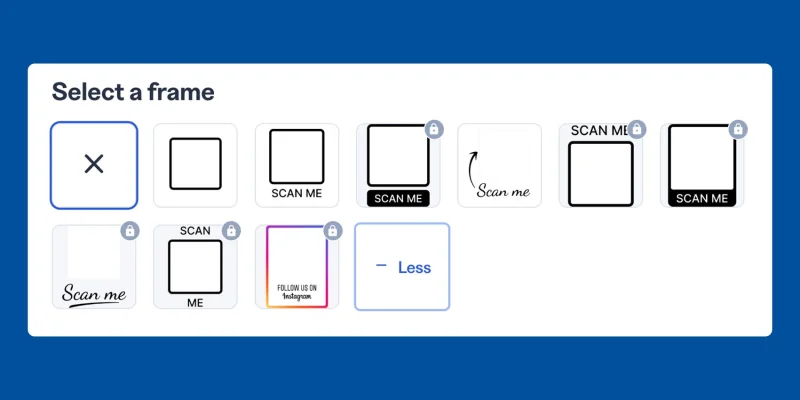
We know what you’re thinking, Bitly does QR codes, too? Yep. It’s not the most flexible editor design-wise, but it works well for quick QR campaigns, especially if you’re already tracking analytics through Bitly.
Customization depth
Bitly doesn’t let you round the QR modules, but its frames add softer edges to the overall code without affecting scannability.
You can use logos, frames, eye shapes, and basic color adjustments. It’s not extensive, but it's enough for clean, branded codes.
Scan test results
Scans reliably in bright and dim lighting. Frames are well-designed, and simpler logos didn’t cause errors.
Recommended for
Brands already using Bitly for link tracking, or marketers who want to make simple, branded QR codes with minimal design quickly.
Plans and pricing
- Core: $10 per month
- Growth: $29 per month
- Premium: $199 per month
- Enterprise: Custom pricing
10. QRStuff
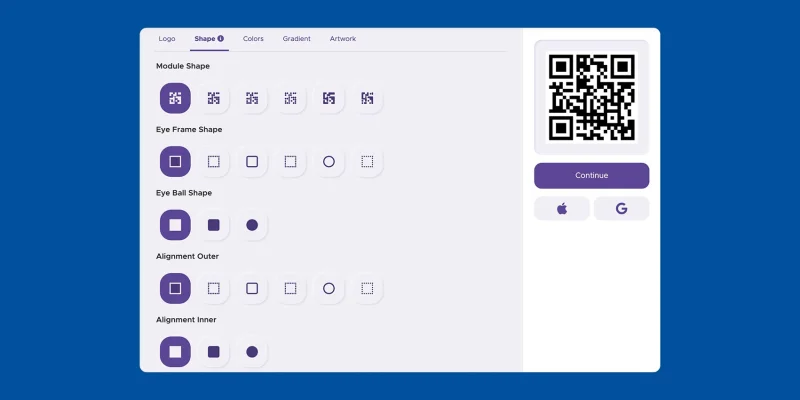
QRStuff has been around for too long, and it’s still going strong. Just a heads up: rounded frames are only available on paid plans, unlike on the other platforms. Free users get standard QR designs without the softer edges.
Customization depth
We can combine frames with logos, shapes, patterns, colors, and even background/foreground images. It’s flexible enough for branded designs.
Scannability test results
Scans are reliable as long as you don’t overcomplicate the design. Error correction is applied automatically, and codes scanned well in both bright and dim settings.
Recommended for
Brands or businesses looking for polished, branded QR codes with rounded corners, and who don’t mind paying for the extra design features.
Plans and pricing
- Lite Suite: $100 per year
- Full Suite: $270 per year
- Enterprise: $2,700 per year
Rounding the corners of your best options
QR code rounded corners simply look better. They feel softer and more intentional, almost like the QR code actually made an effort to look presentable.
Any tool on this list can help you create one that feels clean, polished, or even playful if you’re going for something eye-catching.
If you want full creative control, QR TIGER gives you the most room to experiment. And if you prefer quick results without too much tweaking, ME-QR or QR.io will keep things smooth.
Feeling a bit artistic? QR Code AI or Chimp can make your QR codes look like they were styled by a low-budget designer with surprisingly good taste.
Experiment with a few layouts, play with colors, and conduct a scan test before printing. You’ll see how a simple curve can make your QR code feel more inviting.
After that, pick the style that fits your project and enjoy watching the scans come in.
FAQ
Can you make round QR codes?
Yes, you can create round QR codes using a circle QR code generator that offers shape customization.
How to make a QR code in a specific shape?
You can create a shaped QR code using a generator like QR TIGER. Simply enter your data, generate, and then head to the design options to select a frame or template that matches the desired shape.
This article is for general informational purposes only and does not constitute legal, financial, or other professional advice. For questions about QR TIGER's products or services, please contact our support team at [email protected].
Frequently Asked Questions (FAQ)
Can you make round QR codes?
How to make a QR code in a specific shape?
Was this article helpful?
Maximize Scans with the Best QR Code Generator
Join thousands of global brands using QR TIGER to manage dynamic routing, bulk creation, and deep attribution analytics.
Get Started For Free
