
Create an Adobe Express QR Code: A Better and Flexible Version

Adobe Express is an all-in-one tool for graphic design, photo editing, and video editing, released by one of the world’s renowned computer software companies, Adobe Inc.
The Adobe Express QR code is a part of the software’s ecosystem. It lets brands that are already using the platform integrate QR codes into their designs and content in various formats.
If you’re interested in creating a QR code similar to those generated by Adobe’s free QR code generator, but one that is more advanced, flexible, and has a minimal learning curve, get started by reading this guide.
Table of Contents
Can I create a QR code in Adobe Express?
Yes, it is possible to use Adobe Express to create a QR code. It is also very easy to do. This is how to create a QR code on the platform:
1. Go to the Adobe Express homepage.
2. Select the plus icon in the left panel.
3. Go to Quick actions and click Generate QR code.
4. Enter the URL address of your content before generating a QR code.
5. Customize the QR code design like the pattern, eye shape, and color.
6. Scan your QR code to test if it works.
7. Download the QR code image in your preferred file type.
From there, you can add them to your Adobe images, videos, and other projects.
The major feature that Adobe QR code lacks
With Adobe stock images, media creation, and artificial intelligence (AI) tools, Adobe Express is an exceptional platform for anything graphics-related.
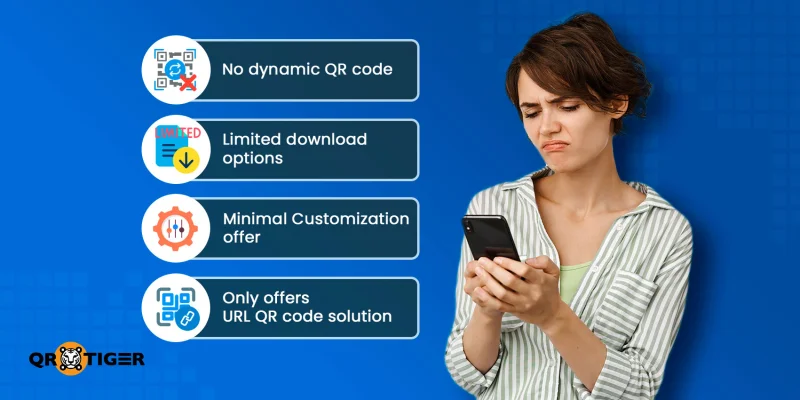
However, it lacks something in the 2D barcode department: dynamic QR code generation.
There are two main types of QR codes that some of you may not be familiar with: static and dynamic.
What is the difference between static and dynamic QR code generation?
Static QR code generation embeds the actual URL address or text into the QR code, creating a permanent doorway to the online content.
On the other hand, dynamic QR code generation involves a short URL. It serves as the pathway to the actual information being shared. This grants these QR codes several features, mainly editability and trackability.
With all that said, does the Adobe Express QR generator make dynamic QR codes? The answer, unfortunately, is no.
As useful as Adobe Express can be, its QR codes are only static. The lack of dynamic features makes it unsuitable for sophisticated QR code marketing schemes, which can bring businesses significant engagement and revenue.
QR TIGER: A better Adobe Express QR code creator alternative

Considering the lack of dynamic QR code generation in Adobe Express, users seeking customizable, editable, and trackable QR codes must look elsewhere for their 2D barcodes.
Fortunately, there is a platform that easily tops Adobe when it comes to QR codes: QR TIGER.
When comparing Adobe QR code vs QR TIGER QR code generation and features, the details cannot be covered in just one paragraph. So, let’s break them down.
Advanced QR code solutions and file hosting
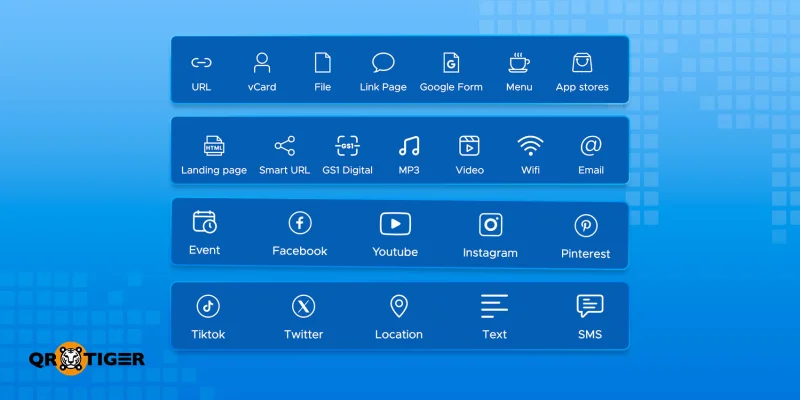
Dynamic QR code generation provides users with several solutions that leverage the short URL’s functionalities.
QR TIGER generates a QR code for multiple links, PDFs, vCards, social media, or app downloads, not just for simple link access.
It means it can handle:
- Menus (PDF)
- Product guides or manuals (PDF)
- Promotional videos (MP4)
- Images (JPG, PNG)
- Audio files (MP3)
- Presentations or catalogs
All using a single, consistent system, you can run professional marketing campaigns, onboard customers, and share resources with your team efficiently.
Powerful QR code features
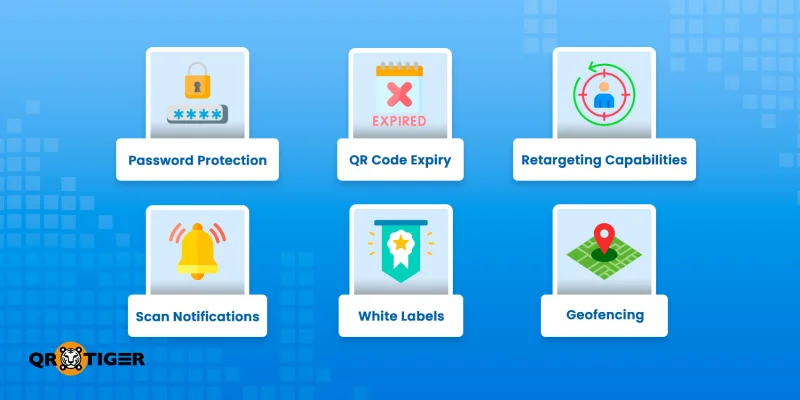
QR TIGER is a top choice among brands and professionals because it generates dynamic and static QR codes. Offering the best of both worlds, this allows users to access special features unique to dynamic generation:
- password protection
- QR code expiry
- retargeting capabilities
- scan notifications
- white labels
- geofencing
Scan analytics and tracking
A dynamic QR code is a more preferable option than an Adobe Express QR code, because of its scan tracking and analytics capabilities. These are especially important if you’re using it for business or professional endeavors.
QR code tracking allows you to track the frequency of scans from any location, granting you insight into the behaviors and preferences of your users.
Metrics that can be tracked include:
- number of scans (both total and unique ones)
- time of scans
- locations of scans
- scans over a period of time
- a heat map of scans
All of this data is visualized on QR TIGER’s dashboard, allowing you to see how well their efforts are going and make changes on the fly.
Third-party integrations
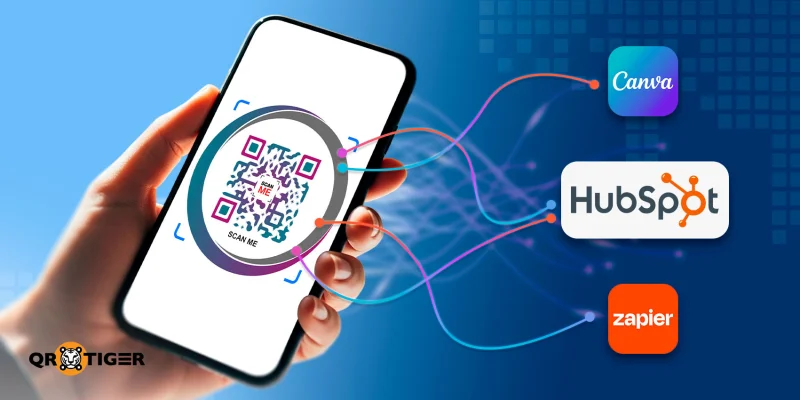
What makes this dynamic QR code generator stand out is its ability to integrate with other software applications.
If you’re already using Zapier or HubSpot, you can easily integrate QR TIGER’s QR code generation into your workflows, increasing convenience and productivity in the workplace.
Another platform you can integrate with is Google Analytics, a free web service that tracks website or app traffic. It helps you monitor your campaigns in more detail, in addition to the generator’s built-in analytics.
Customization tools for deeper branding
Most people are probably more familiar with the basic design of a QR code: black pixel-like patterns on a white background. However, there’s no harm in switching it up with different colors and shapes.
While Adobe Express offers color and pattern customization, it doesn’t offer any more than that. QR TIGER, on the other hand, provides tools that enable more comprehensive branding opportunities.
The main difference between the two is that the latter allows you to place a logo in the middle of your QR code. Having this feature reinforces your brand identity and confirms to users that the QR code is yours.
Other tools in its customization suite include templates, frames with calls-to-action, and a gradient color option.
High-resolution downloads
QR codes can’t be blurry, or scanners won’t be able to recognize them. This means that your codes should be printed in high resolution, or at least the most appropriate one for its print size.
Fortunately, QR TIGER allows you to select the size you want to download your QR codes in. From 256 pixels to 4k resolution, the choice is entirely up to you.
The platform also supports up to four high-resolution download formats:
- SVG
- PNG
- EPS
Compliance with the GDPR, CCPA, and ISO standards
Software applications often require registration for an account, which involves providing information such as an email address, a password, and, in some cases, payment details (for subscribing to a paid plan).
However, providing these details can put you at risk of data breaches. Most companies worth their salt put effort into avoiding these attacks, especially since the average cost of a data breach globally was $4.44 million in 2025.
QR TIGER prioritizes user data privacy and security by complying with the General Data Protection Regulation (GDPR) and the California Consumer Privacy Act (CCPA) regulations.
Furthermore, it also adheres to the information security standards set by ISO 27001.
Support for the Digital Link
If your QR code is meant to store product information, then you should probably create one with a Digital Link.
The Digital Link QR code is a 2D barcode that encodes information in a specific format, enabling barcode and QR code scanners to easily decode essential product information.
QR TIGER offers users the ability to generate this type of QR code, making it an excellent choice for consumer brands.
Trusted by users worldwide
With all these perks, it’s clear that QR TIGER is a powerful, secure, and effective platform for QR code generation. This has led to it being known as a trustworthy and reliable platform globally.
Since its launch in 2018, over 850,000 brands have chosen QR TIGER for their QR code needs, with numerous customer success stories across the globe demonstrating tangible results from using the software’s dynamic QR codes.
Ratings from various review platforms, including SourceForge (5 stars), G2 (4.8 stars), Trustpilot (4.6 stars), App Store (4.8 stars), and Google Play Store (4.6 stars), show the confidence users have in the software. 
Create QR codes on the best QR code generator online
Adobe Express is an excellent platform for artists, content creators, and media professionals to create their designs, as well as for individuals who want to quickly and easily generate free QR codes.
Unfortunately, the Adobe Express QR code has its own limitations, making it unsuitable for marketing campaigns and professional projects.
So, if what you need is the best free QR code generator that provides dynamic solutions, advanced analytics, and in-depth branding, QR TIGER is the one.
Sign up for its Freemium plan and explore the possibilities with its free dynamic QR codes — no credit card required.
Frequently asked questions
Do Adobe QR codes expire?
No, QR codes made with Adobe don’t expire. This is because Adobe Express generates static QR codes, which permanently embed digital information into data modules.
How do I add a link to a QR code in Adobe Express?
To add a link to a QR code while using Adobe Express, simply copy the link you want to share. After doing so, go to the Adobe Express QR code generator and paste the URL into the blank field.
Does Adobe Express have dynamic QR codes?
Unfortunately, Adobe Express doesn’t create dynamic QR codes. The software is only capable of generating static and permanent QR codes.

