
How to Make High-Quality Waterproof QR Code Stickers
 By Ashley P.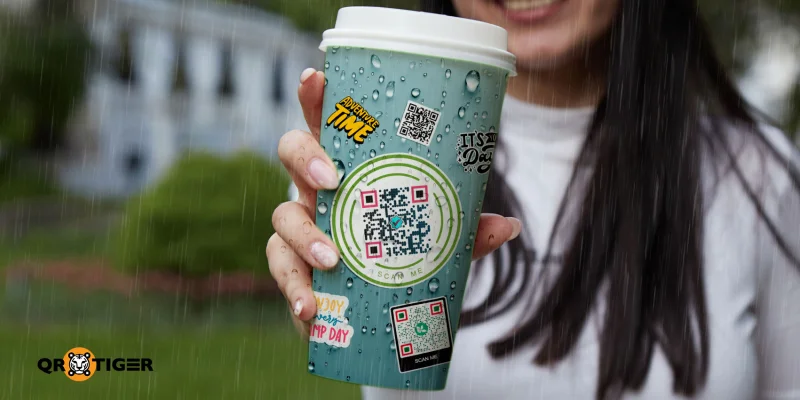
To make waterproof QR code stickers, print your QR code onto vinyl or polyester sticker paper using a pigment-based inkjet or laser printer.
Seal the printed sheet with a clear laminate to block water, UV, and abrasion. Cut the sheet into individual stickers with a craft knife or cutting machine.
This guide covers each step, the right layer combinations for indoor and outdoor use, and per-sticker costs.
Table of Contents
- What are waterproof QR code stickers?
- How to create a waterproof QR sticker
- Which waterproofing method is best for your sticker?
- What materials make a QR code sticker waterproof?
- Can I print waterproof stickers at home?
- Where should you use waterproof QR stickers?
- How long do waterproof stickers last?
- How do you protect a QR code sticker from physical damage?
- How do you test if a waterproof sticker QR code still scans?
- Make your waterproof QR code sticker last
- Answers to the questions you are about to ask
What are waterproof QR code stickers?
Waterproof QR code stickers are adhesive labels that hold a scannable QR code on a water-resistant surface. The code links to a URL, a digital menu, a product page, or a contact card.
The sticker holds up in rain, direct sunlight, and humidity thanks to the base material and the top seal.
Behind every durable version is a two-layer build. Layer 1 is the printed base. Layer 2 is a protective seal applied on top. Most waterproofing failures happen when one layer is missing or mismatched.
How to create a waterproof QR sticker
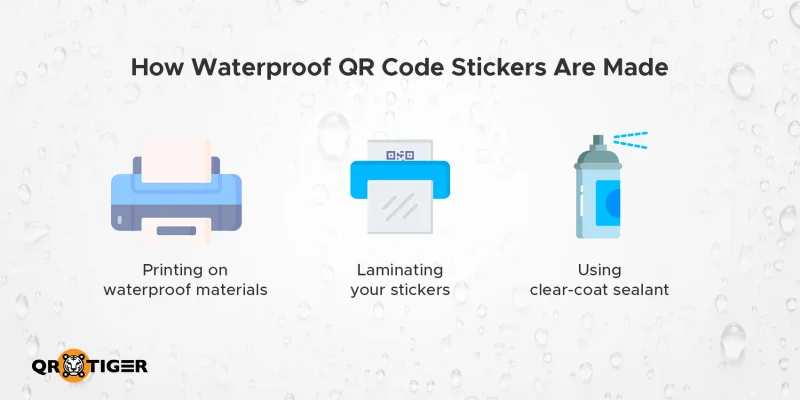
The first step in creating a QR code sticker is to use a QR code generator that lets you customize your code and download it as an SVG file. Vector format ensures the code stays sharp when printed at any size on vinyl or sticker paper.
To waterproof the QR code, there are three methods: print it directly onto waterproof sticker material, laminate a standard printed sticker with thermal film, or apply a clear-coat sealant over the printed surface.
Method 1: Printing directly on vinyl
Vinyl is a good material to print stickers on. It repels water, resists tearing, and holds ink sharply.
A bare vinyl print with pigment ink lasts 6 to 12 months outdoors. Coating or laminating it makes it last longer, one to two years.
For home printing, pick matte white vinyl sticker paper. The 80- to 100-micron thickness works with most inkjet printers and feeds without jamming.
A pack of 25 A4 sheets runs around $10 to $18 for budget brands like Joyeza or Lazydrop. Premium brands like Orajet or Silhouette go up to $50 for the same quantity.
Use a pigment-based inkjet printer, such as the Epson EcoTank ET-2850, to prevent the ink from running when wet.
Dye-based ink smears when it comes into contact with water, even on vinyl. Check your cartridge label; it will say "pigment" or "dye".
Steps to print the vinyl sticker sheet:
- Prepare your QR code image for printing. Make sure it is in SVG format.
- Load a matte vinyl sticker paper into your inkjet tray. Set print quality to high.
- Let the print dry for 24 hours before cutting to avoid ink smudging at the edges.
- Cut around each sticker with about 3 mm of margin. Use a craft knife or sticker cutter.
- Scan the sticker with your phone camera before peeling and applying.
Method 2: Laminating the printed sticker
Lamination is the most reliable seal for waterproofing QR code stickers. The film bonds along its edge, creating a thin, clear seam around the printed sticker that prevents water from seeping under.
Laminating your QR code stickers and labels extends their outdoor life: 6 to 12 months for paper, 1 to 2 years for vinyl. Indoor lifespan stretches to several years for laminated combinations.
You have two paths: self-adhesive and thermal pouches. Self-adhesive pouches don’t need equipment but cost more per sheet. A 25-pack runs $18 to $25, which works out to about $0.75 per pouch.
Thermal pouches cost less per sheet ($15 to $25 for a pack of 100, or about $0.20 per pouch) but require a thermal laminator. The laminator itself is a one-time purchase of $25 to $50.
Steps to make a laminated QR sticker:
- Slide the printed sheet between two layers of laminating film. Center it with at least 5 mm of clear film around each edge.
- For thermal lamination, run the pouch through your laminator at the temperature setting on the pouch package.
- For self-adhesive pouches, peel the backing and press the layers together by hand.
- Run a card from the center outward to push air bubbles out. Hand pressure alone misses spots near the edges.
- After lamination, cut around each sticker with at least 2 mm of sealed margin.
Note: Budget pouches left small gaps in the corners where moisture still crept in. Branded pouches from Fellowes or 3M produce cleaner edge seals. The price difference is small, and the durability gap shows up within weeks for outdoor placements.
Method 3: Applying a clear-coat sealant
A clear-coat sealant is a brush-on liquid or spray that adds a water-resistant top layer over an existing print. Sealants are not a replacement for lamination.
Mod Podge states that the product is “not waterproof” and that water sitting on the surface for too long can cause permanent clouding.
Use a sealant on irregular surfaces, such as curves or textures, where the laminate film will not lie flat. Or use it as an additional layer over a laminated print for outdoor placements with heavy sun exposure.
Mod Podge Outdoor and Krylon Crystal Clear are the two widely available options. Both are priced at $7 to $12 per can.
Krylon Crystal Clear (11 oz spray) gives faster, more even application. Mod Podge Outdoor (8 oz, brush-on) costs less per ounce but takes up to 28 days to fully cure, according to the manufacturer.
Sealant work needs a ventilated area and protective gear. Fumes from solvent-based sprays are an inhalation risk.
Steps to apply a clear-coat sealant:
- Lay the stickers flat in a well-ventilated workspace. Put on a mask and gloves.
- Apply a thin first coat with a foam brush or spray nozzle. Avoid heavy pooling at the edges.
- Wait 20 minutes for the first layer to set.
- Apply a second thin coat for added protection.
- Let the sticker cure for 24 hours before using it. Mod Podge reaches full cure at around 28 days.
When you can skip lamination or sealant coating
A bare vinyl print with pigment ink can survive outdoors for 6 to 12 months. Pigment ink uses solid particles suspended in a liquid, which bond to the paper or vinyl surface and resist water and UV light.
Skipping the seal works when the sticker is indoor-only and will not face moisture, when the placement is short-term (under 6 months), and replacement is planned, or when the sticker is on a flat indoor surface like a counter or wall sign.
Lamination or sealant coating over a paper-based print is non-negotiable. QR code on paper-based stickers without protection fails within 2 to 4 weeks outdoors and warps within months indoors in humid conditions.
Which waterproofing method is best for your sticker?
Vinyl with a thermal or self-adhesive laminate is the most durable home-made option. It balances durability, cost, and ease of use.
Paper plus lamination is budget-friendly for indoor menus, event materials, and short-term promos.
| Method | Difficulty | Cost per sticker | Best For |
| Vinyl print only (pigment ink) | Medium | $0.05 to $0.15 | Indoor counter signs, restroom signs, gym lockers |
| Vinyl print + laminate | Easy with a thermal laminator Medium by hand | Thermal: $0.07 to $0.17 Self-adhesive: $0.10 to $0.21 | Storefront windows, food truck panels, outdoor signage, outdoor menu boards, event posters, and real estate signs |
| Vinyl print + clear-coat sealant | Medium to Hard | Sealant: $0.06 to $0.17 | Water bottles, laptops, curved equipment |
| Paper print + laminate | Easy with a thermal laminator Medium by hand | Thermal: $0.03 to $0.05 Self-adhesive: $0.07 to $0.08 | Restaurant table tents, conference badges, indoor promo displays, event lanyards, pop-up shop signs, and classroom materials |
| Paper print + clear-coat sealant | Hard | $0.03 to $0.04 | Not recommended. Sealant bonds poorly to most paper stock |
| Vinyl + UV ink + laminate | Hard | $0.50 to $2.50 | Multi-year branded packaging, exterior building signage, and fleet vehicles |
What materials make a QR code sticker waterproof?
True waterproof QR code stickers use synthetic base materials like vinyl, polyester, or polypropylene instead of standard paper.
The print holds up through pigment or UV-cured ink, not dye-based. The seal comes from a clear laminate or industrial-strength adhesive around the edges.
Waterproof sticker paper
Vinyl is the most common material for waterproofing stickers. It repels water, resists tearing, and holds ink sharply, which is why vinyl QR code stickers consistently outlast paper-based versions outdoors.
Polyester ranks second for outdoor builds. Polypropylene is a cheaper option for short-term indoor use.
Pigment-based or UV-resistant ink
Pigment ink stays put on vinyl when wet, while dye ink dissolves on contact with water.
Inkjet printers split into two camps: pigment models keep their resolution outdoors, dye models do not.
Laser printers fuse toner with heat, which makes laser prints naturally water-resistant.
UV-cured ink is the third category, used almost exclusively by commercial sticker printers. The ink cures instantly under UV light as it prints, which creates the strongest ink-to-vinyl bond and the longest outdoor lifespan.
Consumer printers do not offer this option, which is why the professional vinyl combination outlasts every home setup.
Protective laminate or sealant
A laminating pouch forms a heat-sealed border around the printed sticker, creating a thin transparent edge that prevents water from seeping under the laminate film.
Skip the border, and water enters the gap. Dye ink dissolves, and the laminate bubbles within days.
Weather-resistant adhesive
A waterproof sticker also needs an adhesive that can withstand moisture, humidity, and temperature changes.
Permanent, weather-resistant, self-adhesive QR stickers keep themselves securely attached to surfaces over time. Rubber-based adhesives tend to peel earlier when soaked.
Can I print waterproof stickers at home?
Yes. Printing waterproof QR codes at home is faster and cheaper than ordering small batches from a print shop. The setup needs a pigment-based inkjet printer, a stack of vinyl sticker paper, and either a laminator or a sealant for added durability.
Printable waterproof stickers work with any consumer inkjet rated for 80 to 100-micron sticker paper. Most modern home inkjets accept this thickness without jamming. Laser printers also work, with the bonus of built-in water resistance from the toner.
What to avoid when printing your own “weather-proof” stickers at home:
- Water-based dye ink cartridges. The print will smear in light rain.
- Glossy laminate film for outdoor signage. Glare blocks scanners from reading the QR code.
- Cutting before the print dries. Wait at least 24 hours.
- Treating sealant as a substitute for lamination. It is an additive layer, not a primary seal.
Where should you use waterproof QR stickers?
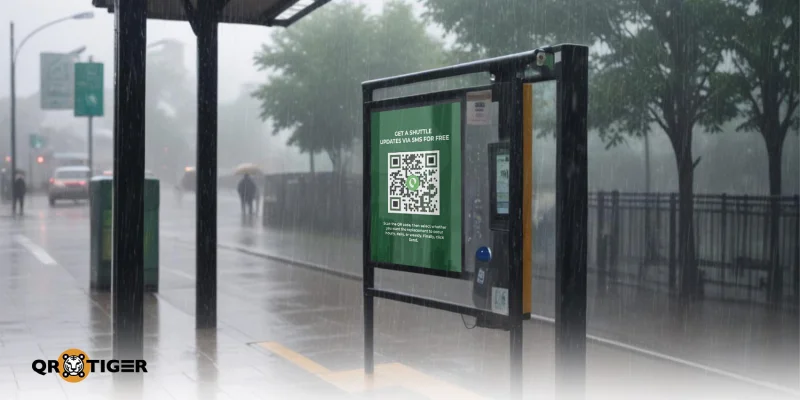
Use waterproof QR code stickers on any surface exposed to moisture, sun, or heavy handling.
Outdoor signage and advertising
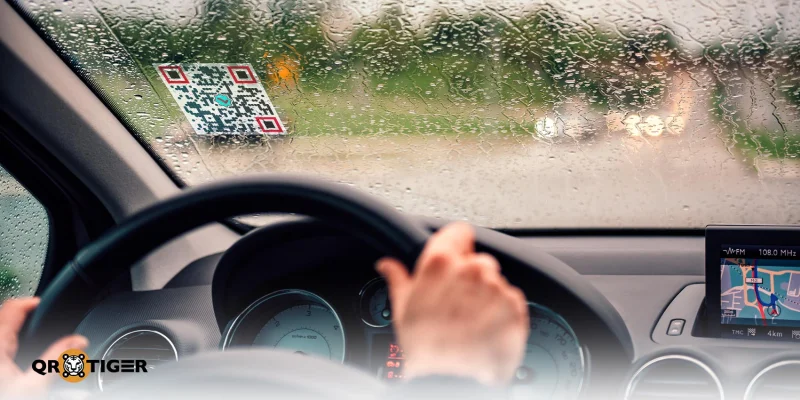
An outdoor QR code sticker faces rain, humidity, sun, and the occasional spill. The right layer combination holds its scan accuracy across all of those conditions.
Posters, store windows, and street-level advertising remain readable for months rather than days.
Restaurants and cafés
Restaurants stick waterproof QR codes onto table tops, counter signs, and drink packaging. Spills are constant in food service.
A standard paper sticker fades after one wipe-down. A laminated QR sticker handles repeated cleaning without losing its scan.
Events and promotions
Concerts, festivals, and conferences hand out stickers for check-ins, schedules, and networking links. Drink spills, bathroom mishaps, and outdoor venues put the codes at risk.
Waterproof stickers stay readable through the whole event, even when the lanyard takes a beer dip.
Hotels and tourist attractions
Hotels place QR codes on bathroom signs, pool decks, and outdoor walking maps. Tourist spots use them on weather-exposed displays.
A laminated or vinyl-printed code keeps working across rain, salt air, and frequent visitor handling.
How long do waterproof stickers last?
Waterproof stickers last 6 months to 5 years outdoors and often stretch indefinitely indoors. The exact range depends on the base material, UV exposure, and whether you added a laminate.
| Layer combination | Indoor lifespan | Outdoor lifespan |
| Vinyl print only (pigment ink) | 3 to 5 years | 6 to 12 months |
| Vinyl print + laminate | 5+ years | 1 to 2 years |
| Vinyl print + clear-coat sealant | 3 to 5+ years | 9 to 18 months |
| Paper print + laminate | 3 to 5+ years | 6 to 12 months |
| Paper print + clear-coat sealant | 1 to 2 years | 1 to 3 months |
| Vinyl + UV ink + laminate | 5+ years | 3 to 5 years |
How do you protect a QR code sticker from physical damage?
Protecting a QR code sticker from physical damage takes three things: durable materials, a protective seal, and smart placement.
- Clean the surface first. Wipe with isopropyl alcohol before peeling the sticker backing. Dust and grease stop adhesives from bonding properly.
- Pick a flat surface. Curved or rough surfaces create gaps where water can creep under the sticker.
- Place stickers below direct sunlight where possible. UV exposure fades pigment over time.
- Run a monthly scan test. Even waterproof stickers degrade slightly with age.
For tips on protecting your QR code from digital tampering, misuse, and unauthorized edits, see our QR code security guide.
How do you test if a waterproof sticker QR code still scans?
To test if a waterproof QR code still scans, expose it to water and light wear, then scan it from several angles on two different phones.
Steps to test your waterproof QR sticker:
- Open your phone camera. Hold it 10 to 15 cm from the sticker.
- Watch for quick recognition. A working QR code reads in under 2 seconds.
- Tilt the sticker at different angles. Glare reflections sometimes block the scan.
- Try a second QR code scanner app. Some apps read faster than others, especially in low light.
- Test in low light and bright sunlight. Outdoor signs need to work in both.
Troubleshooting common scan failures:
- If the QR code does not scan after laminating, the film is too glossy. Switch to a matte laminate pouch.
- If the sealant caused the ink to bleed, the print was not dry enough before sealing. Wait 24 hours next time.
- If the vinyl sticker edges are peeling, the surface was not cleaned first. Wipe with isopropyl alcohol before re-application.
- If scanning is slow, the color contrast is likely too low. Stick to a high contrast between the QR code pattern and background.
For more in-depth diagnostic steps, see our guide on what to do when a QR code isn't working or difficult to scan.
Make your waterproof QR code sticker last
A QR code points to content that updates whenever you want. The sticker holding the code does not. Waterproofing is what closes the gap between a permanent link and a temporary surface.
This is why the choice of layer combination matters more than the choice of method. A laminated vinyl sticker carries the same QR code as a bare paper one. The link works either way.
What changes is how long the printed surface remains scannable, and that is the difference between a sign that earns its placement and a sign that has to be replaced before the campaign finishes.
The two-layer model is the cheapest way to make the sticker last as long as the code is worth pointing to.
Answers to the questions you are about to ask
Do waterproof stickers actually work?
Yes, when both layers are right. A vinyl print pigment ink, and a thermal laminate handle rain, sun, and spills for one to two years outdoors.
How to tell if a sticker is waterproof or not?
Dab a small amount of water on a corner and wait one minute. Wipe it off. The ink should stay sharp, and the sticker should lie flat. If the ink smears, the colors fade, or the surface buckles, the sticker is not waterproof.
How to stick waterproof stickers?
Clean the surface first with isopropyl alcohol to remove dust and grease. Pick a flat, smooth spot. Peel the backing and press the sticker down from the center outward. Smooth out air bubbles with a card and let it bond for 24 hours before exposing to water.
This article is for general informational purposes only and does not constitute legal, financial, or other professional advice. For questions about QR TIGER's products or services, please contact our support team at [email protected].
Frequently Asked Questions (FAQ)
Do waterproof stickers actually work?
How to tell if a sticker is waterproof or not?
How to stick waterproof stickers?
Was this article helpful?
Maximize Scans with the Best QR Code Generator
Join thousands of global brands using QR TIGER to manage dynamic routing, bulk creation, and deep attribution analytics.
Get Started For Free
