

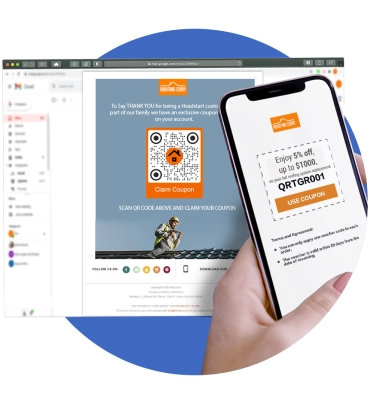
Advanced QR code generator for emails
Share your email address and send an email with a scan with our free email QR code generator. Enter your email address, subject, and body. Create for free now!
What is an Email QR Code?
Generate a free QR code that instantly leads users to the email app. You can use it for networking and other personal or business purposes.

Why use an Email QR Code?
These versatile codes are your gateway to unparalleled convenience, efficiency, and streamlined communication.

Send emails in a snap
An Email QR code saves time, reduces errors, and connect instantly. Building strong connections is just one scan away.
Why should you use a QR code for email?
Our free QR code generator lets users craft unlimited email QR codes that perfectly match their preferences—all for free! Create the most eye-catching QR codes by choosing from the library of QR code designs.
Our free QR code generator lets users craft unlimited email QR codes that perfectly match their preferences—all for free! Create the most eye-catching QR codes by choosing from the library of QR code designs.

Free email QR code
Our QR code maker lets you create free QR codes for email. It’s a perfect solution whether it’s for networking, email support, or a campaign. One quick smartphone scan takes users to their email app, showing your email address, pre-filled email subject, and a pre-drafted message.
Simple to use, fast to create
Our QR code generator simplifies QR code creation. In seconds, you can generate your customized QR code with a logo for email. Our practical solution can help you instantly build strong connections with less effort. You can use our QR code templates to save time.
Complete email in one QR
Our email QR can store your complete email details: email address, email subject, and pre-composed message. With this practical solution, you don’t need to manually compose emails from scratch all the time.
Ready for mobile viewing
Our QR code email displays your email address and pre-drafted email subject and message in no time. It’s a solution specially designed to make email communication mobile-ready for a fast and straightforward approach.
Smart email tool
A QR code email is a smart email tool that streamlines email communication, allowing you to make instant connections whenever and wherever you go. It’s a must-have solution in your email toolbox to get your networking and email campaigns future-ready.
Powerful email campaigns
Achieve email campaigns that drive real results with our practical QR code solution. Reach your target audience like never before via email.
What businesses love about QR TIGER
What makes us the best email QR code maker
Free customization
Make your QR codes stand for free with no hassle! Our QR code generator lets you style your QRs from eyes, patterns, frames, colors, and more.
Complete solutions
Gear up your modern marketing toolbox with our long list of advanced QR code solutions and high-end features. Our future-ready QR code generator is perfect for all businesses.
Advanced Analytics
Enjoy real-time tracking of all your QR code campaigns in just one place. See what strategy is more effective and which QR code drives more results directly from your dashboard.
Next-level productivity
Export your customized QR codes to other CRM platforms for smoother and faster workflow. Connect your account with HubSpot, Canva, Zapier, and more.
24/7 customer support
Our customer success team is ready 24/7 to provide quick and accurate responses to ensure your QR codes work perfectly.
Great serviceability
Our system is equipped with 99.9% service uptime and rapid auto-scaling server clusters to ensure flawless and quick QR code creation.
Frequently asked questions
What is an email QR code generator?
An email QR code generator is a platform where users can generate their own QRs for email for free. They can store complete email details in one QR that they can share with others to streamline communication.
What is a QR code for email?
What is a Gmail QR code?
A Gmail QR code or email QR code is a free QR code solution that can store Gmail details for instant communication via Gmail.
Can I create an email QR code for free?
Yes, you can totally create email QR codes for free with our QR code generator. Our email QR solution is a static solution, which means you can generate them for free without limits!
Can I create a QR code for my email address?
Absolutely, you can create a quick response code for your email address. Use our free email QR solution and simply add your email address. You can also pre-fill the email subject and pre-compose your email message.
How to convert email to a QR code?
It’s easy to convert email to QR code with QR TIGER. Simply use our free email QR solution to convert email information to a smartphone-scannable code.
How does an email QR code work?
Our QR code for email works by storing email address, email subject, and a message. Once scanned using a smart device like a smartphone, the code redirects to the email app and displays all the information at once. This facilitates even faster email communication. Scanners no longer need to manually type your email details.
How do I create an email QR code?
You can create an email QR code with our free QR code generator in just seconds. You can do it in five simple steps. Go to QR TIGER online and select email QR > Add email information > Generate QR > Customize QR and add a logo > Download to save your email QR.
How do I use an email QR code generator?
You can use our email QR code maker to create stunning email QRs for free. You can use the QR code email for personal or business use like networking, email support, and more!
Is there a free QR code generator for email?
What’s the best free QR code generator for email?
Why do I need an email QR code?
Modern demands are constantly changing. More and more people are in constant search for instant solutions. And QR codes are one of the most cost-saving and effective instant solutions in the digital space. Advanced communication is the future, and it’s easy to bring this into reality with our email QR solution.
What can I store in an email QR code?
You can store complete email details in your QR code email. You can store your email address, pre-fill the email subject, and add a pre-composed email message.
Can I edit my email in my QR code?
Can I add a logo to my email QR code?
Yes, you can absolutely add a unique logo image to your QR code email. QR TIGER allows full QR code customization, so users can embed their own QR code logo.
How do I add a logo to my QR code design?
How can I customize the design of my email QR code?
Use a QR code generator with a logo to customize your email QR code’s design for free. Generate a dynamic or static QR code, then you can play with the different QR code design elements to personalize your QR.
Can I edit the design of my QR codes?
How can I edit the QR code design?
Generate a QR code using our dynamic QR code generator. Once done, go to your dashboard and select the dynamic code. Click the QR code > Settings > Edit QR design > Save.
Can I track my email QR code?
How do I track my QR code?
To enjoy QR code tracking, simply generate a dynamic QR code. You can then access real-time QR code data directly from your dashboard. Select the dynamic QR and click Stats to see how effective your QR campaign is in real time.
Download the QR TIGER App



'QR Code' is a trademark of DENSO WAVE INCORPORATED. © 2026 www.qrcode-tiger.com