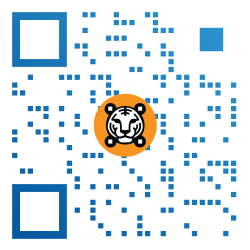

QR code generator for event registration
Use an event QR code to share complete event details with a scan—event name, venue, duration, and more. Streamline your events with a QR code generator now.
What is an Event QR code?
A QR code for events is a free QR solution that lets you share the name/title, venue, date, and duration of your event.

Why use a QR code for event RSVPs?
Improve your attendee turnout by incorporating a QR code in your digital and printed materials. Add one on your website or event page, or place it on posters, tickets, pamphlets, or brochures.

Complete event details in one QR
Our free QR code generator for events does the hard work for both organizers and attendees. Never let your invitees miss out on your event again with easy calendar syncing via QR.
Why use a QR code for events
Our advanced QR code generator software is specially designed to support event planners with an extensive suite of features that optimize operations and amplify an event’s visibility.

Free QR code for events
Creating your own event QR comes at no cost, with no scan limits or expiry. Be it for a small meeting or an international conference, this simple yet powerful solution works like a virtual handshake between you and your invitees.
Personalize your QR
Align your QR code with your brand with our comprehensive customization tools. Play around with different patterns and colors, insert your logo, include a frame with a call to action, or choose from our designer templates.
Smart events are becoming the standard
Event planning is crucial, and so is your audience engagement. More and more event managers across the globe are now using QR codes to give a digital dimension to their functions.
The QR TIGER advantage
What makes us the smart choice for events and RSVPs
Versatile QR Code Builder
Get access to more than 20 specialized QR solutions for different use cases—from sharing URLs to files, digital business cards, social media links, and more
Fully customizable
Design your QR according to your brand or event theme. Based on our study, a custom QR code gets at least 40% more scans than standard ones.
Detailed Analytics
Get insights into your user behavior and demographics: scan count, locations, times of scan, and devices used.
Seamless Integration
Easily connect your QR TIGER account with tools HubSpot, Zapier, Canva, Monday.com and more
Secure Data Handling
QR TIGER complies with ISO 27001, GDPR, and CCPA standards. We use a highly secure cloud-based database based in the US.
24/7 Support
Our customer success managers are always on standby to make sure your QR codes work the way they should.
Frequently asked questions
How does an Event QR code work?
The Event QR solution stores event details like venue, duration, and more. You can use it in many ways for all occasions. Simply add the event details you’d like to share so guests can see them with a quick smartphone scan.
How do I create a QR code for RSVP?
How do I scan a QR code ticket for events?
How do I create a QR code for registration?
You can get it done in just a few clicks using our platform. Simply choose a solution, add your event’s registration link, and simply click Generate QR. Customize, download, and share it!
Why should I get a QR code for events?
Can I make changes to the data embedded in the code?
Can I add a logo to my Event QR?
How do I add a logo to my QR?
QR TIGER is a QR code generator with logo integration that lets users add their own logo image to their code design. Simply customize your QR and click Logo. Then, you can upload your logo image or select one from our software’s built-in library of logos.
Can I customize the style of my QR?
Yes, you can. With our QR creator, you have the flexibility to personalize your QR’s appearance and blend it with your brand’s image. Explore our rich customization options and pick colors, templates, frames, and patterns.
Can I edit the design of my QR?
Is the event QR solution trackable?
How do I track my Event QR?
To track a QR code, first, you must access your dashboard and click the My Account button in the upper right corner. Select the QR campaign you want to track, then view Stats to access data into its performance. There, you will find a comprehensive overview of your code’s activity, including total scans, scan times and locations, scanning device used, and more.
Download the QR TIGER App



'QR Code' is a trademark of DENSO WAVE INCORPORATED. © 2026 www.qrcode-tiger.com