
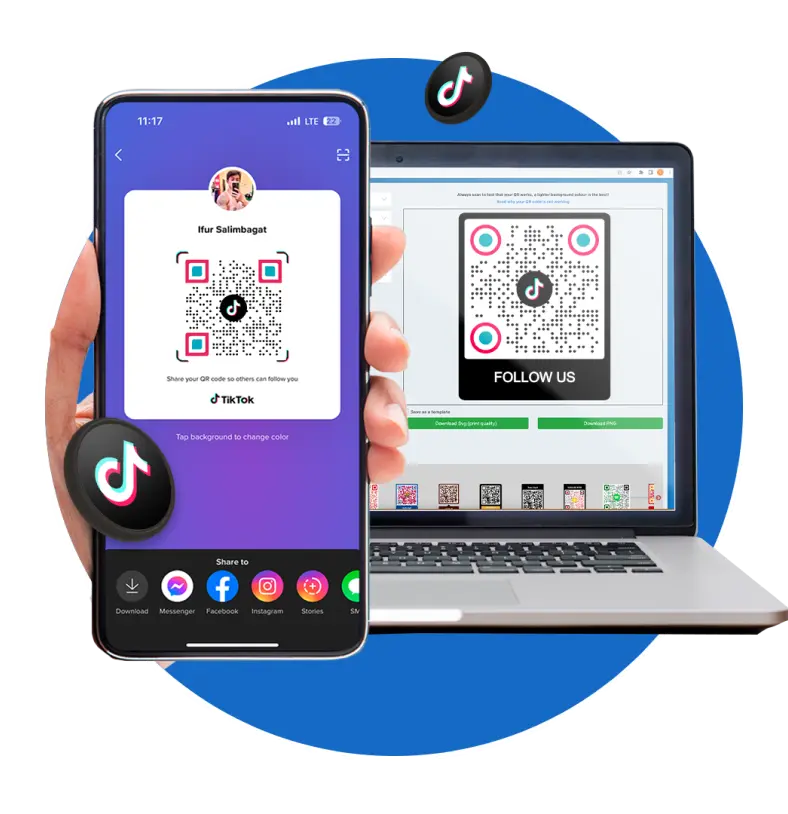
Advanced QR code generator for TikTok
Generate a QR code for a TikTok profile using our advanced TikTok QR code generator. Boost your reach, maximize your visibility, and enable audiences to quickly find information about you and your product.
What is a TikTok QR code?
A TikTok QR code is a solution that can easily direct scanners to your TikTok account. It acts as a digital bridge, seamlessly connecting users to your TikTok profile wherever they might be. Thanks to our TikTok QR code solution, expanding your audience reach and increasing followers on the platform is made easy. Just copy your TikTok profile link and convert it to a scannable code using our free QR code generator.

Why use a QR code for TikTok?
Get more eyes on your amazing content with a TikTok QR code and drive traffic to your profile. It’s a potent solution that provides quick access to your TikTok profile. This ultimately boosts followers, increases video engagement, and even helps in growing your TikTok shop sales.

TikTok QR code: A QR code for your TikTok handle
Our QR code for TikTok serves as a magic portal to your profile. Anyone who scans it using a TikTok QR code scanner will thank you for this new, tech-savvy way of knowing what you offer—leading them exactly where you want them to be.
Why use a QR code for TikTok
QR TIGER makes it easy for users to create a QR code despite its technical nature. Our software offers a convenient and interactive way for potential followers to discover you, bridging the gap between the offline and online worlds.
Our Google Form QR codes pose powerful, real-world applications for large corporations. Here are some examples:

You can get creative
Easily jazz up your QR codes to match your style or brand identity with our software. We offer a customizable QR code that lets you incorporate your signature color, including the brand’s logo, or add a compelling call to action, elevating your visibility across all platforms.
They’re flexible and editable
Our TikTok QR codes can be generated as static or dynamic QR. The key to unlocking the maximum potential of our software is creating your QR code in a dynamic. Now, you can modify your unique link without sending or printing another code. It also comes with added advanced features that can improve your strategy and outcomes.
You can track every scan
Our QR code generator enables users to track QR code TikTok engagements based on the scan activities. This gives a comprehensive picture of the QR code’s performance—the total number of scans, the total number of unique scans, where the code is being scanned, and the operating (OS) system of the scanning device.
They boost engagement and recognition
TikTok QR codes act as your personal brand ambassadors. Because of their versatility, you can place them on all of your social media profiles, business cards, and products—anywhere that grabs the eyes of your potential audience. It makes following you smoother than butter and a savvy way to get your name out there in style!
They’re mobile and user-friendly
Our platform’s mobile-optimized feature enables you to give your marketing campaigns a savvy mobile makeover so your audience can easily visit your profile and see the awesome content you’re creating. They don’t have to type in and find your profile in a sea of usernames—it’s all just a scan away.
What makes QR TIGER great for content creators
What makes us the best QR code generator for TikTok QR codes online
Comprehensive QR code platform
Delight in QR TIGER’s list of advanced solutions and features. From vCards to inventory management, our software boasts over 20 QR code solutions that can elevate your business to new levels of success.
Customizable TikTok QR codes
Create eye-catching TikTok QR codes that link straight to your profile with our TikTok QR code generator with a logo. Whether you’re all about soft or vibrant themes, QR TIGER lets you customize your code to perfectly match your branding.
Extensive QR code analytics
Experience your campaign’s intel right at your fingertips. See where your codes get scanned and target campaigns better with location data.
Flawless integration with CRM tools
Our software supports synergistic fusion with esteemed CRM tools such as Zapier, HubSpot, Canva, and Monday.com to optimize your operations and supercharge marketing strategies.
Round-the-clock customer assistance
Whenever you need a helping hand, our friendly customer service crew is on deck to answer any QR code troubles or questions, like in cases where you don’t know how to scan a QR code on TikTok.
Hassle-free operation
Drive productivity and experience continuous operations with QR TIGER’s dynamic auto-scaling services, which guarantee 99.9% service uptime.
Frequently asked questions
What is the QR code for content in TikTok?
A QR code TikTok is a solution dedicated to the TikTok page and content. It’s a special type of QR code that can store content from the TikTok app. Upon scanning the code with a smart device, the audience is transported to an account where they can explore the creator’s library of content.
How does a TikTok QR code work?
Our software lets you create TikTok QR codes with just a tap or two. Embed your profile’s URL in a QR code using a QR code generator. Your link acts as a unique identifier that directs the audience to the intended destination. When scanned by a smartphone, the QR code opens up access to the channel, including the creator’s works, TikTok shop, and other relevant information.
How do I get a TikTok QR code for my profile?
Can I log in to TikTok using a QR code?
Yes, you can login with TikTok QR code. Just click Login > Use QR code > Scan QR > Confirm sign-in. You can use your device camera to scan the code.
How to scan a TikTok QR code?
Why do you need a TikTok QR code?
A QR code linked to your TikTok profile grants you a convenient and efficient way to showcase what you offer and expand your follower base. With a quick scan, your audience can instantly view your content and connect with your channel.
Can I edit the stored data in a TikTok QR code?
Can I add a logo to my QR code?
How do I add a logo to my QR?
To add a logo to your QR code template or design, you need to use the QR TIGER QR Code Generator’s logo integration feature. After creating your QR, go to Customize your QR and click Logo. Then, upload your logo image or choose one from the software’s built-in logos.
Can I customize the appearance of my TikTok QR code?
Absolutely. QR TIGER is a QR code generator that allows you to fully customize the design of your QR code and add your business logo. With our wide range of customization features, you can select colors that best represent your image, choose templates and patterns that match your brand, and decide on the eye design and QR code frame.
Can I edit my TikTok QR code design?
Is the TikTok QR code trackable?
How do I track my TikTok QR code?
Click the My Account button on the upper right corner of your account dashboard and select the QR you want to track. View Stats to access insights into the QR code’s performance metrics. There, you can see your code’s activity based on the total scans, scan times and locations, device type used in scanning, and more.
Download the QR TIGER App



'QR Code' is a trademark of DENSO WAVE INCORPORATED. © 2026 www.qrcode-tiger.com