
How to Generate a Free QR Code (No Signup Needed)

Some platforms claim they’re “free,” but just as you start creating your QR code, they redirect you to their pricing page or another that takes another step or a minute.
Here’s the truth: making a free QR code only takes five simple steps. Quick, easy, and no extra clicks or pages in between.
By the end of this blog, you’ll know how to make customized QR codes for free—static or dynamic—using a free QR code generator that’s easy to use.
Table of Contents
- How to create a QR code for free
- How to make an editable QR code for free
- Do free QR codes expire?
- Are free QR codes safe to use?
- What data can I encode in a free QR code?
- How to create a free Google Form QR code
- How to make a free QR code for Facebook
- How to make a free Instagram QR code
- How to generate a WiFi QR code for free
- How to create an MP3 QR code
- How to generate a free email QR code
- How to make a YouTube QR code for free
- How to make a Pinterest QR code for free
- How to create text QR codes for free
- Frequently asked questions
How to create a QR code for free
- Go to the free QR code generator online
- Choose a solution and select Static
- Enter information into the empty field
- Generate QR code for free and customize
- After testing, download and share.

How to make an editable QR code for free
- Go to a dynamic QR code generator like QR TIGER
- Register for a free account
- On the homepage, choose a dynamic solution
- Add the details you want to share
- Generate dynamic QR code for free
- Customize and test the code with your device
- Once good, download and share.
📌 Once you sign up for a free account, you can create up to 3 free dynamic QR codes. You can then edit and track them on your dashboard.
Do free QR codes expire?
No. They don’t expire and can last forever. But it also depends on the type you’re using.
If you’re using a static QR code, it’ll work forever because the information is directly embedded into the code. As long as the link or info it leads to is still active, anyone can access it anytime.
But if it’s a free dynamic QR code, they require a subscription. They work depending on your current plan.
Platforms offer them with time limits or usage caps. Once the free trial or quota ends, the QR code might stop working unless you upgrade your plan.
Simply put:
- Static QR codes last forever.
- Free dynamic QR codes might expire, depending on your subscription plan.
Are free QR codes safe to use?
Yes, they are safe to use, as long as you create them with a trusted QR code generator online.
The real concern isn’t the code itself but where it takes you.
If the QR code links to a secure, legitimate site or file, there’s no problem. But if it’s made using an unreliable or shady platform, it could lead to unsafe links or phishing pages.
To stay safe, here are a few simple tips:
- Use a reliable QR code generator with good feedback from real customers.
- Check the link before scanning or sharing it.
- Avoid scanning random QR codes from unknown sources.
What data can I encode in a free QR code?
You can store quite a bit of basic information in a free static QR code. Here are the most common things you can include:
- Website links
- Google Form links
- Email info (email address, subject, message)
- WiFi (SSID, password, encryption)
- Event details (event, venue, duration)
- Plain text
- SMS
- Location
- YouTube
- TikTok
- X (Twitter)
- URLs
- Contact info with social media links
- Files (PDF, JPEG, PNG, MP4, Excel, Word)
- Videos (MP4, WAV)
- Social media links
- Digital menu file (PDF, JPEG, PNG)
- App stores links
- Customized landing page
- Audio or MP3 (MP3, WAV)
Just keep in mind: static QR codes encode the data permanently, so once you create one, you can’t change the content or track any scans. For anything editable or trackable, you’d need a dynamic QR code.
How to create a free Google Form QR code
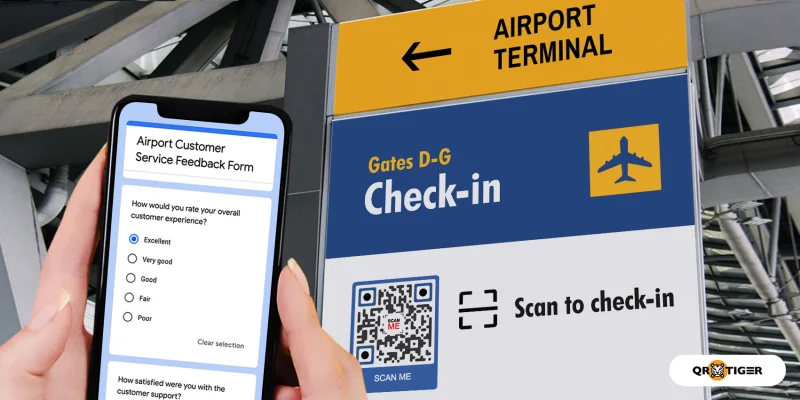
- Go to Google Form QR code generator online
- Enter the Google Form link
- Select Static QR or Dynamic QR
- Generate QR code and customize
- Test the QR and download once it's good
How to make a free QR code for Facebook
- Go to the Facebook QR code generator online
- Select Static QR or Dynamic QR
- Enter the Facebook link you want to share
- Generate QR code. Change the design if desired
- Download the QR code once tested
The FB QR code can store any link from Facebook. It could be a Facebook profile, page, group, events, post, or reel. Scanners can access it as long as the link stays active or the content stays available.
How to make a free Instagram QR code
- Go to the Instagram QR code generator online.
- Choose between Static (free) or Dynamic (editable and trackable)
- Enter the Instagram URL
- Generate QR code and modify the design.
- Test the code. Once good, download and save.
You can store any link from Instagram in your IG QR code. You can add a link to your IG post, reel, page, or account.
This can grow your Instagram followers or boost your content engagement. If you want to store all your social media links on one page, use the QR code for all social media handles.
How to generate a WiFi QR code for free
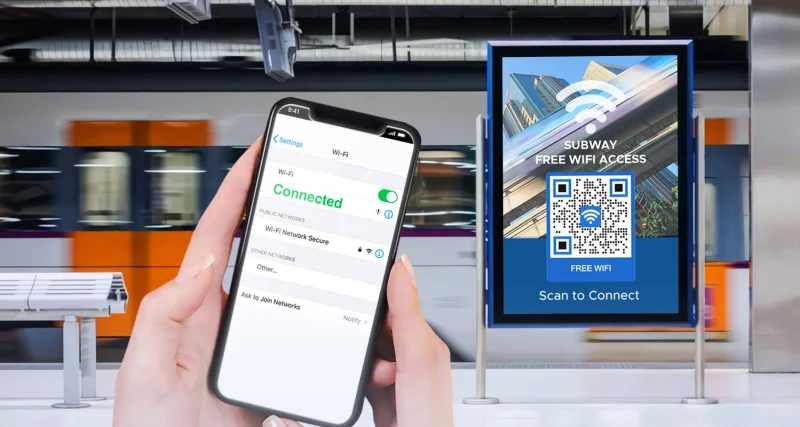
- Go to a free WiFi QR code generator online
- Add your WiFi details: SSID, Encryption, and password.
- Generate QR code and customize
- Test the code first. Download, save, and share.
Creating a QR code for your WiFi cuts the hassle of manually searching for networks or typing complex passwords. One scan, and you’re connected to the internet.
How to create an MP3 QR code
- Open the MP3 QR code generator on your device
- Upload your MP3 file (WAV or MP3 format)
- Generate your audio QR code and customize it.
- Scan it to test if it works. Download once it's good.
This is a dynamic QR solution, so you can reuse the QR code again. It means you can replace the file with a new one anytime you want.
For audio links, like Soundcloud or Spotify, you can use the URL QR code (static) for free creation.
How to generate a free email QR code
- Go to an email QR code generator online
- Complete your email details: email address, subject, and message
- Generate QR code for free. Customize to make it unique.
- Scan to see if it works. Download, save, and share once it’s good.
By switching to QR codes, people can just scan their way to reach you via email. Scanning the code opens their default email app on their device and displays your email details right away.
How to make a YouTube QR code for free
- Open a YouTube QR code generator on your device
- Select type of QR: Static or Dynamic
- Enter YouTube URL
- Generate QR code and customize
- Scan the code first before downloading and sharing
You can enter any URL from YouTube, like your YT video, channel, or shorts that you wanna to share. As long as the content or link is available, scanners can access your content whenever or wherever they want.
How to make a Pinterest QR code for free
- Go to the Pinterest QR code generator on your device
- Choose QR type: Static (free) or Dynamic (editable & trackable)
- Enter the Pinterest URL you want to share
- Generate QR code and make your own QR code design
- Test the code by scanning it. Once good, download and share.
You can enter any link from Pinterest. Choose the Pinterest content you wanna share. It could be your Pinterest pin, a page, a post, or your account.
How to create text QR codes for free
- Go here: Text QR code generator
- Enter the text you want to share
- Generate QR code and modify the design
- Scan with your device to test it first. Download and share once all is good.
For bulk generation, use the bulk QR code generator for texts. You can download the available CSV template for easier creation. Just enter all the text and upload everything in a single file to start.

Frequently asked questions
Can I make my own QR code for free?
Do free QR codes support dynamic tracking?
What file formats are available for free download?
Can I customize the design of a free QR code?
Is there a limit to how many QR codes I can generate for free?
QR TIGER lets you create unlimited static QR codes for free. Since dynamic QRs are advanced, you can make up to 3 dynamic QRs for free with 500 scans per dynamic QR code. Most online platforms set limits—either on the number of codes you can make or on the number of times they can be scanned.
Will the QR code work if I change its color or background?
Can I add a logo to a free QR code?
Are there usage limitations for free QR codes?
Do I need to create an account to generate free QR codes?
Can I edit a free QR code after generating it?
How long do free QR codes remain valid?
What should I do if my free QR code doesn’t scan?
- Make sure the colors have the right contrast
- Use a clear, high-resolution image
- Don’t print it too small
- Avoid busy backgrounds
- Keep a clean white border around the code
Are QR codes completely free?


